Vista Digital Mixing System
Date printed: 05.08.03 SW V3.3 Parameters 3-35
3.4.4 Reverb Channel Parameters
For additional information on reverb channels, please refer to chapter 3.6.
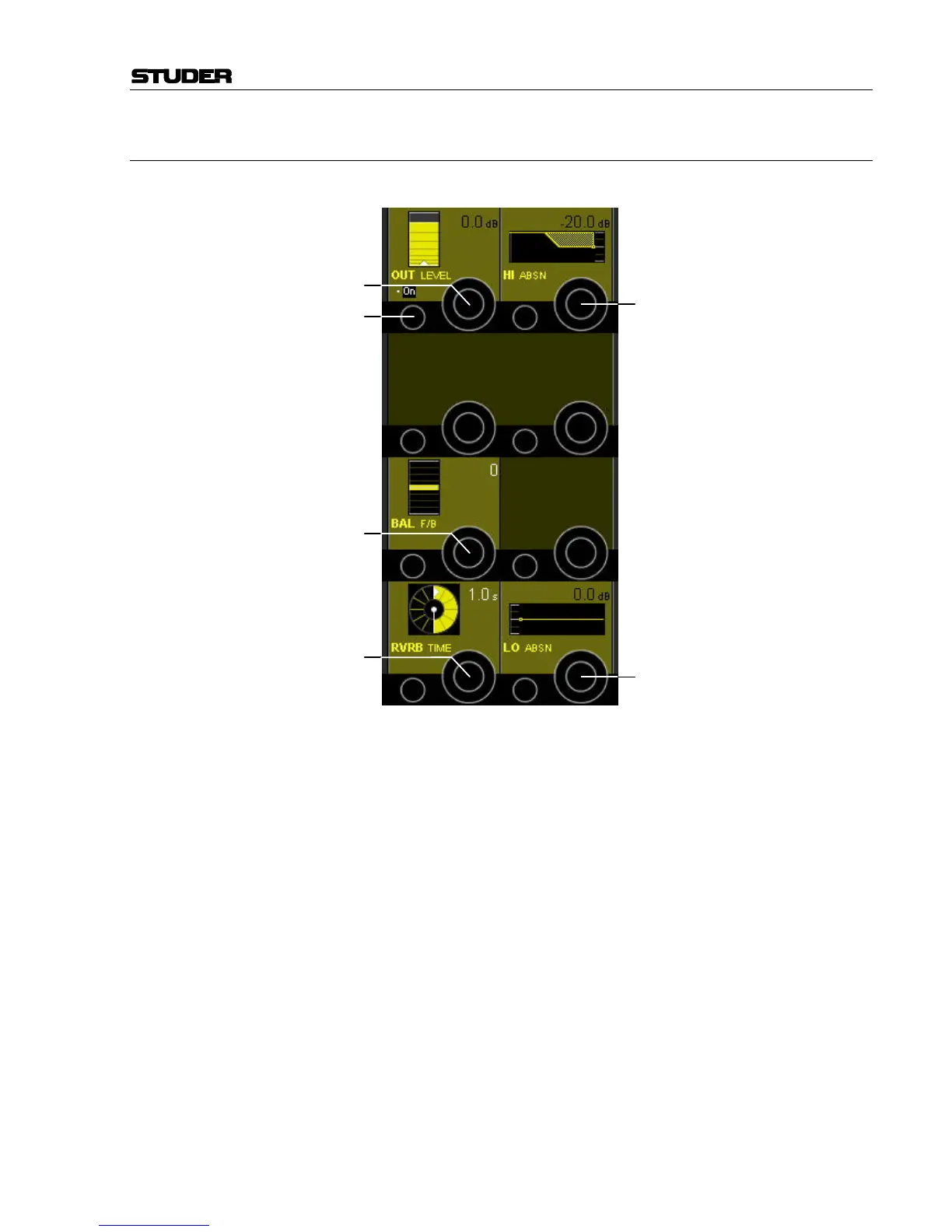
OUT On/Off [97] Muting the audio will immediately cut the reverb signal with no reverb tail
hanging over.
OUT LEVEL [98] Adjusts the output level of the reverb signal.
RVRB TIME [99] Sets the decay time of the reverb channel.
BAL F/B [100] Adjusts the balance of the reverb signals being sent to the front and rear
channels. In each extreme only the front or rear channels will be fed.
HI ABSN [101] Adjusts the high-end frequency balance.
LO ABSN [102] Adjusts the low-end frequency balance.
Notes: Fader and ON switch of a reverb channel are located before the reverb
generator, i.e. they control its input signal. Muting the audio at this point
will allow the reverb tail to hang over after the mute is activated.
The reverb channel generates four de-correlated reverb tails that are fed to
front L/R and surround L/R as a standard. Thus the bus assignment should
be done to buses 1, 2, 4, 5 in a surround configuration.
[97]
[98]
[100]
[99]
[101]
[102]



 To Next Page