Vista Digital Mixing System
3-20 Parameters SW V3.3 Date printed: 05.08.03
3.4 Channel-Related Views
3.4.1 EQ / Filter Parameters
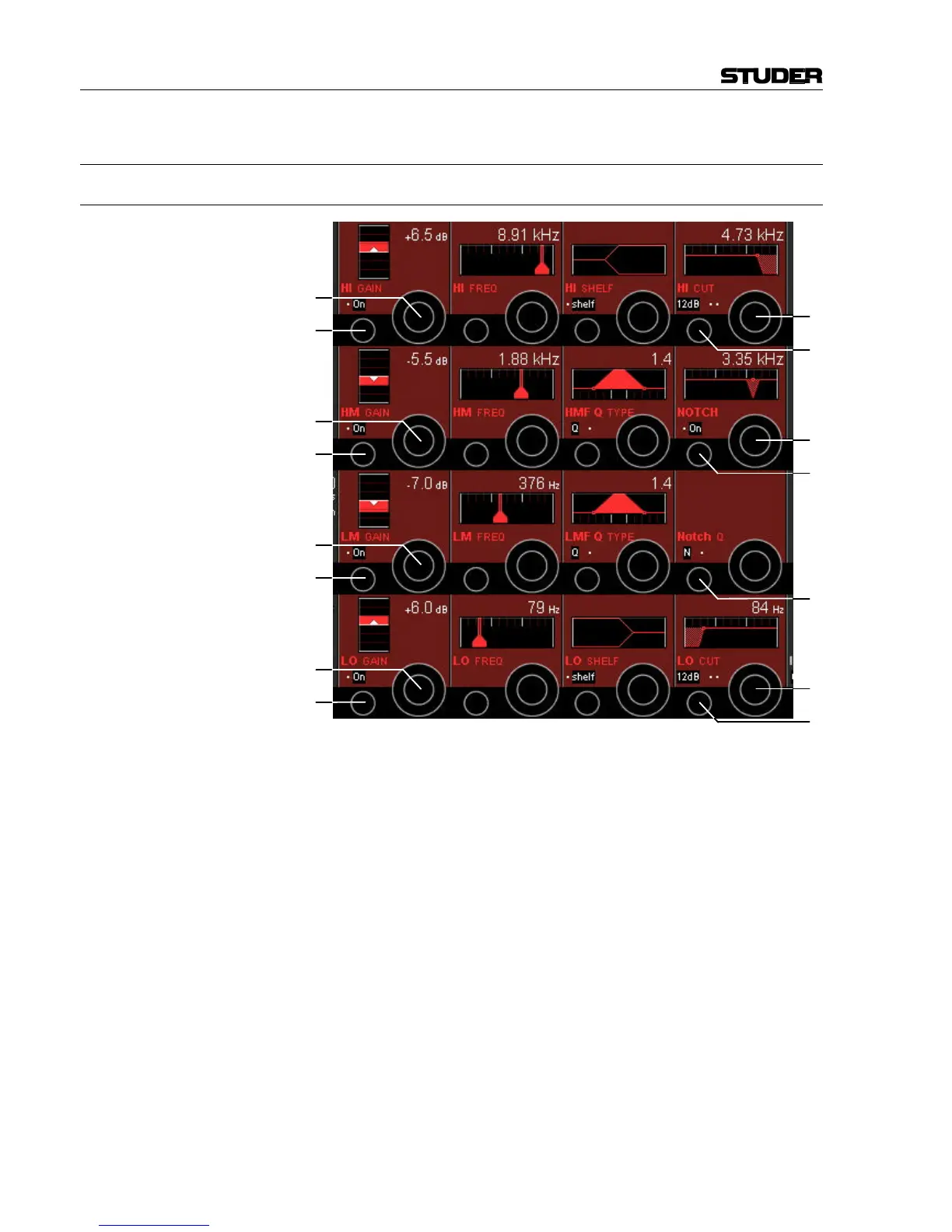
EQ Parameters:
HI/HM/LM/LO On/Off [26] On/off function for the selected EQ band.
HI/HM/LM/LO GAIN [27] Boost/cut adjustment; ±18 dB in steps of 0.5 dB.
HI/HM/LM/LO FREQ [28] Center frequency (or, if “shelf” is selected for the HI or LO frequency
band: turnover frequency) adjustment. For all four bands, the center or
turnover frequency can be adjusted from 20 Hz through 20 kHz, in 120
steps.
Q/R or bell/shelf [29] For the HM and LM bands, Q type can be selected from Q (constant-Q)
and R (constant-range) filter types.
For the HI and LO bands, bell (same as “constant-Q” for HM/LM bands)
or shelf (shelving-type filter) can be selected.
Q value [30] The Q (bandwidth) can be set to values from 0.27 through 8.7, in 30 steps.
For the HM and LM bands Q can be set only if “bell” is selected.
HM, high-mid frequency, and LM, low-mid frequency: Q = 0.27 through
8.7, in 30 steps,
High Cut/Low Cut Filter Parameters:
HI CUT/LO CUT Slope [31] Slope setting for the high- and low-cut filters, selectable from 12, 18, and
24 dB/octave (toggles 12, 18, 24, 12...).
[26]
[26]
[27]
[26]
[27]
[26]
[27]
[33]
[34]
[31]
[32]
[35]
[32]
[31]
[28]
[28]
[28]
[28]
[29]
[29]
[29]
[29]
[27]
[30]
[30]
[30]
[30]



 To Next Page