Vista Digital Mixing System
18 Software V4.0 SW V4.0 Date printed: 17.06.08
A.3.11 Panning Parameters
Press GLOBAL VIEW: PAN.
Please note that the panning section in the 5.1 channels is completely dif-
ferent from the panning we already know from mono or stereo channels.
The main goal of the panning section for surround input channels is the di-
rect adjustment of the most important parameters by a touch on the Viston-
ics
TM
screen, without the need to “spill” single mono or stereo channels to
additional faders, since other important sources would then be hidden and
become unavailable. This is realized by introducing completely new pa-
rameters for “balancing” the 5.1 signal using the Vistonics rotary encoders.
The complete 5.1 channel panning section is described in chapter A.4.3.
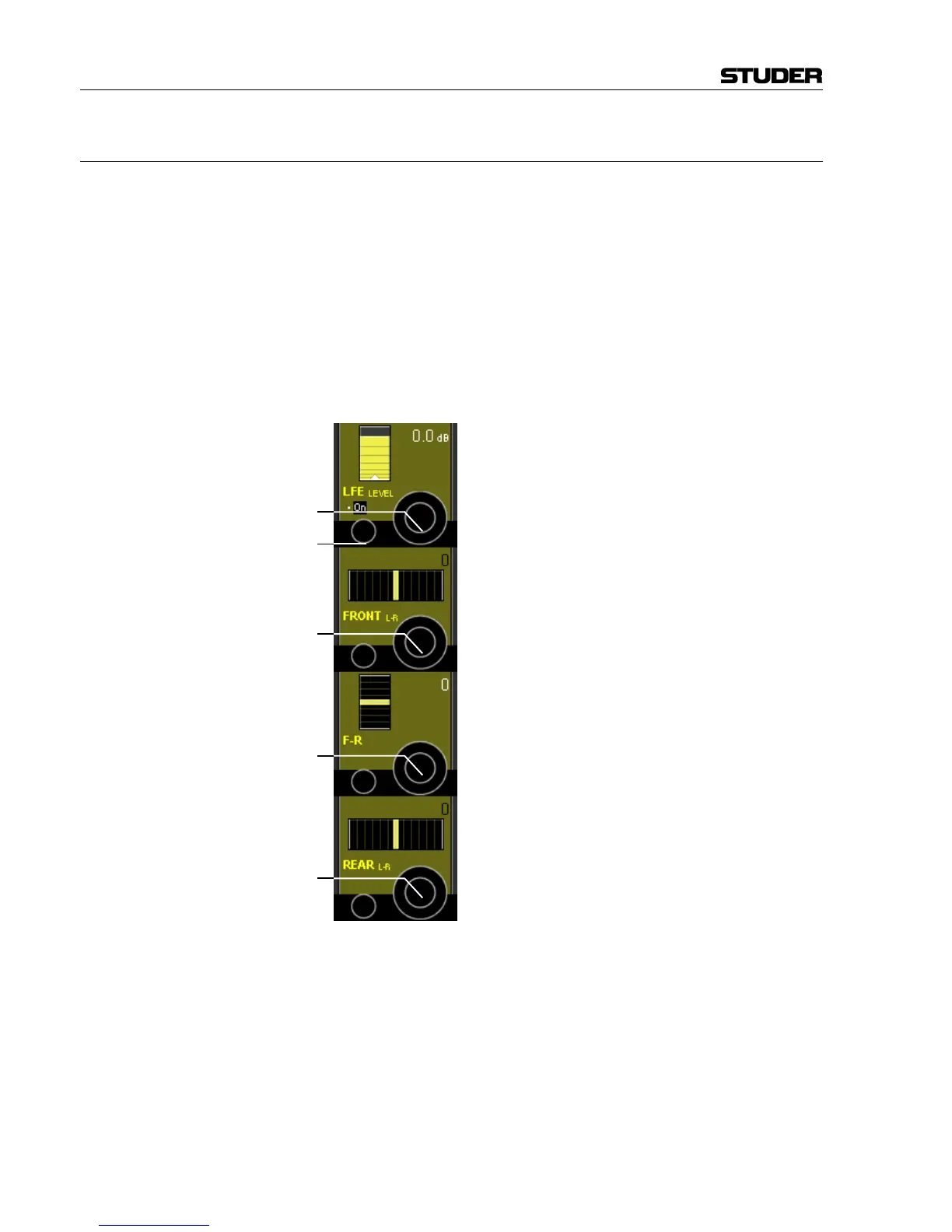
The most important 5.1 panning parameters can be seen and controlled in
the global view:
LFE LEVEL [1] This is a simple level trim for the LFE leg of the surround signal. The de-
fault level is 0 dB. Maximum boost/cut is +10 dB/–90 dB.
LFE LEVEL On/Off [2] "Off" mutes the LFE signal.
FRONT L-R [3] Balance control for the FRONT channels of the surround signal. When set
towards the left, the signal of the right channel is attenuated, and vice
versa. This is comparable to the input balance of a stereo channel.
F-R [4] Balance control for the relation between the surround signal's FRONT and
REAR channels. When set towards the FRONT, the REAR signal pair is
attenuated, and vice versa.
REAR L-R [5] Balance control for the REAR channels of the surround signal. When set
towards the left, the Rs channel signal is attenuated, and vice versa.
[2]
[3]
[4]
[5]
[1]



 To Next Page