Vista Digital Mixing System
2-20 Desk Operation SW V3.3 Date printed: 05.08.03
2.4.5 Area 5 – Monitoring Source Selection
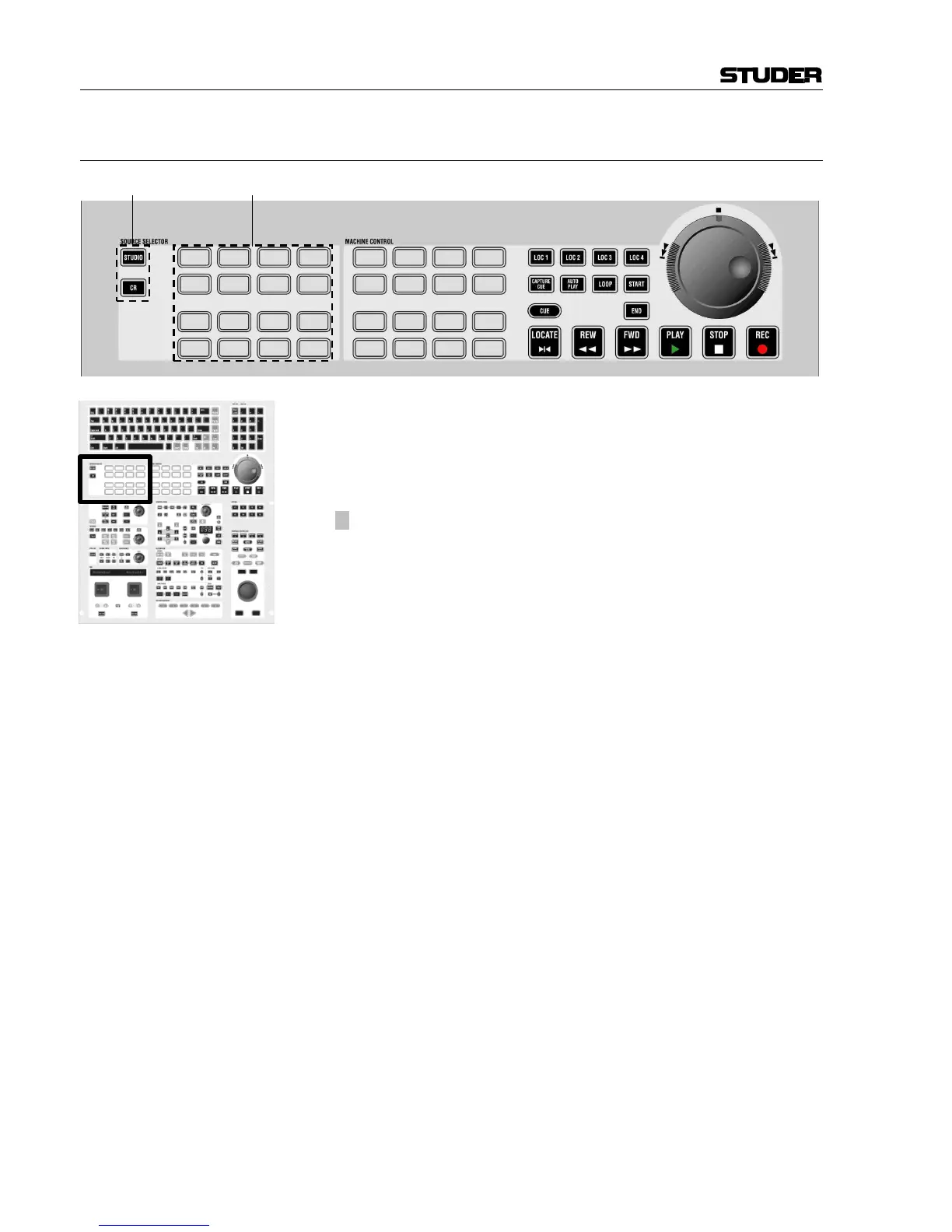
[110] SOURCE SELECTOR: STUDIO
SOURCE SELECTOR: CR
Determines whether the source selectors [111] are active for the studio or
for the control room.
Vista 6: Two separate studios A and B.
[111]
¹ SOURCE SELECTOR
Each key can be assigned to two sources: One for the control room, one for
the studio.
Extended Source Selector mode: For the control room, it is possible to
activate the SOURCE SELECTOR top row (keys no. 1...4) to be “sub-
selectors” rather than selectors, allowing 12 sources to be assigned to each
of these keys. This functionality makes 60 sources available for listening
in the control room, rather than the standard 16. Activation is done by ed-
iting the monitoring.ini file. This may be done by experts only.
Pressing one of the “sub-selectors” will make one of the 12 sub-sources
selected and audible in the monitoring. Pressing the sub-selector again will
open up a list of all 12 sources available for this sub-selector on the
Graphic Controller screen. Select any of the 12 with the trackball, then
close the dialog by pressing the same sub-selector key again. If none of the
12 sources is selected, the dialog will pop up automatically upon the first
key press in order to make a selection with the trackball.
Vista 6 has 32 source selectors available, four of them can be used as
“sub-selectors” as described above. This results in up to 76 definable
sources for monitoring.



 To Next Page