Vista Digital Mixing System
3-30 Parameters SW V3.3 Date printed: 05.08.03
3.4.3.2 Multi-Format Panning Parameters
Surround panning consists of two panning algorithms: Multi-format pan-
ning, and VSP (Virtual Surround Panning). These support a variety of sur-
round formats and applications; in all these modes, an LFE (Low Fre-
quency Effects) control is available. Multi-format panning functions can
be configured only for mono channel types.
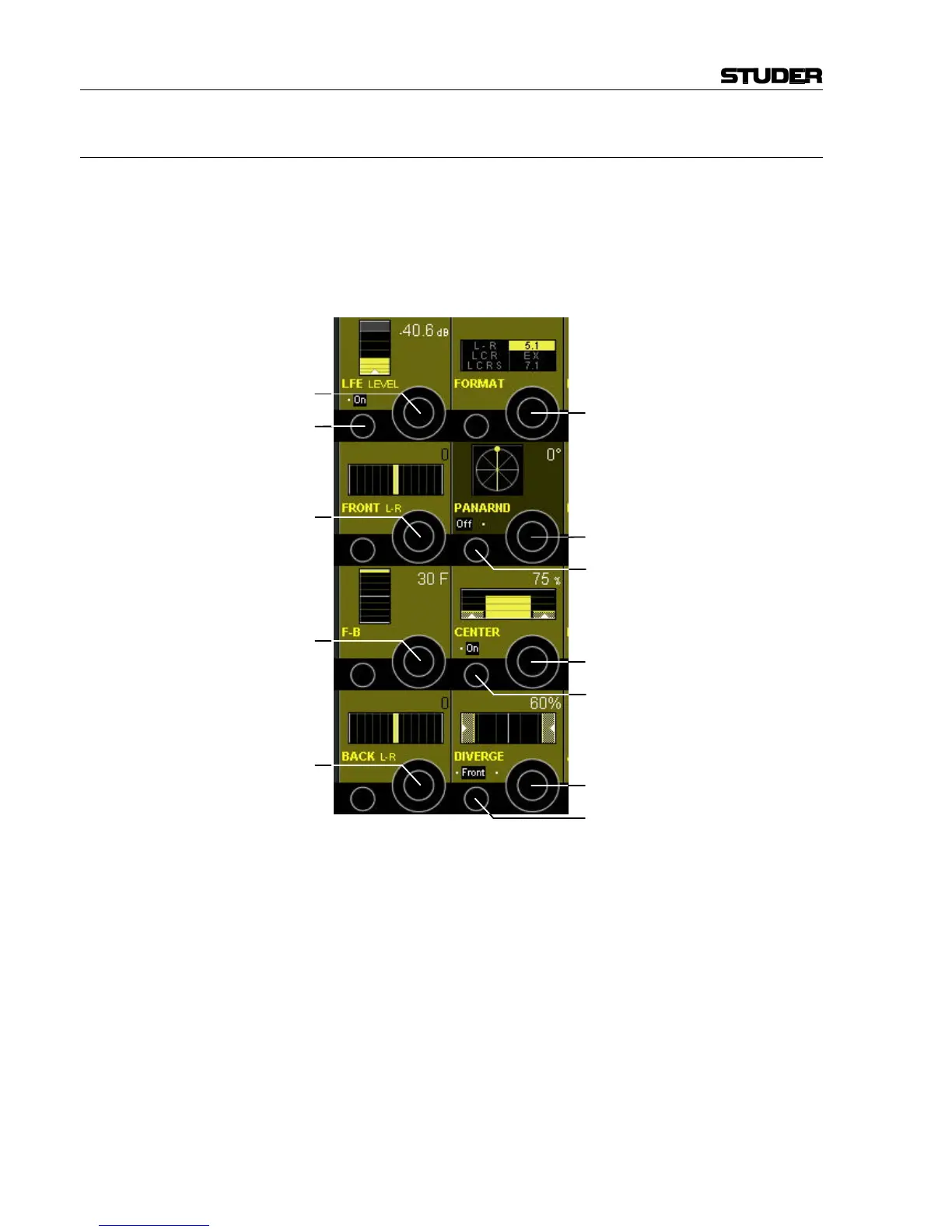
Please note that the view below shows 5.1 panning format; for other pan-
ning formats, one or more of the fields may be blanked.
FORMAT [75] This serves as the format selector in all multi-format panning modes. The
following selections are possible: L-R, LCR, LCRS, 5.1, EX, and 7.1.
CENTER On/Off [76] On/off selector for center channel use.
CENTER [77] Center channel percentage control; 0% = no center channel use (phantom
center), 100% = center channel fully active.
FRONT L-R [78] This parameter controls the front panning between the left, (left-center),
(center), (right-center), and right channels in 1° steps. The contribution to
the center channel is determined by the CENTER control.
BACK L-R [79] This parameter controls panning between the left and right surround chan-
nels.
F-B [80] This front/back parameter provides panning between front channels (LCR)
and the rear channels (left and right surround) in 60 increments.
LFE On/Off [81] On/off control for the Low Frequency Effects channel.
[81]
[78]
[80]
[79]
[82]
[84]
[75]
[86]
[85]
[77]
[83]
[76]



 To Next Page