Vista Digital Mixing System
8-18 Vista 8 Differences
SW V3.5 Date printed: 05.04.2005
8.4.2.5 Machine Control (Option)
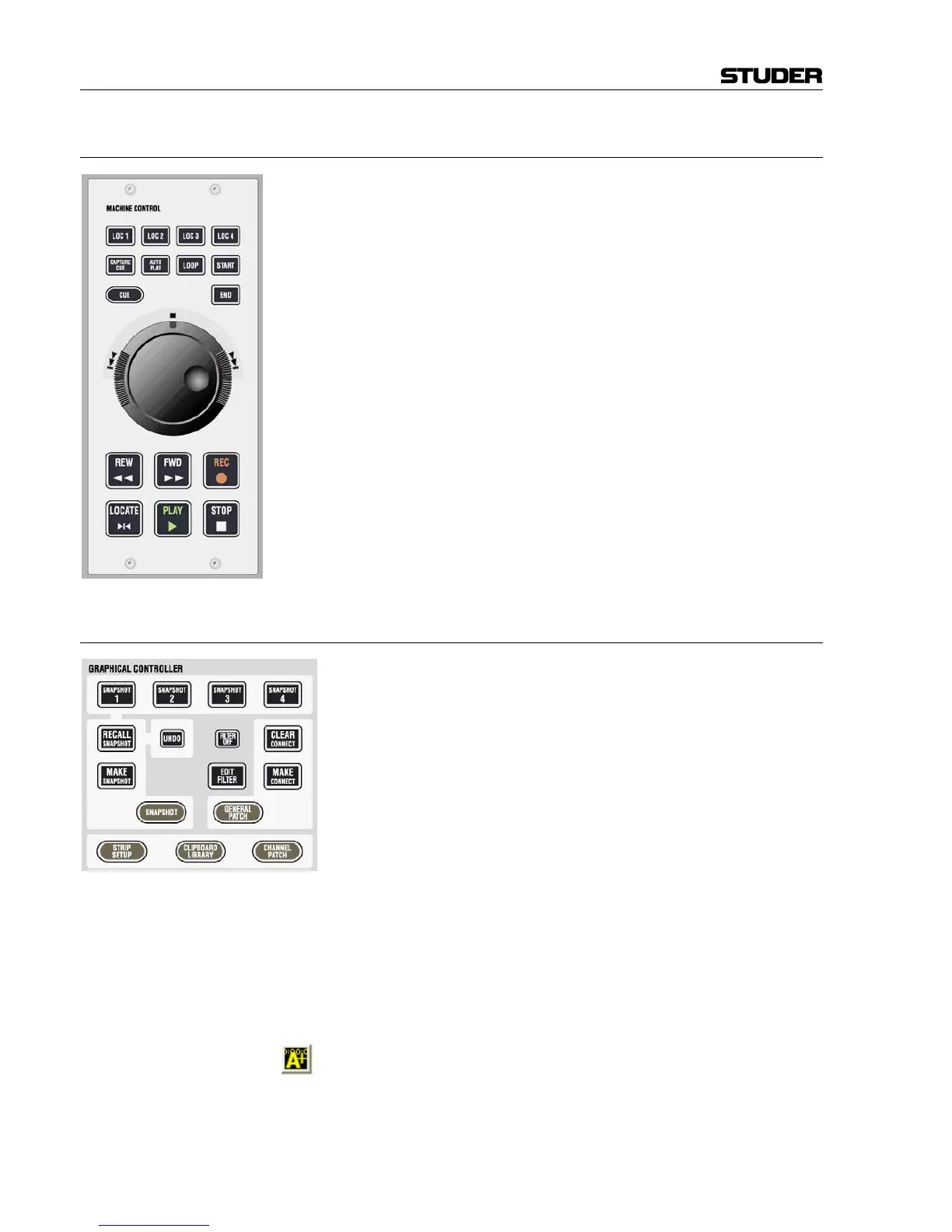
An optional machine control panel can be fitted into the Vista 8 control
bay. This gives control over one external machine using Sony P2 (“Sony 9-
pin”) protocol. Please contact Studer Service & Support for installation in-
structions.
8.4.2.6 Graphic Controller Keys
These keys have the same functionality as the ones on Vista 6 and 7. They
allow fast access to the most important pages of the graphic controller
screen.
The following keys have been added on Vista 8:
CLIPBOARD LIBRARY Dedicated key for opening and closing the clipboard library.
(RECALL SNAPSHOT) UNDO Snapshot recall: Hold UNDO and press RECALL SNAPSHOT; this will undo
the last snapshot recall.
FILTER OFF Dedicated key for temporarily inactivating snapshot filters.
EDIT FILTER Dedicated key to enter and exit the snapshot isolation “filter edit” mode.
When lit, all console controls are showing whether or not they are isolated
against snapshot recalls. The user may modify their state by pressing or
touching the corresponding controls. Ganging is possible.
This toolbar icon on the graphic controller screen allows access to the
“AutoTouch+” control screen.



 To Next Page