Vista Digital Mixing System
1-8 Introduction SW V3.3 Date printed: 05.08.03
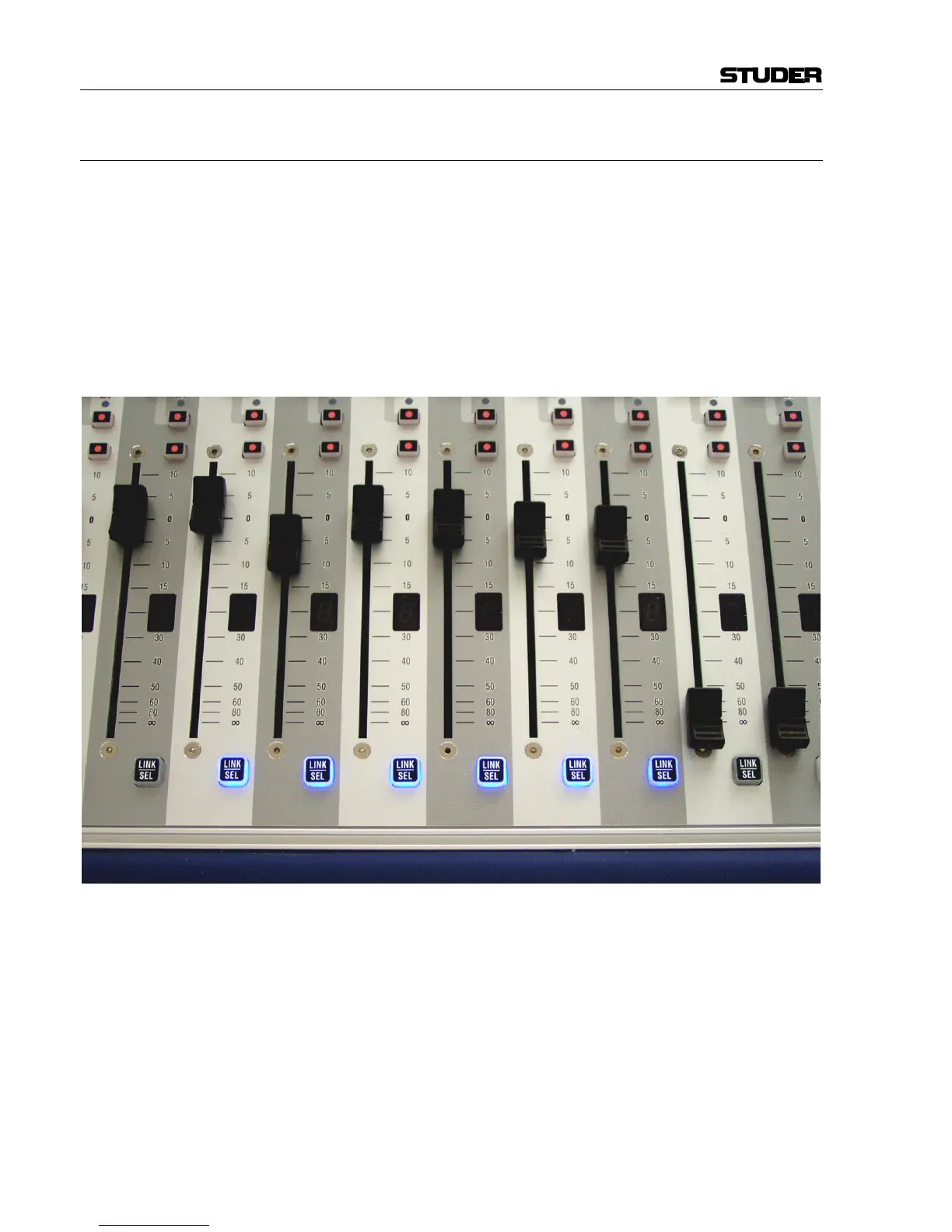
1.1.3 Ganging
On top of grouping certain channels together in a way commonly known
as VCA groups, Studer Vista has the ability to link multiple channels tem-
porarily together and let them behave like one single channel. Such a link
is called a Gang. It co-exists with VCA style groups (Control Groups) and
is only a momentary help to influence multiple channels at the same time.
A gang is created by pressing and holding one LINK/SEL key on one chan-
nel while the same key on a second channel gets pressed. This will link all
channels between the two. By using the MULTI SEL key it is possible to
select or de-select any channels on the surface without having them next to
each other. The MULTI SEL key acts much the same as the Ctrl key on a
regular PC keyboard.
A gang is simply canceled by pressing any LINK/SEL key on the console
again. Please note that there is always one channel selected.
Temporary de-activation of a gang is done by simultaneously touching
identical control elements (e.g. fader or rotary encoder) of two channels
within a gang.
Typical Applications • Trimming of some faders or auxiliaries by changing the corresponding
control on any of the channels
• Copying a certain setting to multiple channels by pasting the value to
any of the ganged channels
• Changing a bus assignment on all the ganged channels by changing it on
one of them
• Changing dynamic automation modes on the whole gang.



 To Next Page