Vista Digital Mixing System
2-16 Desk Operation SW V3.3 Date printed: 05.08.03
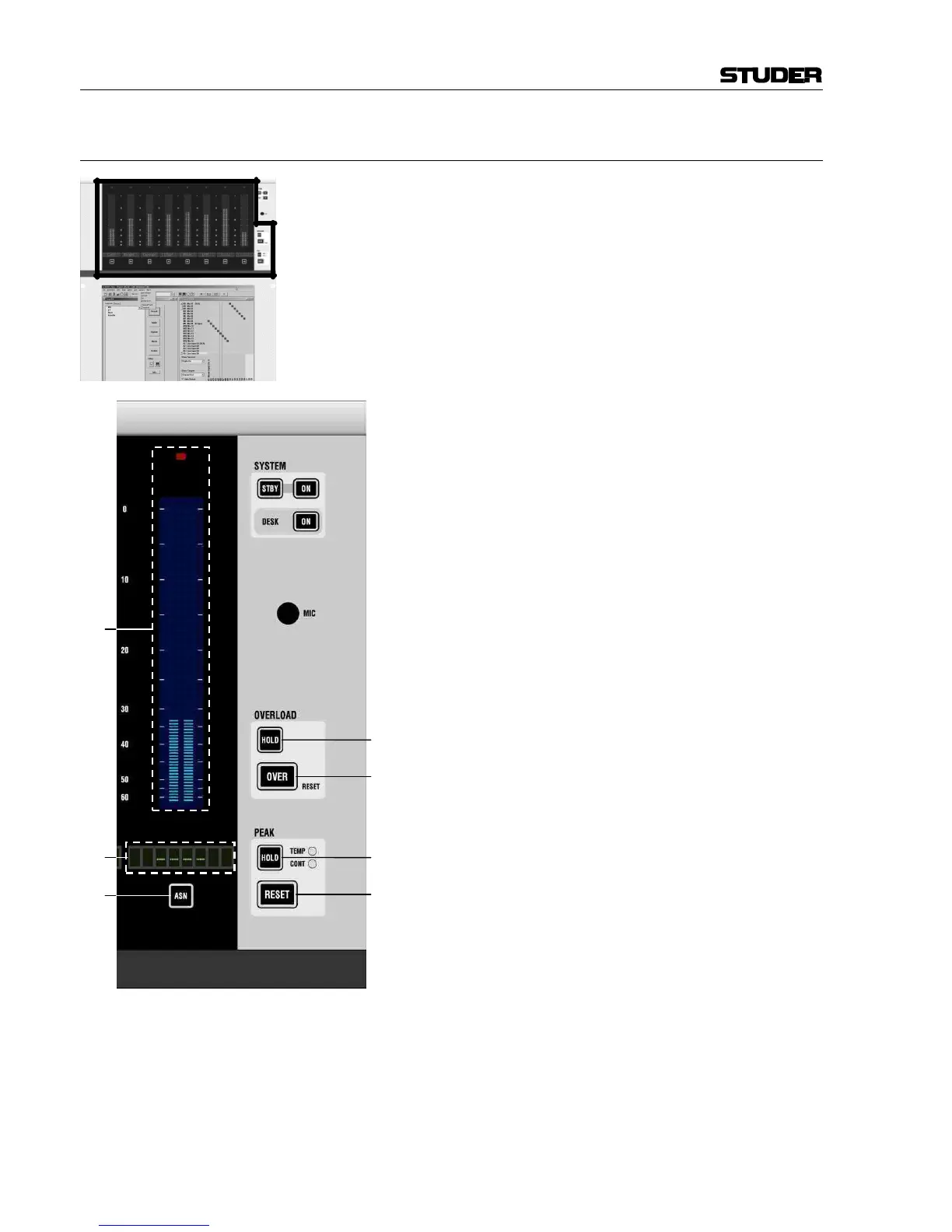
2.4.2 Areas 1 and 2 – Monitor Metering
[80] OVERLOAD: HOLD
Activates the hold function for all overload LEDs in
the console. If active, even overloads in sections that
are currently not visible are held. Therefore it is pos-
sible to scroll through the sections and check if
overloads have occurred.
Channels with a held overload condition will indi-
cate the amount of dB above clipping level in the
Vistonics’™ generic display area.
[81] OVERLOAD: OVER RESET
LED indicates if any output interface of the core is
clipping. Since the Performa DSP core holds all
audio in floating-point format, basically no clipping
can occur within the core. Clipping only occurs
when sending a signal through the standalone 24-bit
interfaces. Therefore, this LED indicates real clip-
ping somewhere on an output. If OVERLOAD: HOLD
is on, this LED is held as well. Pressing this key will
reset all held overloads.
[82] PEAK: HOLD
Toggles the peak hold function through off, TEMP
(temporary hold), and CONT (continuous hold).
[83] PEAK: RESET
Pressing this key will reset the peak hold indication,
if continuous hold has been activated with PEAK:
HOLD [82].
[84] Assignable Monitor Level Meters
Indication of either monitor level (if METER MON
[133] is lit), or DIRECT OUT level of assigned
channels.
Note: If a meter is assigned to a specific channel, it
displays always the DIRECT OUT level. If there is
no patch set from that channel to an output interface,
there will be no level visible on this meter.
[85] Label
Displays the inherited label of the assigned channel
or of the monitored signal, depending on the status of
the METER MON key [133] (refer to chapter 2.4.7).
[86] ASN
Pressing ASN followed by any LINK / SEL key of a
channel will make the meter show the direct output
level of that channel. It is also possible to press-hold
one ASN key and pressing another one. Pressing any
LINK / SEL key will assign the previously selected
meters from left to right.



 To Next Page