Vista Digital Mixing System
Date printed: 05.04.2005 SW V3.5 Vista 8 Differences 8-21
8.5 Functional Differences: Fader Bay
Most of the functionality within the fader bay is identical to the one of
Vista 6.
This key allows selection of the different meter tap points (input, post-
fader, direct output).
The keys listed below change their function depending on the mode which
the console is booted in. The key’s standard labels are valid when booted
in “static automation mode”. This mode is foreseen to be the primary op-
eration mode of Vista 8. The labels printed below the keys are active when
the software is started in “dynamic automation” mode. For details on the
functionality in “dynamic automation” mode, please refer to chapter 5.
Act as user keys. These keys are user-programmable and may be used for
various tasks, such as activating fader start or fader ramps, etc. Further
programming is available on request from Studer Service & Support.
Activates the “alternate” N–1 signal; setup in the corresponding dialog of
the control screen. Refer to chapter 8.2.10 for more details.
Activates channel isolation against changes when recalling snapshots. Hold
this key and touch/press any channel parameter in order to isolate this par-
ticular parameter or the whole function (e.g. EQ on/off key). If the whole
channel is isolated, the key is fully lit.
Activates switching to the second layer if the corresponding option is acti-
vated. If the second layer is displayed, the key is fully lit. Refer to chapter
8.6.6 for more details.
Activates the talkback function to the direct output and, if the channel is an
owner of an N–X bus, to the output of this bus.
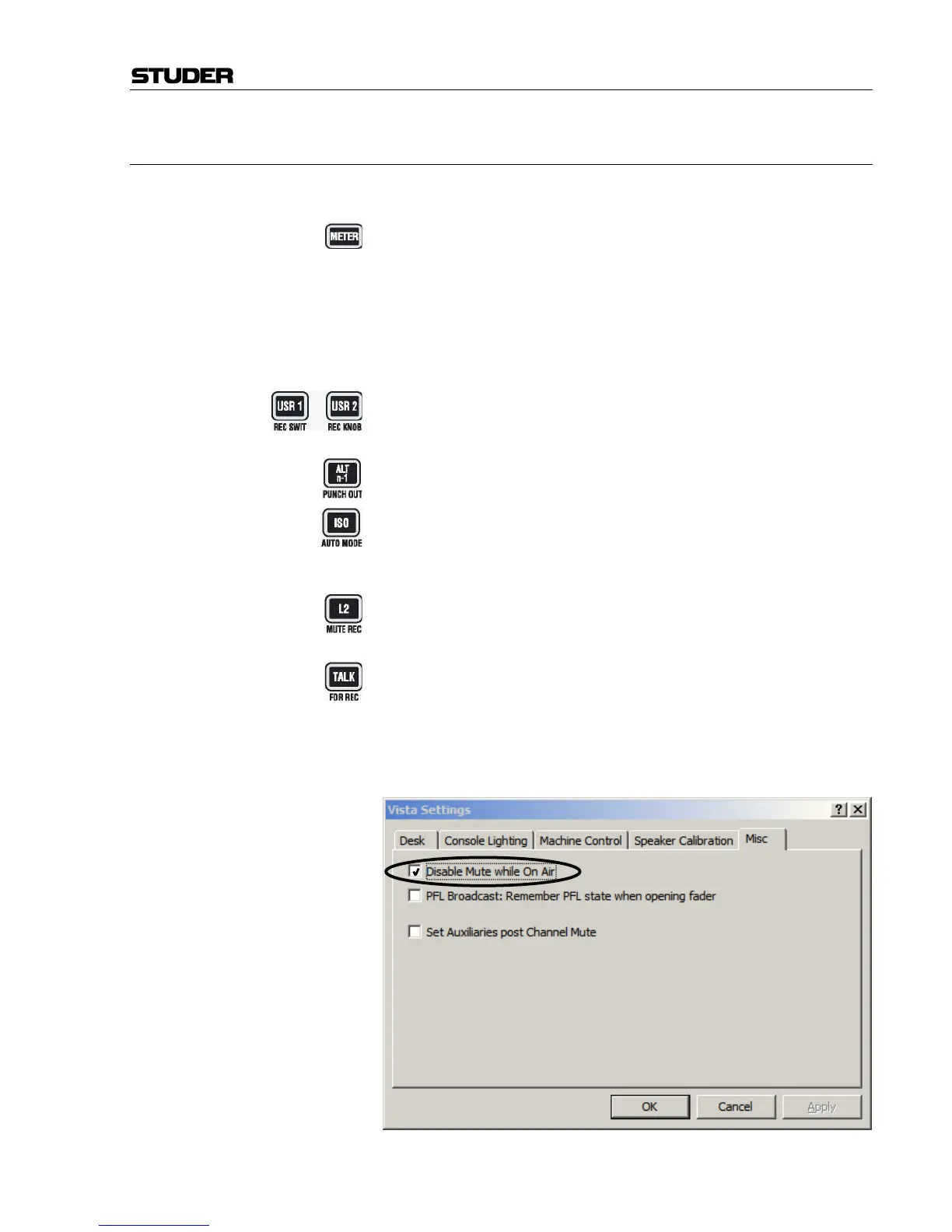
The locations of the PFL/SOLO and MUTE keys have been changed in order
to suit a live situation better. This prevents from accidental use of the MUTE
key. In addition, the MUTE key may be disabled whenever the console is in
“On Air” (live) mode. This is done in the “Option: Vista Settings” dialog:



 To Next Page