Vista Digital Mixing System
28 Software V4.0 SW V4.0 Date printed: 17.06.08
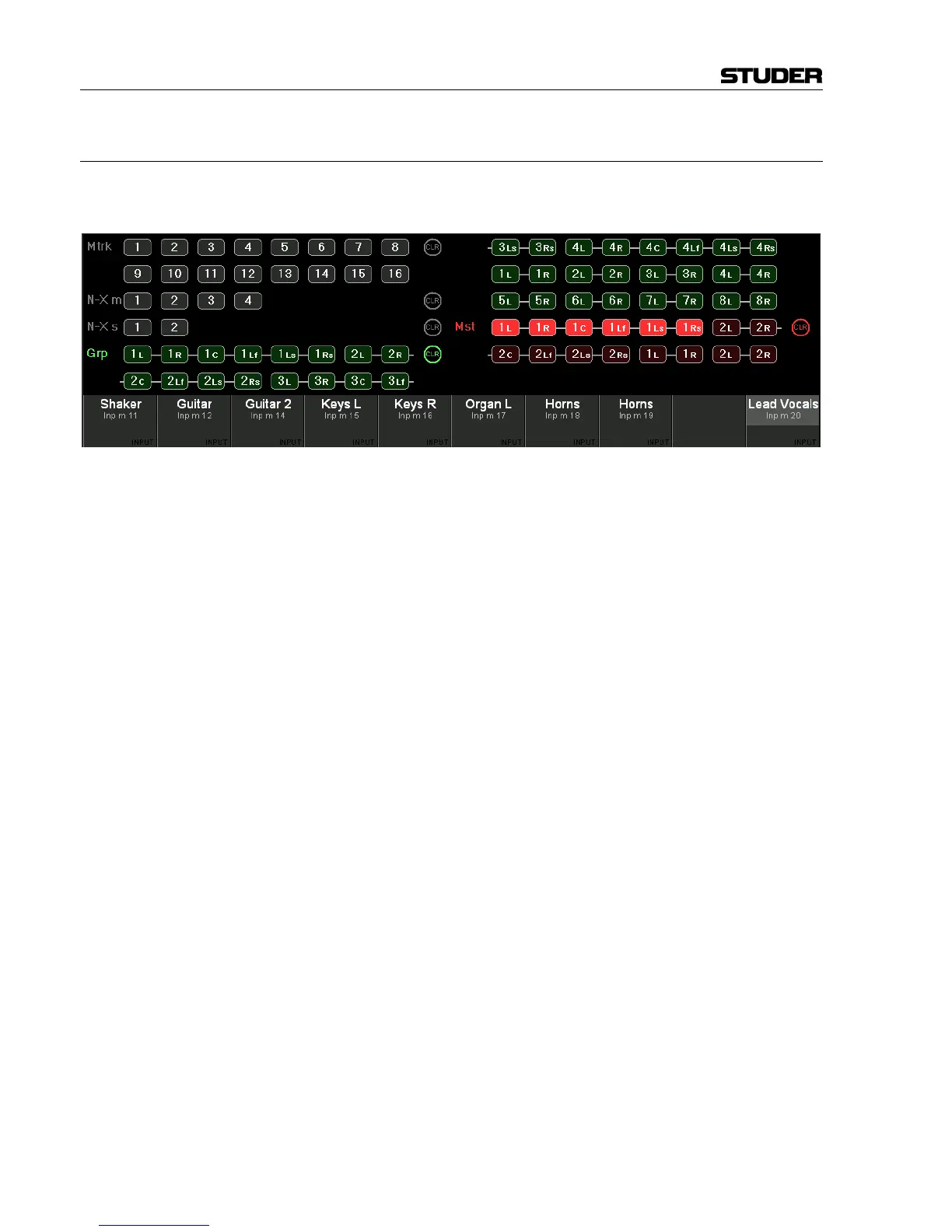
A.4.6 Bus Assignment View
When pressing VIEW: BUS ASN, the display changes to the bus assign win-
dow of this particular channel.
Only buses are shown here to which the current channel can be assigned.
Pressing VIEW: BUS ASN on a master channel, however, will activate the
“inverse bus interrogation” view described below.
The CLR buttons will clear the assignment to all buses of the correspond-
ing type.
Inverse Bus Interrogation Pressing VIEW: BUS ASN on a group master, an AUX master or a master
channel (having a bus routed to its input) opens the Strip Setup dialog on
the GC screen, showing the currently assigned channels in magenta color.
When pressing VIEW: BUS ASN on an N–X owner channel, the inverse bus
interrogation is done on the associated N–X bus.



 To Next Page