Vista Digital Mixing System
Date printed: 17.06.08 SW V4.0 Software V4.0 5
A.1.3 New Surround Bus Order
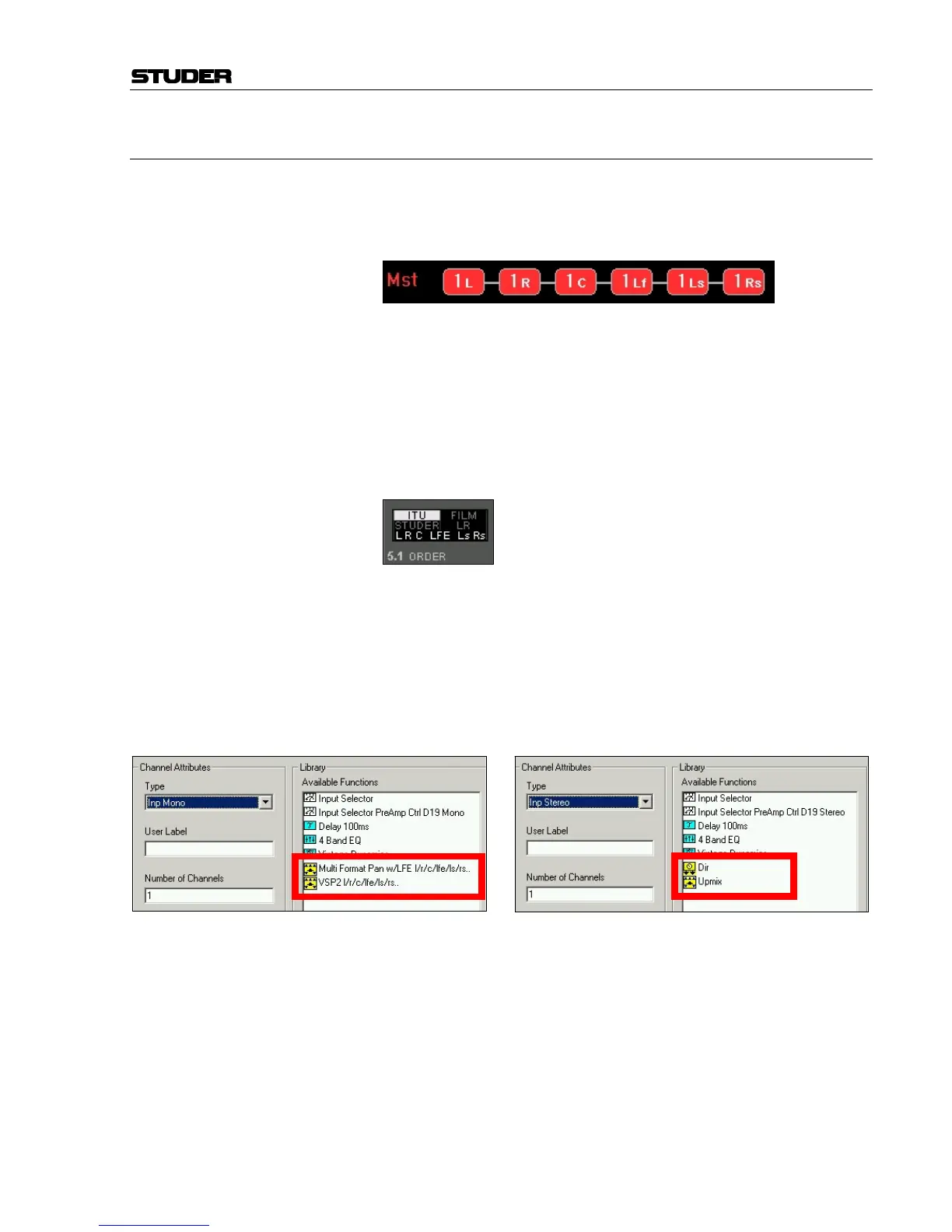
With the surround channel order now accepted by the industry, according
to the ITU standard (L, R, C, LFE, Ls, Rs), the bus order in Vista consoles
has been changed. The newly introduced bus labeling in the Vistonics™
touch area allows a better overview and secure and quick assigning.
Note: It is very important to understand that the new 5.1 input channels can be
assigned to buses in this strict order only.
Daily broadcast work shows, however, that not all 5.1 sources are delivered
in the standard format yet. An input order selector has been designed com-
parable to the "2-CH mode" (L to both, R to both, swapped, mono) in ste-
reo channels. This is an easy way to detangle different standard surround
material, so once it is on the 5.1 fader, everything is in the correct "L R C
LFE Ls Rs" standard order.
The configuration editor application provided with this release will only
use surround panner modules (for mono channels) that pan to the buses in
the new order.
This means that there are new surround panner modules that are:
• "Multiformat Pan w/LFE": l/r/c/lfe/ls/rs, and
• "VSP2": l/r/c/lfe/ls/rs.
The new "Upmix" panner for stereo channels also pans to the buses in the
new order.
There are different possible update scenarios for your VMC configurations:
• Add 5.1 channels and stereo upmix panners to your existing configura-
tions, and change the mono channel surround panners to the new bus
order.
• Don’t add 5.1 channels or stereo upmix panners, but change the exi-
sting mono channel surround panners to the new bus order.
• Don’t change your configurations at all.
We recommend the first or second scenario. The necessary steps are de-
scribed in detail in the SW release upgrade notes.



 To Next Page