Vista Digital Mixing System
Date printed: 05.04.2005 SW V3.5 Vista 8 Differences 8-25
8.6.3.3 Creating a Cue
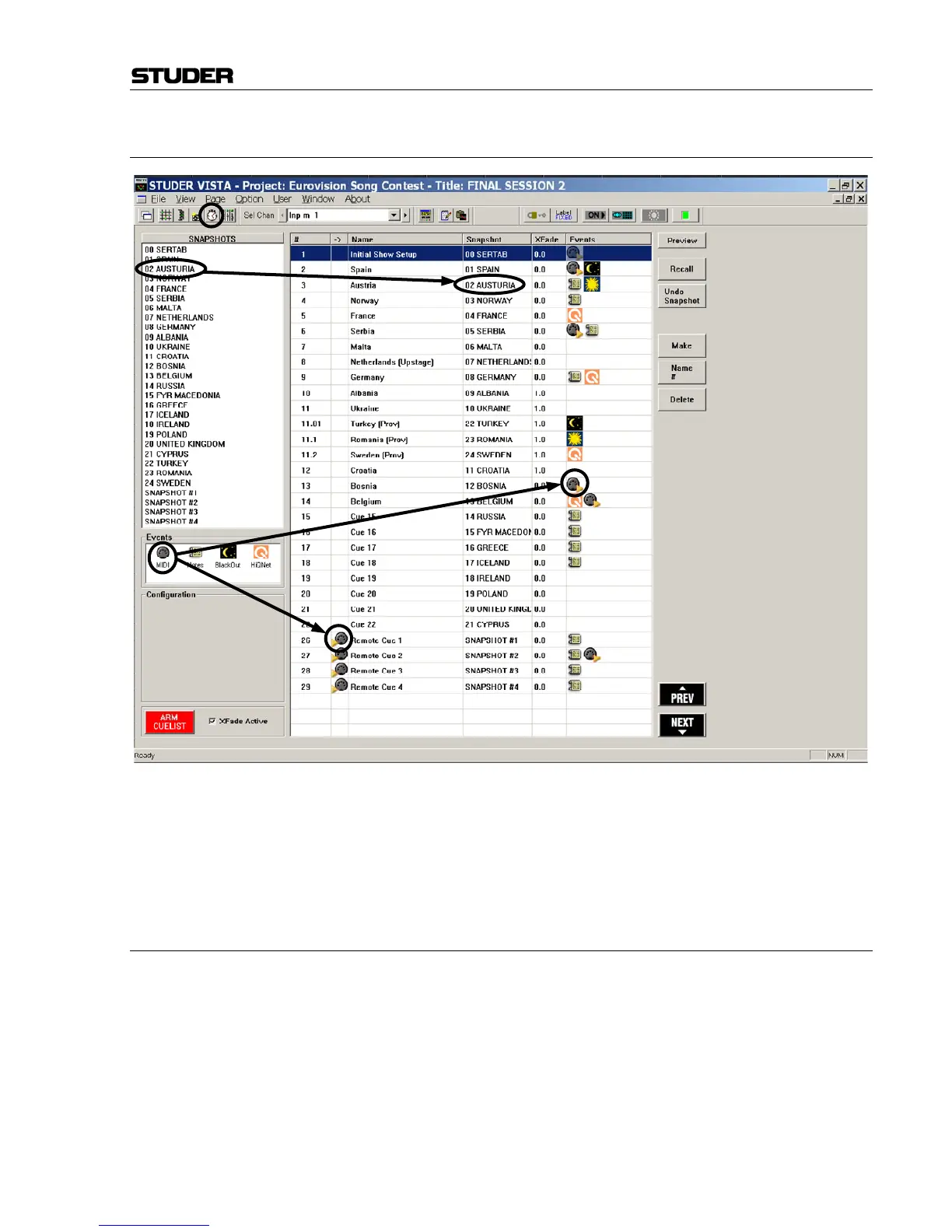
To create a cue, simply drag-and-drop one of the available SNAPSHOTS
from the top left corner, or one of the Events from below the snapshots to
the cue area. A cue can be created using the Make button on the right side
of the cue list. It doesn’t have to contain a snapshot; it is also possible to
just fill in any event without activating any console setting changes.
8.6.3.4 Recalling a Cue
There are different ways to recall a cue:
• Double-click on its name
• Click on the NEXT or PREV button on the GC’s control screen
• If the cue list is armed: Attach an incoming MIDI event to it and send the
appropriate note or program change command to the console
• If the cue list is armed: Press NEXT or PREV on the control bay
• Send MIDI show control messages to the console, according to the specifi-
cation given below.
Dra



 To Next Page