Vista Digital Mixing System
Date printed: 05.04.2005 SW V3.5 Vista 8 Differences 8-19
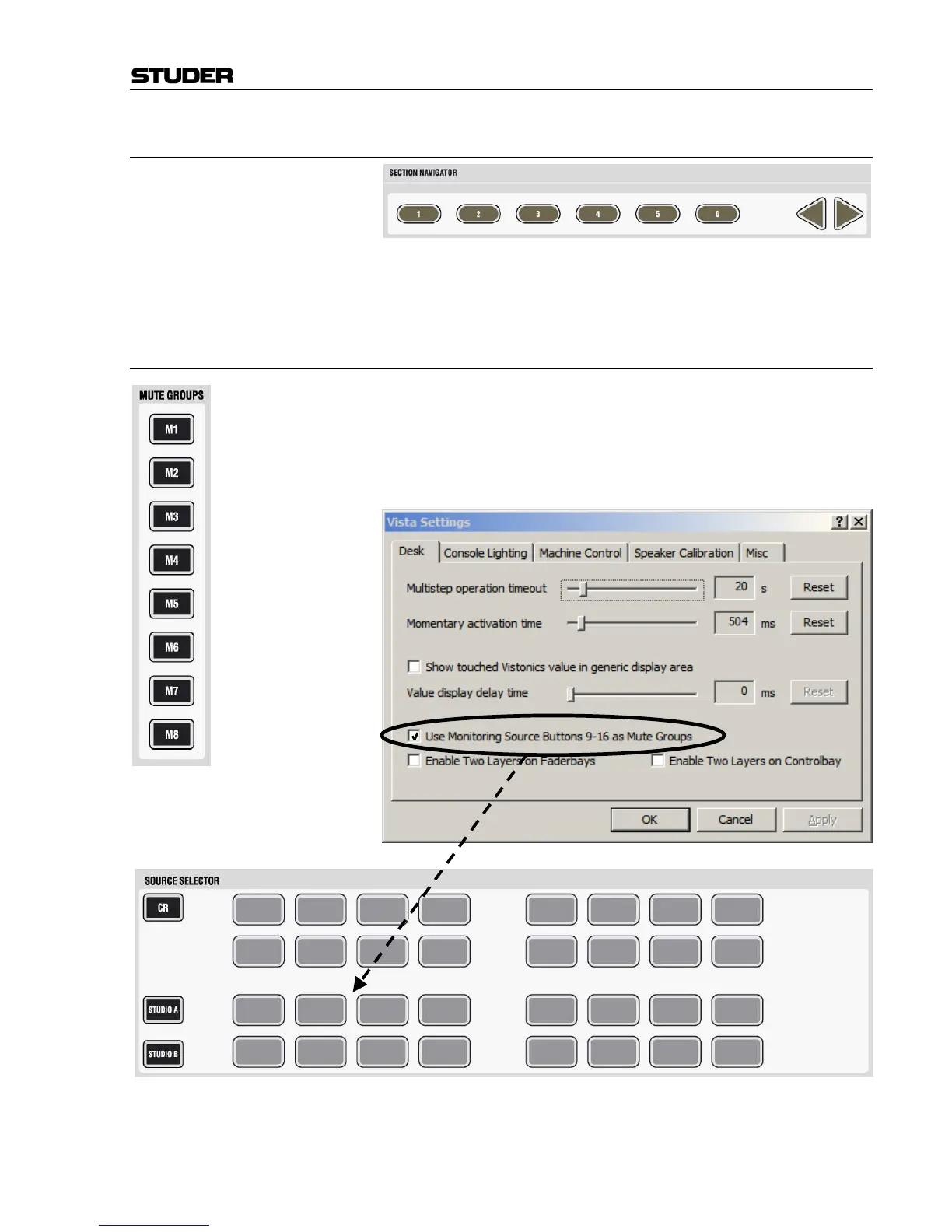
8.4.2.7 Section Navigator
The section navigator works in the same way as with Vista 6 and 7. It al-
lows quick changes of the fader bays between sections as well as scrolling
by one bay using the arrow keys.
8.4.3 Mute Groups
Vista 8 provides up to 16 mute groups. MUTE GROUPS M1...M8 have dedi-
cated keys on the left side of the control bay.
Mute groups M9...M16 may be operated using eight of the 32 monitoring
source selectors. Use of these keys (monitoring source selectors or mute
groups) is defined in the “Option: Vista Settings” menu.
M9



 To Next Page