Vista Digital Mixing System
2-12 Desk Operation SW V3.3 Date printed: 05.08.03
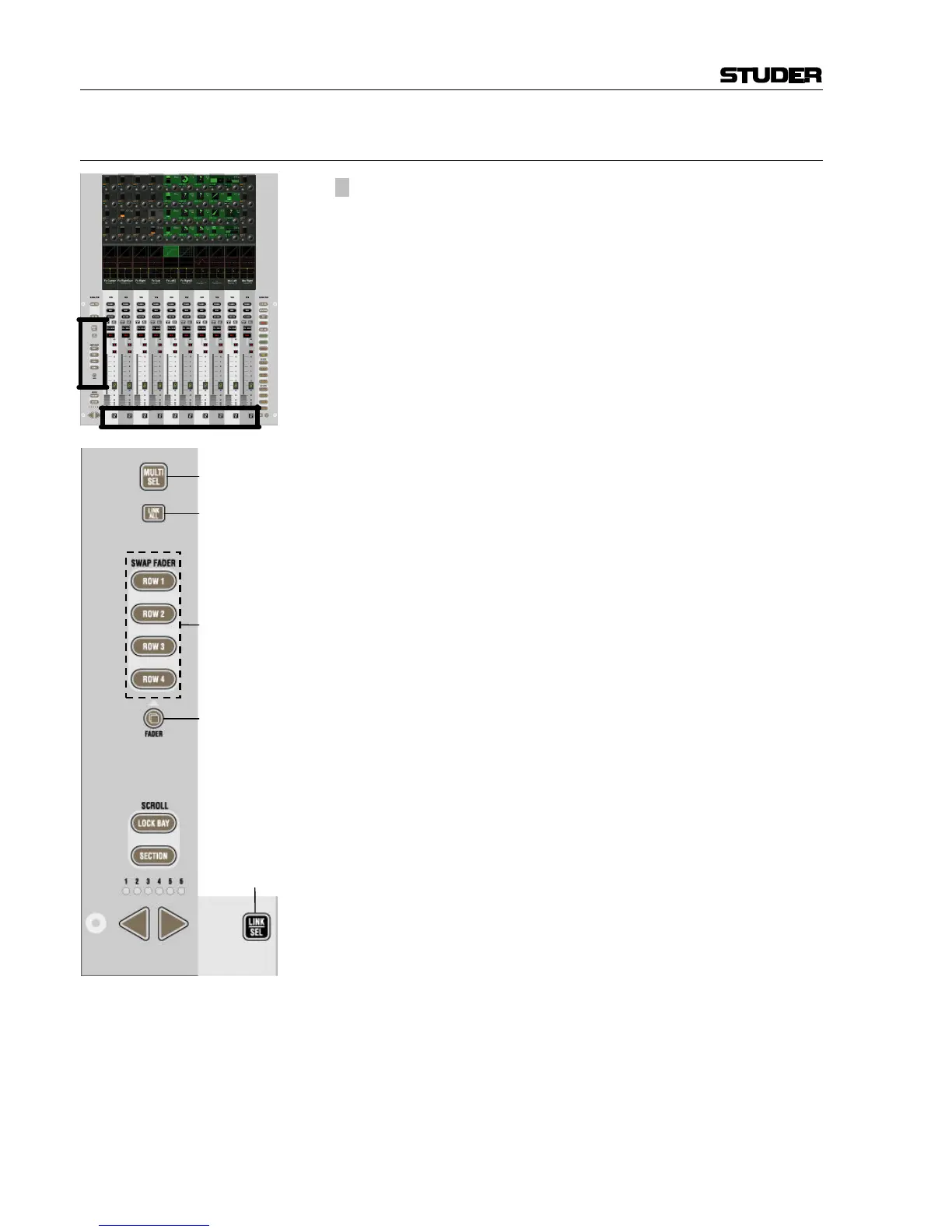
2.2.6 Areas 5a, 5b – Channel Selection
[50] ¹ MULTI SEL
Used to make multiple selections; acts similar as the “Ctrl” key on a PC
keyboard.
[51] LINK ALL
Links all channels of one type together (“Super Gang”) mainly for setup
purposes. After LINK ALL is pressed, all LINK / SEL keys [54] are half-lit,
waiting for the channel type to be defined (for linking).
A gang is canceled by pressing any LINK / SEL key on the desk.
[52] SWAP FADER: ROW 1...ROW 4
Swaps the current fader value and the MUTE key onto the selected rotary
row, if the current global view on that row has a level control with the
same range as the fader (–90...+10 dB), while the value of that row is tem-
porarily displayed on the faders. The function is canceled when pressing
the swap key again or when activating any other swap function.
[53] 2 FADER
Pressing this key will make the keys ROW 1...4 half-lit. All fader and mute
values of the current gang will be copied onto the control element shown
on the corresponding rotary row, if there is an appropriate parameter visi-
ble; e.g. AUX level or Direct Out Level. If the fader is copied onto a stereo
AUX, the left/right pan value is also copied along with the fader and mute
values.
Note: If the direct outputs of the input channels are connected to a multi-
track recorder, it might be desirable to have the fader values copied over
onto the direct output level controls before starting a recording. If the fad-
ers are moved, e.g. during a live transmission, the levels on the multi-track
machine will remain constant.
[54] LINK / SEL
This key is used to select channels in different situations:
• Select a channel for “channel patch view” on the Graphic Controller
• Select a channel for joystick assignment (PAN)
• Select/de-select a channel from a control group when in CGM setup
mode
• Select a channel type when linking all channels of the same type to-
gether.
Pressing two of these keys simultaneously will form a “gang” between the
two. With MULTI SEL [50] it is also possible to select channels that are
separate from each other.
All the members of a gang act together like one channel. Any change to
one of the members is performed to all of them. See chapter 1.1.3 for de-
tails.



 To Next Page