Vista Digital Mixing System
Date printed: 05.08.03 SW V3.3 Desk Operation 2-11
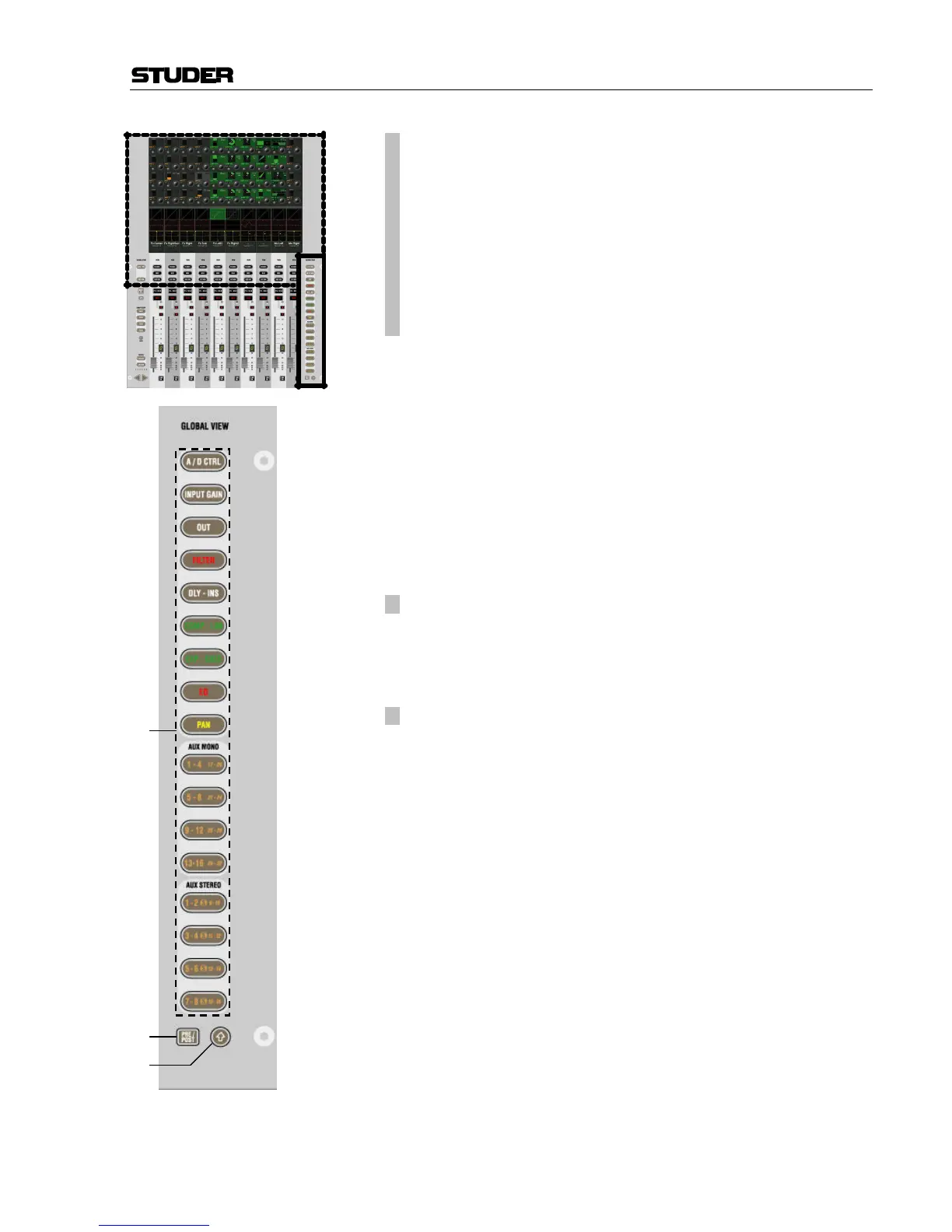
[38] ¹ GLOBAL VIEW: A/D CTRL
¹ GLOBAL VIEW: INPUT GAIN
¹ GLOBAL VIEW: OUT?
¹ GLOBAL VIEW: FILTER
¹ GLOBAL VIEW: DLY-INS
¹ GLOBAL VIEW: COMP-LIM
¹ GLOBAL VIEW: EXP-GATE
¹ GLOBAL VIEW: EQ
¹ GLOBAL VIEW: PAN
¹ GLOBAL VIEW: AUX MONO ...
¹ GLOBAL VIEW: AUX STEREO...
Function selection of the four Vistonics™ rotary controls. The different
views will only cover the rotary controls that are necessary to display the
corresponding function. The others will still show their previous function.
However, pressing GLOBAL VIEW... a second time will blank all other ro-
tary controls.
Example: AUX 1-4 are shown on rotary controls 1-4. The user presses
GLOBAL VIEW: FILTER, and the rotary controls 1-2 will now show the in-
put filters (rotary controls 3-4 are still showing AUX 3 and 4). When the
user presses GLOBAL VIEW: FILTER again, the rotary controls 3-4 will be
blanked.
Normally, these GLOBAL VIEW... keys change the function of rotary con-
trols throughout the whole console. However, if the bay is locked, they in-
fluence only the corresponding bay.
[39]
¹ PRE / POST – AUX View Modifier
When auxiliaries are shown on the rotary controls, they have an on/off key
next to the rotary control. By pressing the PRE / POST modifier key, the
key next to the AUX rotary control will change its function to pre-/post-
fader.
[40]
¹ ñ (Shift)
Changes the meaning of the GLOBAL VIEW: AUX... keys to select the upper
half of auxiliaries: AUX MONO 17-32 or AUX STEREO 9-16.
Note: When pressing GLOBAL VIEW: EQ while the ñ (Shift) key is active,
there is an alternate EQ view. Then the four rotaries will show only the
two mid bands, but allow access to frequency and gain setting.
Note: An application allowing the system administrator do adapt default Views
according to the customer’s requirements will be released shortly.



 To Next Page