Vista Digital Mixing System
2-24 Desk Operation SW V3.3 Date printed: 05.08.03
2.4.8 Area 8 – Option (Spare Keys)
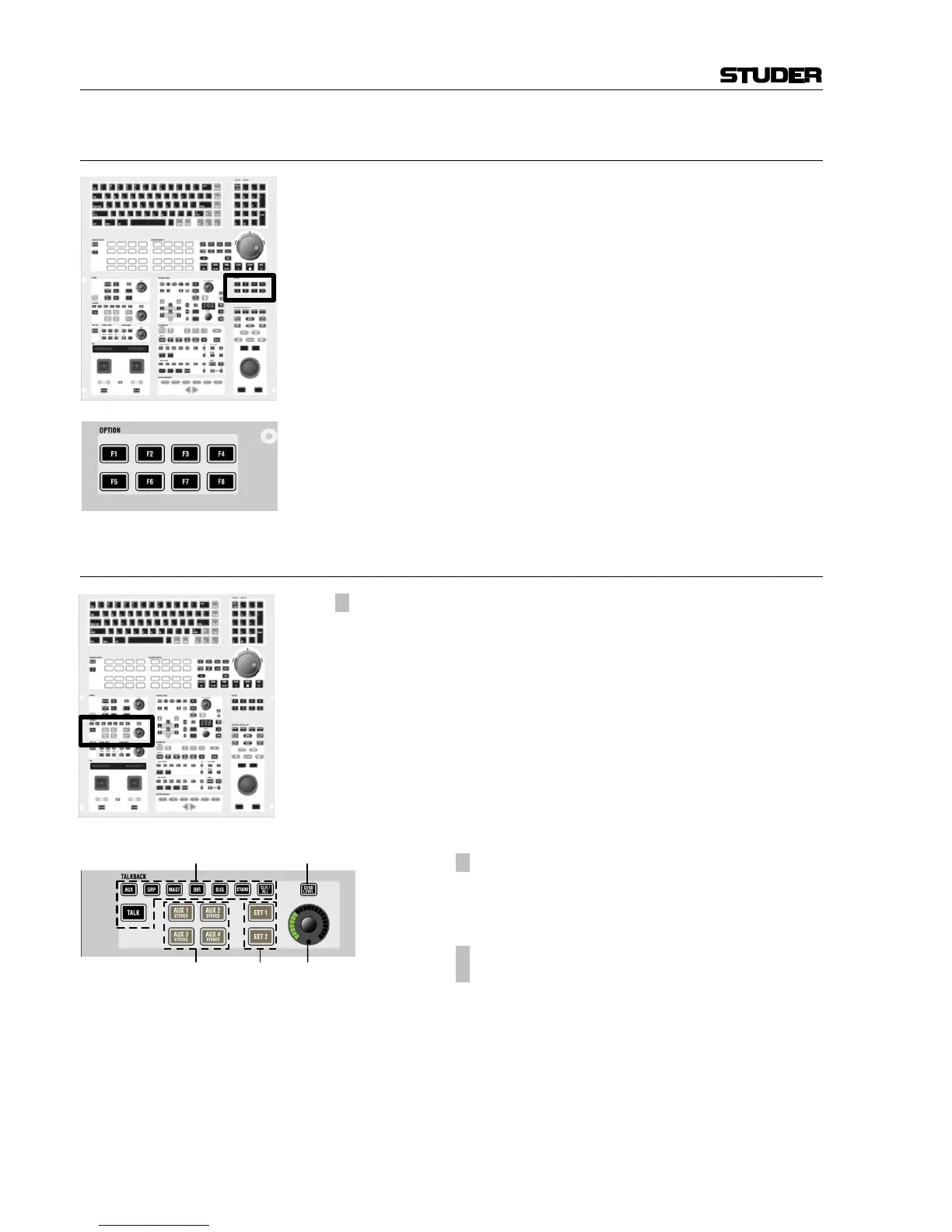
This area contains spare keys (F1...F3, F5...F7) for future functions and/or
options. F4 is used for opening/closing the Clipboard Library window, F8
is used to activate external VGA input that allows to display an external
VGA signal on the GC’s TFT screen.
2.4.9 Area 9 – Talkback Control
[150] ¹ TALKBACK
Whenever TALK is pressed, the signal from the internal talkback MIC [73]
is fed to the corresponding group.
Note: The talkback signal is inserted directly before the output interface of
the core. If signals are routed internally to some other destinations, the
talkback will not harm them.
Available talk destinations:
• AUX: direct outputs of all AUX masters
• GRP: direct outputs of all group masters
• MAST: direct outputs of all masters
• DIR: direct outputs of all input channels
• BUS: outputs of all multi-track buses (without faders in between)
• STUDIO (Vista 6: talkback to both Studio A and B simultaneously)
[151]
¹ AUX 1...4 STEREO
For talking to headphone mixes, these keys can be used
to directly activate talkback to the corresponding AUX
master outputs.
[152]
¹ EXT 1
¹ EXT 2
Talk to external locations (analog). For a detailed de-
scription refer to the block diagram on the next page.
[153] Talkback Return Level
Level setting for external speakers.
[154] If the SEND LEVEL key above the knob [153] is active, this knob adjusts
the input sensitivity of the internal talkback MIC [73] instead of the TB re-
turn level.



 To Next Page