Vista Digital Mixing System
8-30 Vista 8 Differences
SW V3.5 Date printed: 05.04.2005
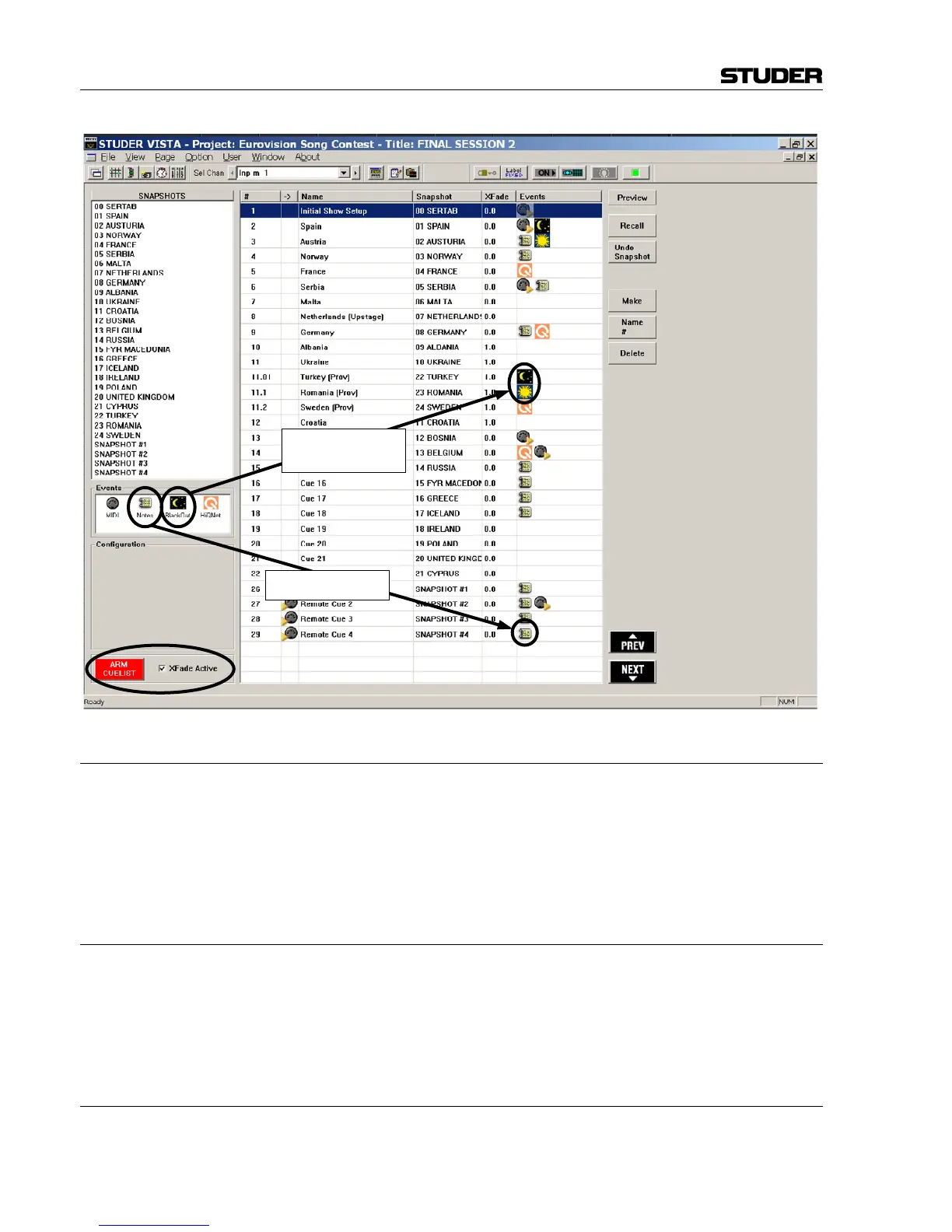
8.6.3.10 BlackOut
It is possible to make the whole console surface go dark. This function is
useful in case complete darkness is required, e.g. in a theatre environment.
This function also includes the optional console illumination. It can only be
activated if the cue list is armed. The console lights come back on again ei-
ther by the next BlackOut event (Parameter: OFF) or by pressing F3 in the
control bay.
8.6.3.11 Arm CueList
To avoid undesired influence by external devices, the cue list inputs may
be armed or disarmed. If not armed, the BlackOut function, the MIDI IN
events, and the NEXT and PREVIOUS keys in the control bay are disabled.
It is possible to set the default value of the ARM CUELIST button by us-
ing the “Option: “Static Automation” menu.
8.6.3.12 XFade Active
It may be useful to temporarily disable cue cross-fades (e.g. during re-
hearsals). This can be done by un-checking this item.
BlackOut Event



 To Next Page