Vista Digital Mixing System
4 Software V4.1 SW V4.1 Date printed: 20.08.09
A.2 Output Patching
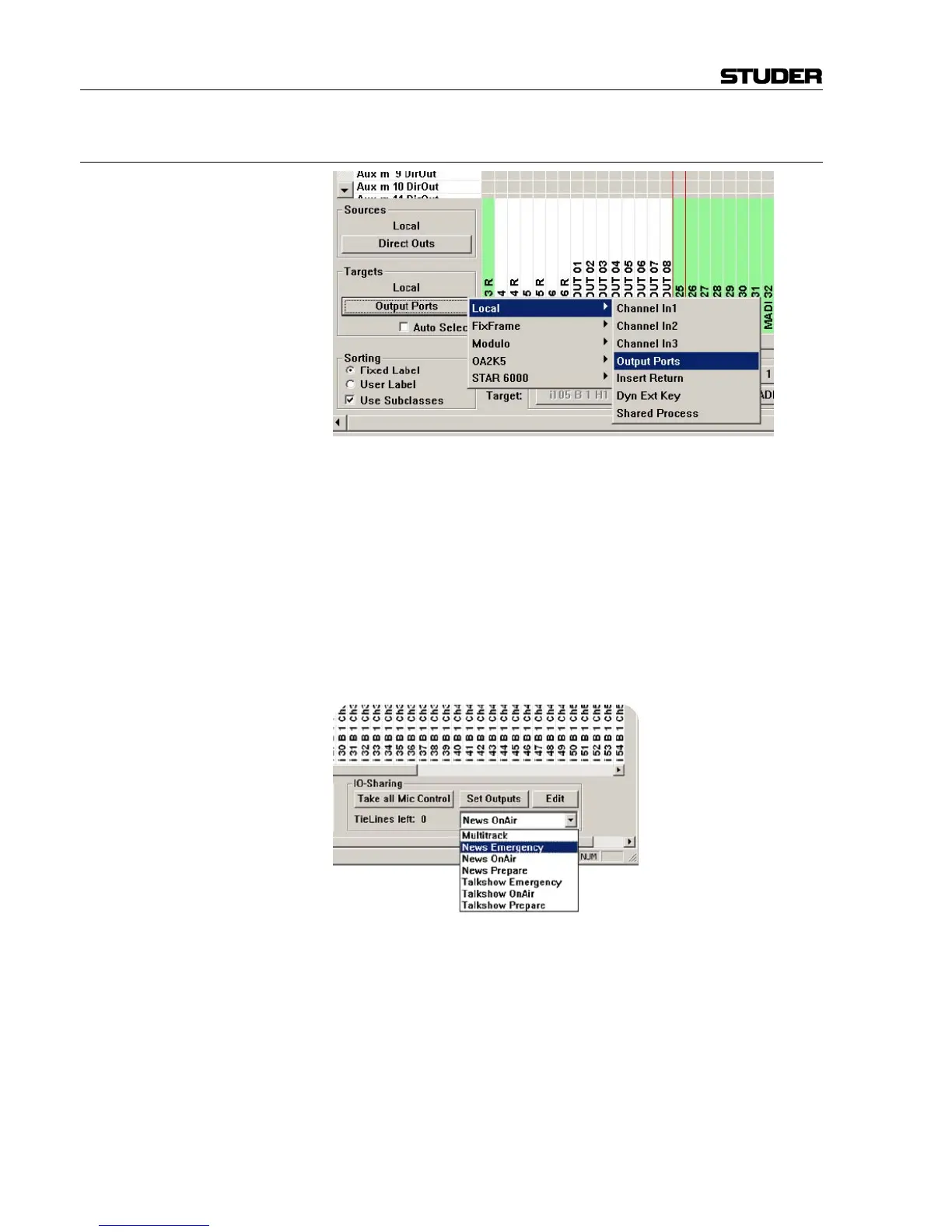
‘Set Outputs’ activates all preselected patch points to outputs on remote
systems. This introduces an additional step in creating a patch connection,
which the Vista SW did not know up to now.
The operator might want to switch several outputs to a different system
(e.g. program outputs) at the same time. So when he is making the connec-
tions in the patch, they are marked in gray, indicating that the connection
has not yet been established. Only when the ‘Set Outputs’ button is clicked,
all the gray connections are set active at the same time. ‘Set Outputs’ only
becomes active if some output patch connections are made to other sys-
tems.
This is only necessary when doing patch connections manually. When
using snapshots, the connections are applied immediately.
There is now also a new Edit dialog that allows saving multiple output
patches to shared targets as ‘Output Snapshots’. They must be given a
name so that they can be recalled later from the lower right corner of the
GC (graphic controller). An existing ‘Output Snapshot’ can be loaded as
well, which means that the saved patch connections are not established but
just shown in the gray, ‘pending’ state instead. In this state, the pending
connections can now be edited and saved, e.g. under a new name.



 To Next Page