Vista Digital Mixing System
Date printed: 20.08.09 SW V4.1 Software V4.1 25
B DAW CONTROL
B.1 Basics
With the Vista consoles it is now possible to directly operate Digital Audio
Workstations (DAW) from the desk surface.
This is realized by using two different serial communication protocols: The
more straightforward and simpler ‘Mackie Control Protocol’ and the more
complex ‘Mackie HUI Protocol’.
A choice of the most popular DAWs is supported and has been tested with
the new Vista desk control:
• Digidesign ProTools (HUI)
• Apple Logic Pro (Mackie Control)
• Merging Technologies Pyramix (HUI)
• Magix Sequoia (HUI)
• Magix Samplitude (HUI)
• Steinberg Cubase (Mackie Control)
• Steinberg Nuendo (Mackie Control)
• SADiE (Mackie Protocol)
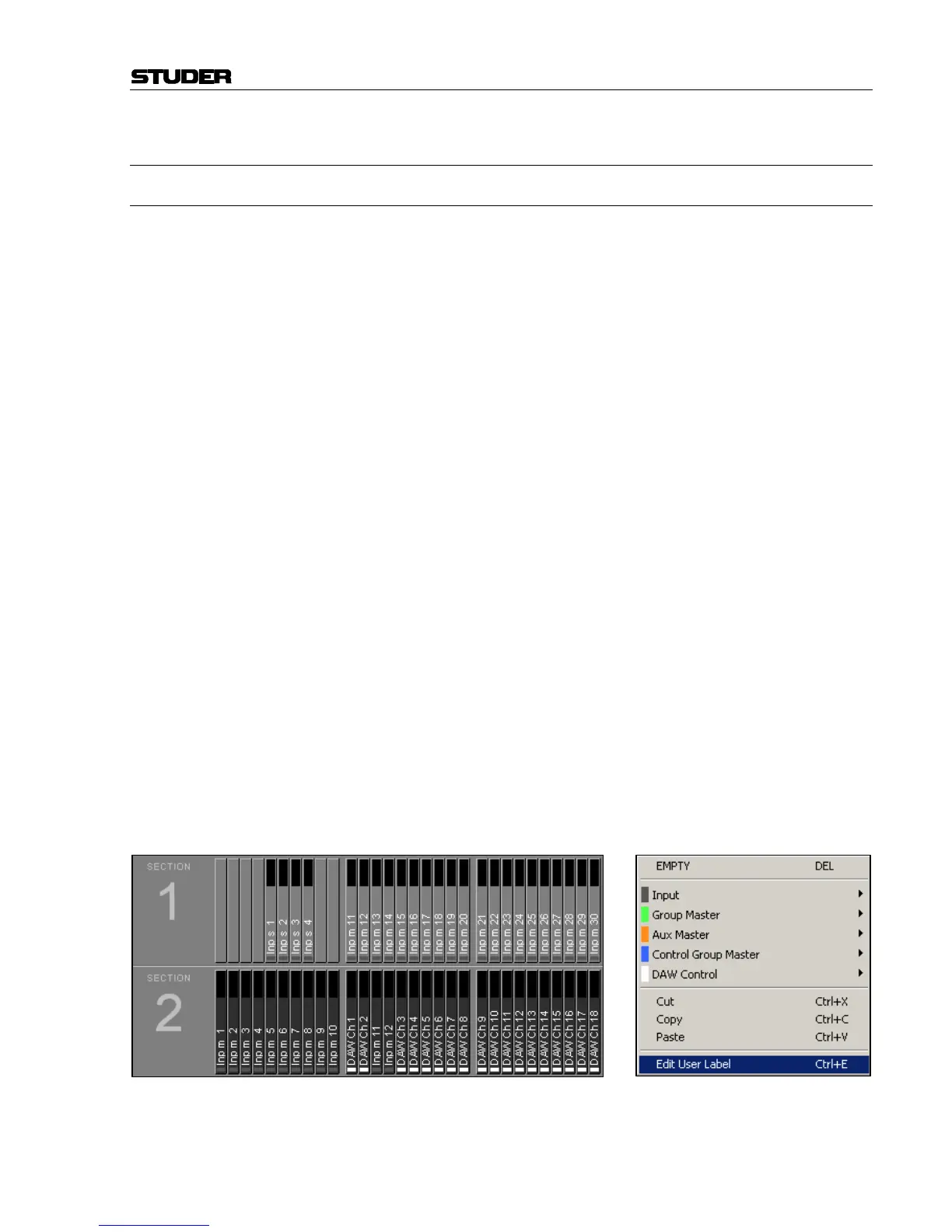
Thanks to an extended strip setup, so-called DAW channels can be inserted
into any desired slot of the setup. With a DAW channel a number of DAW
controls can be operated, as provided by the Mackie Control protocol: The
fader level as well as the status of mute, solo and track arming. The trans-
port control keys on the desk can be used for transport commands to the
DAW.
Note: DAW channels are excepted from snapshots and presets, no DAW settings
will be saved or can be recalled, apart from the channel strip position de-
fined in the strip setup. In addition, DAW channels cannot be automated by
the dynamic automation; however, this can be made on the DAW itself in
an elegant way.
When controlling the DAW via HUI, an auto-label mechanism automati-
cally copies the channel labels of the workstation project to the DAW
channel strip on the Vista console.
If the DAW should not support HUI (see list above), user labels can be
entered in the strip setup now for every DAW channel.
Note: Only one DAW can be controlled at a time. The Mackie protocols support
a maximum of 32 channels, so this is also the maximum number of DAW
channels that can be controlled.



 To Next Page