Vista Digital Mixing System
8-26 Vista 8 Differences
SW V3.5 Date printed: 05.04.2005
8.6.3.5 Cue Numbering and Sorting
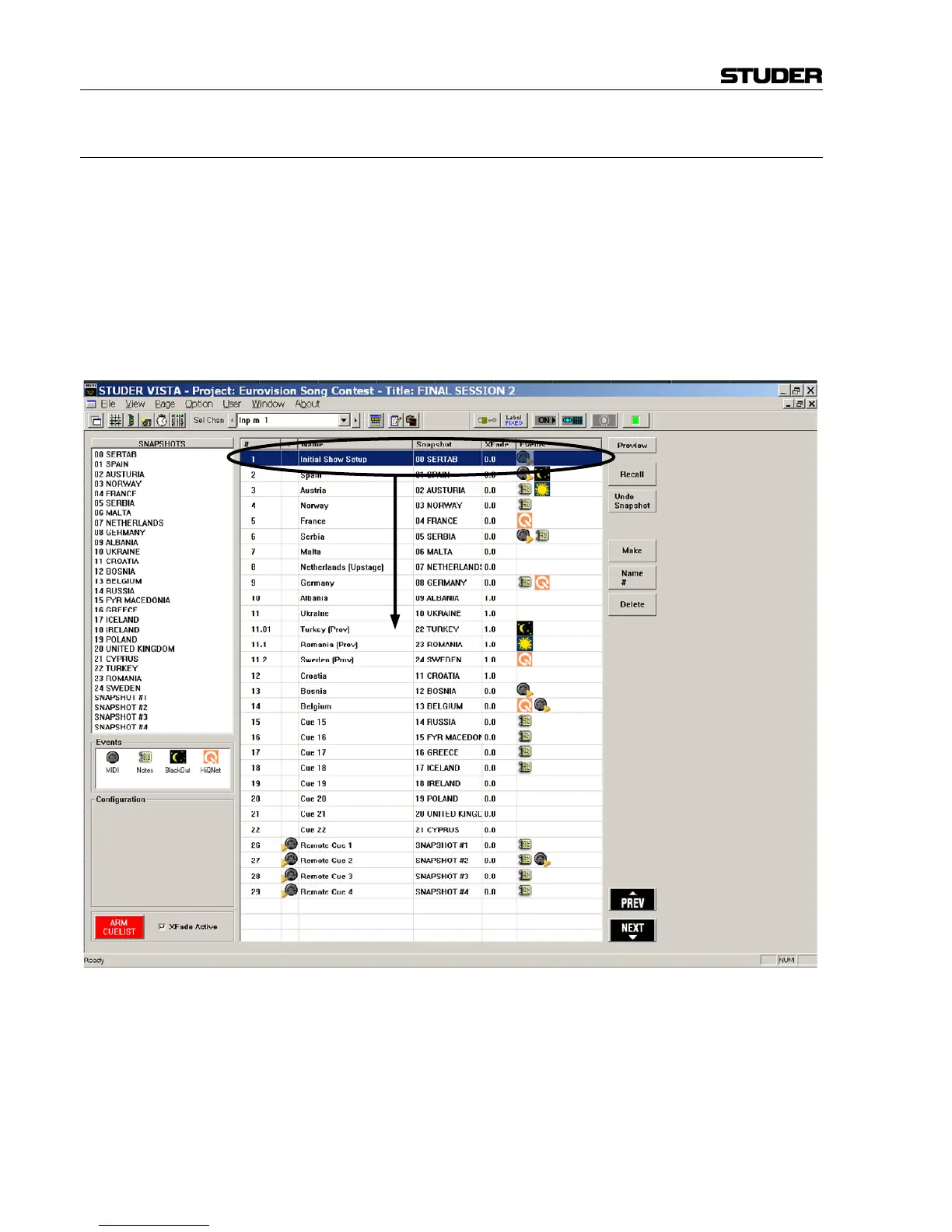
The cue will automatically be given a number, but it can also be edited
manually in order to match cue numbers with other teams within a project
(such as the lighting department). To do so, select the desired cue and click
on Name / # in the right-hand part of the cue list. When modifying the cue
number, it will automatically be re-sorted depending on the current num-
ber. The numbers used may contain a decimal point and up to two digits
thereafter (#.##). When re-sorting cues using drag-and-drop, the numbers
are automatically extended using a decimal point followed by up to two
digits. In order to sort the cues, simply drag-and-drop the cue name to the
desired place.
Automatic numbering example: When inserting a cue between the cues 11
and 12, this cue will automatically be numbered 11.1. If another cue is in-
serted between 11 and 11.1, this new cue will be numbered 11.01. Please
note that he system doesn’t allow further cues to be inserted between 11
and 11.01 without manually modifying the number 11.01 first.



 To Next Page