Vista Digital Mixing System
3-26 Parameters SW V3.3 Date printed: 05.08.03
3.4.3 Panning Parameters
There are several panning options available. These range from a simple
left/right pan, to a stereo direction pan with width control, to the sophisti-
cated family of Virtual Surround Panning (VSP) modules. Left/Right and
VSP functions are available for mono input, group, multi-track input, and
multi-track monitor channels. Direction and Direction with Width func-
tions are available for stereo input and group channels.
The panning functions can be controlled by the Vista 7’s motorized joy-
sticks. To assign a channel to a joystick, press the joystick FOLLOW key (it
will light) and then the LINK/SEL key for the desired channel. A joystick
can be used to automate panning functions and then be reassigned to an-
other channel by pressing the LINK/SEL key of this channel.
Please note that there is an PAN hardware key above the Vistonics TFT for
activating or deactivating the complete panning section, in addition to the
individual On/Off keys for the panning parameters.
If this PAN key is de-activated, the channel signal is directly fed to all as-
signed buses, without being influenced by any panning.
LR PAN for Mono Channels The LR panning function is a simple PAN potentiometer controlling the
contribution of the mono signal to the odd and even or left and right buses.
• PAN ON/OFF
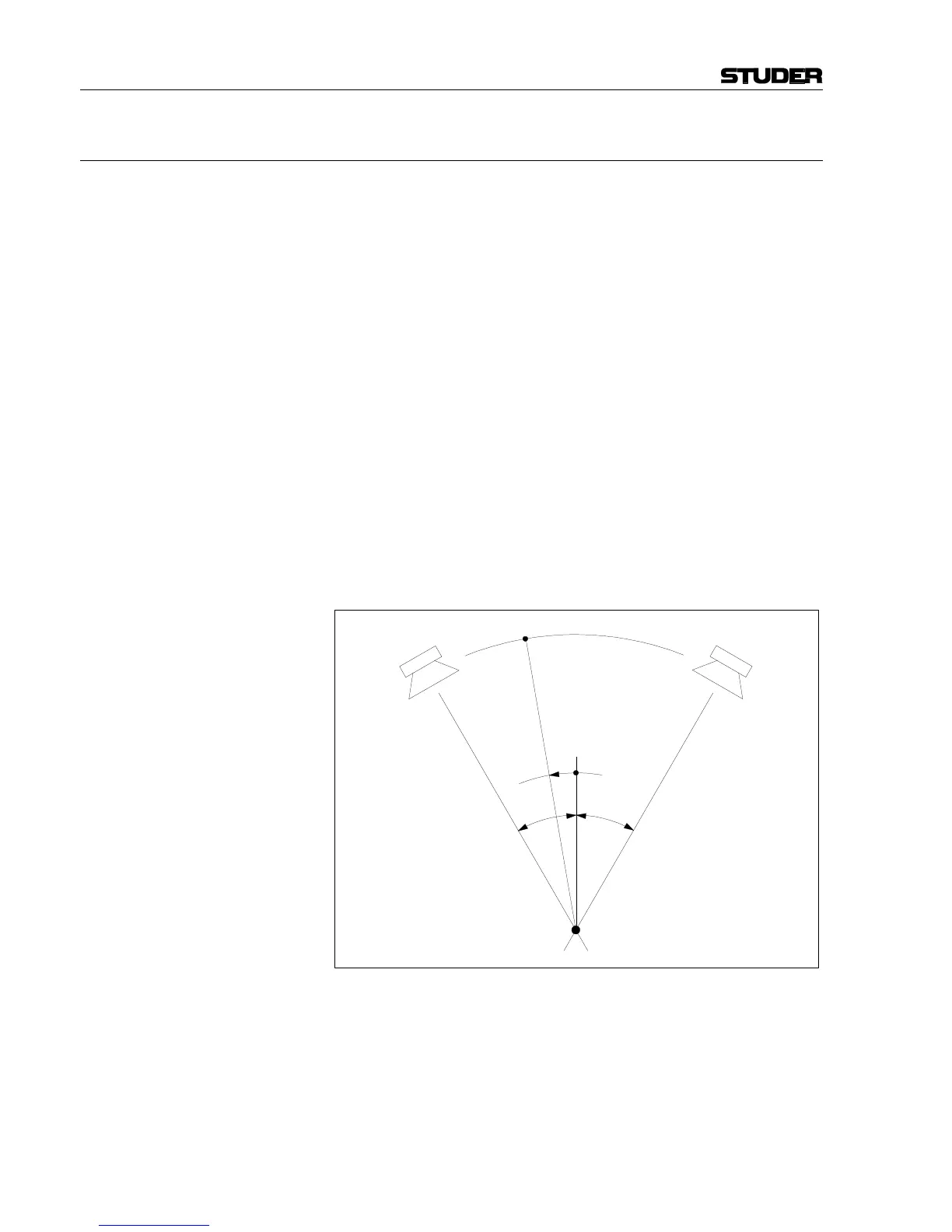
• PAN function: Mono direction in 1° steps from –30° (L) to +30° (R).
–30°
Direction
+30°
Left Right
Listening Position
A



 To Next Page