Vista Digital Mixing System
Date printed: 05.08.03 SW V3.3 Desk Operation 2-21
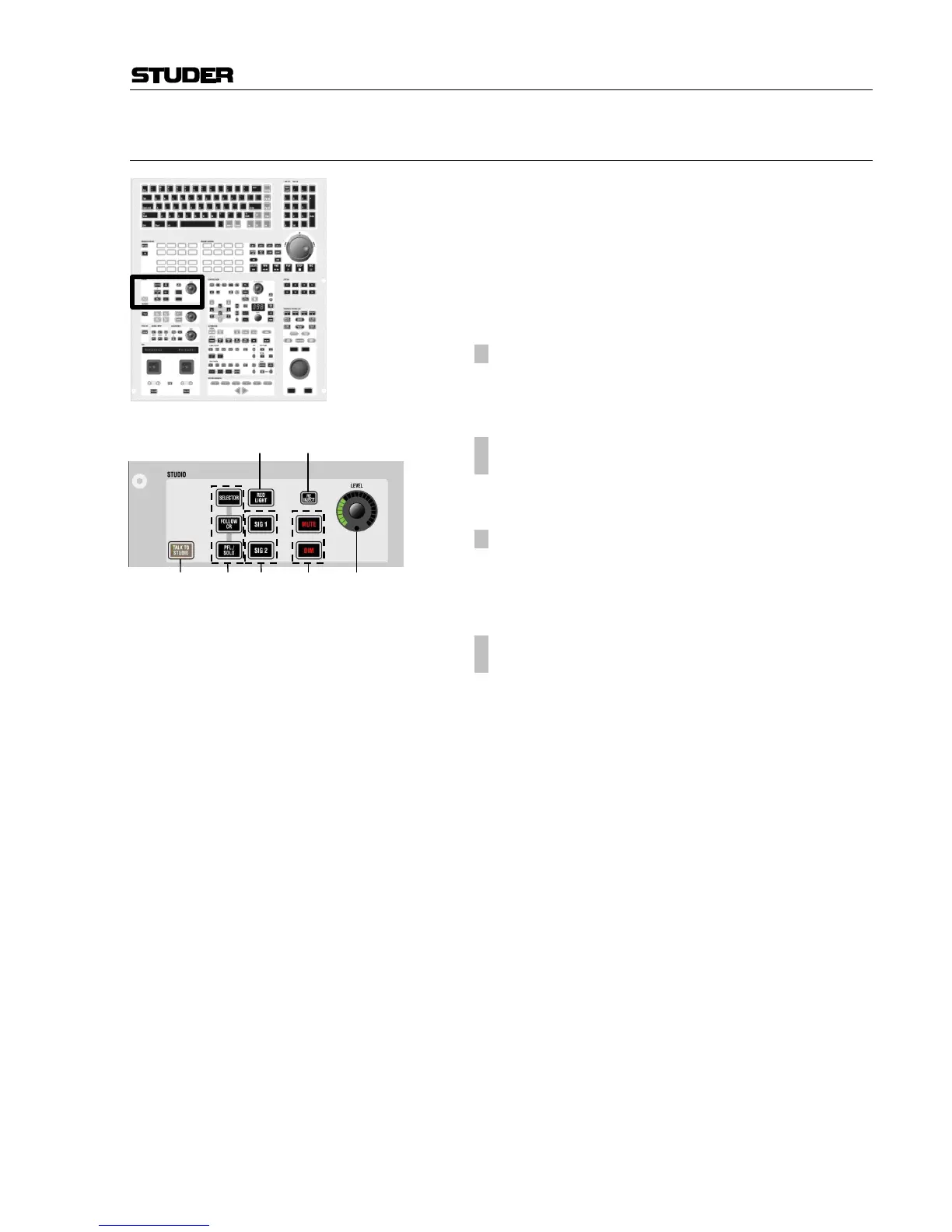
2.4.6 Area 6 – Studio Monitoring
[120] SELECTOR
FOLLOW CR
PFL/SOLO
Determines whether the studio is fed with:
• what is selected on the SOURCE SELECTOR (16 keys
[111]),
• the same source as the control room, or
• the PFL/SOLO signal only.
[121]
¹ RED LIGHT
Indicates active red light. Can also be pressed in order to
switch the red light on/off manually, if not already activated
by e.g. open faders.
[122]
¹ SIG 1
¹ SIG 2
Two GPIOs (general-purpose I/O – with open-collector out-
puts and optocoupler inputs) are assigned to these keys (refer
to the talkback and signaling block diagram in chapter 2.4.9).
[123]
¹ RE-INJECT
If the studio is muted by an active RED LIGHT, this key al-
lows to inject the signal anyway.
Please note that, depending on the installation and the cur-
rent level, this might result in acoustical feedback.
[124]
¹ MUTE
¹ DIM
Keys for muting or dimming the studio speakers. DIM level
may be adjusted in the monitoring.ini file by experts only.
[125] LEVEL
Level control for the studio speakers.
[126] TALK TO STUDIO
Shortcut key for talkback to the studio. This key performs
the same function as activating the keys STUDIO and TALK
(see chapter 2.4.9).



 To Next Page