Vista Digital Mixing System
Date printed: 17.06.08 SW V4.0 Software V4.0 25
A.4.4 Channel View
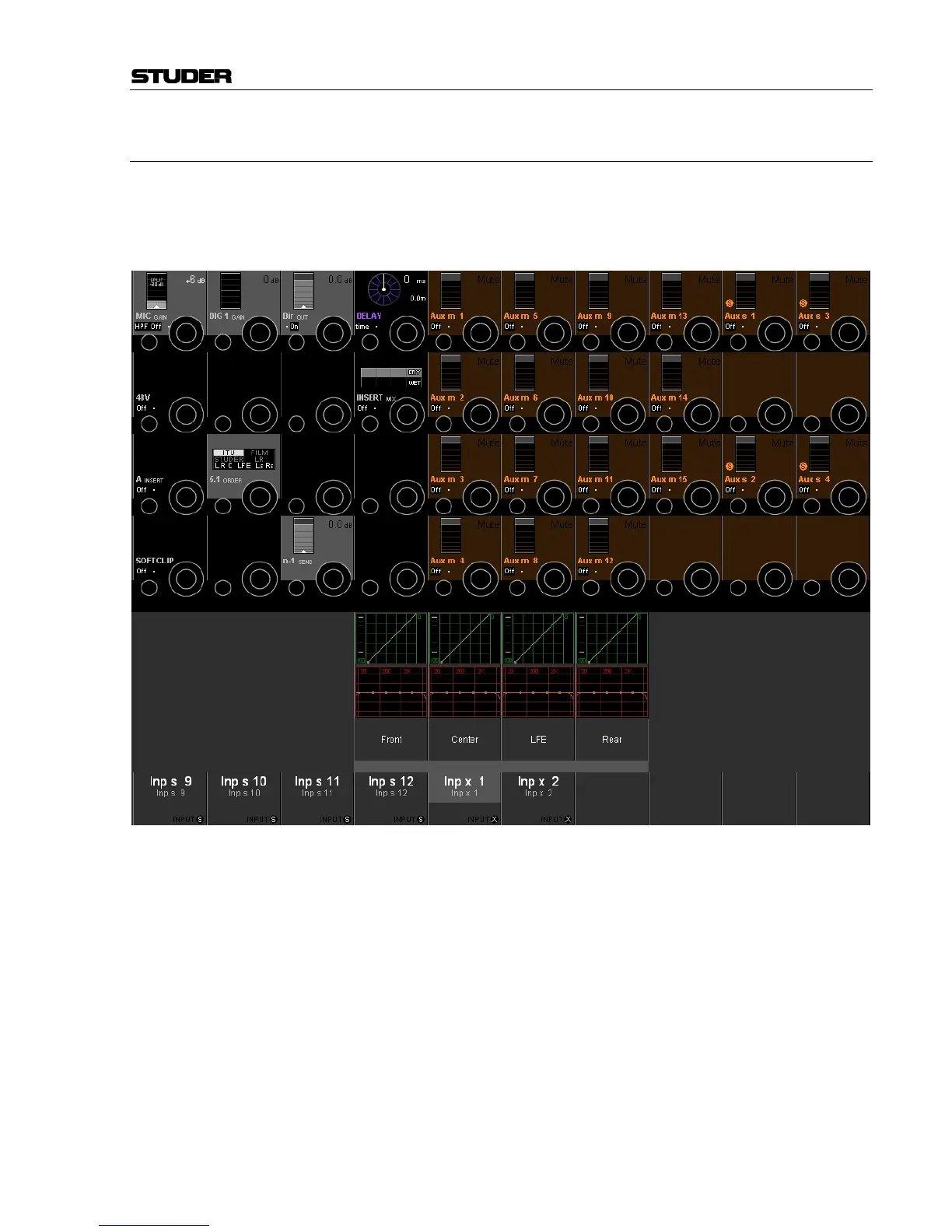
Pressing VIEW: CHANNEL brings up an overview of the channel, covering
the whole Vistonics TFT. All available parameters are shown in the rotary
section, except for dynamics, EQ, and panning (see chapter A.4.5). Only
visible parameters are available for adjustment.
As can be seen above, there is an additional selection possibility in the
touch area that allows modifying the EQ and dynamics parameters for the
Front, Center, LFE and Rear signals individually.
Upon touching one of these fields (e.g. the red "Center" EQ field) the dis-
play changes to the individual EQ setting of the "Inp x 1" 5.1 input's center
channel.
The display changes then as shown on the next page.



 To Next Page