Vista Digital Mixing System
8-16 Vista 8 Differences
SW V3.5 Date printed: 05.04.2005
8.4.2.2 Studio Monitoring Controls
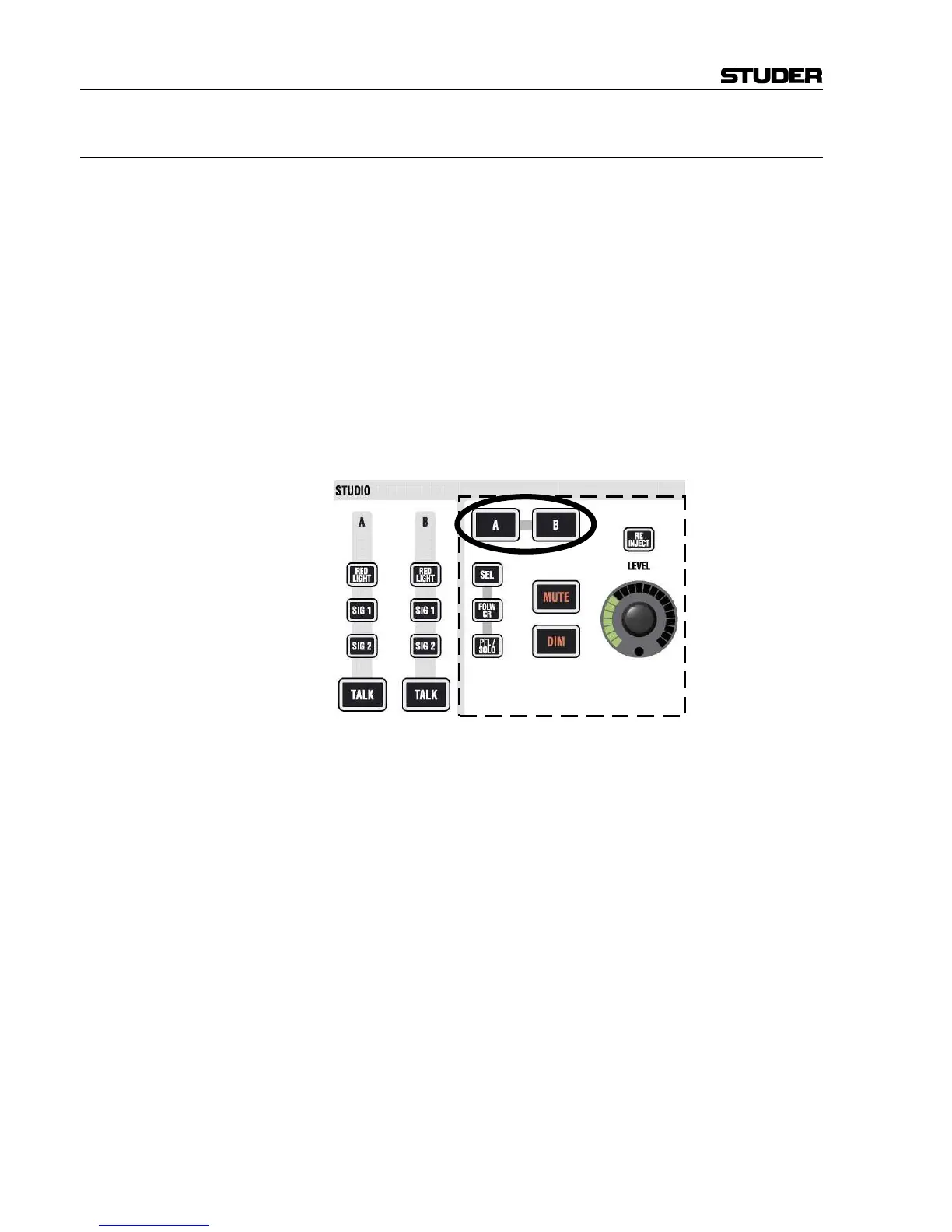
Vista 8 gives direct access to the most important functions for two studios.
Control and view of the following functions are directly accessible, without
having to select the appropriate studio first:
RED LIGHT, SIG 1 (Ready), SIG 2 (Call), TALK
These keys allow activation of the corresponding function; they may light
automatically if the function has been activated e.g. by one of the GPI
(general purpose inputs).
The right part of the studio monitoring panel is used to control the audio
level of the two studios. First select the studio (A or B), then adjust the
level and select from “Selected Source on Source Selectors” (SEL), feed
studio with same source as control room (FOLW CR), or send PFL/SOLO
signals to the studio (PFL/SOLO). It is also possible to disengage the mute
mechanism normally activated by the red light logic. This is done by acti-
vating RE-INJECT.



 To Next Page