Vista Digital Mixing System
8-28 Vista 8 Differences
SW V3.5 Date printed: 05.04.2005
8.6.3.7 Organizing Events
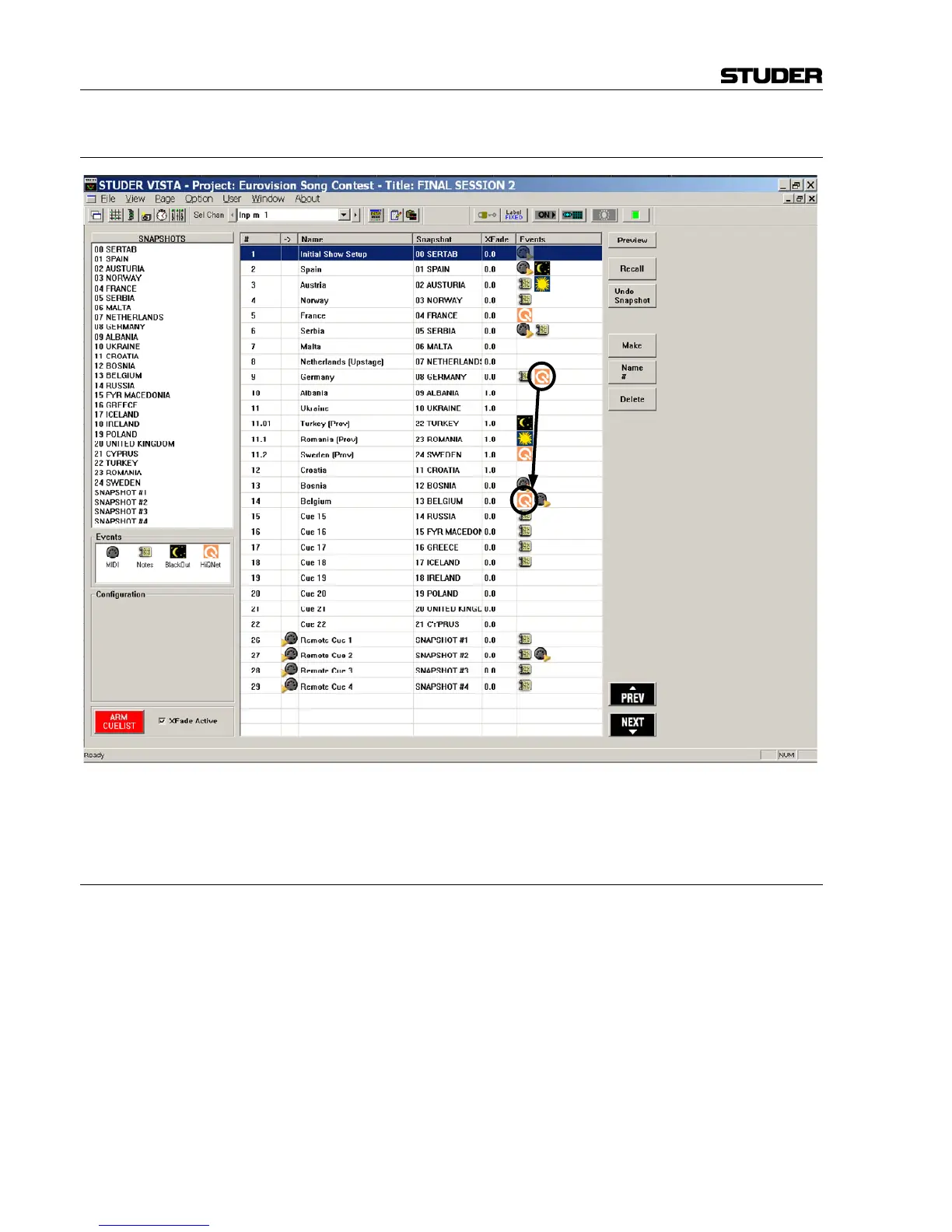
It is possible to move events from one cue to a different one by using drag-
and-drop. Also, snapshots may be moved between cues using drag-and-
drop. In this way, snapshots can be replaced or exchanged within cues.
8.6.3.8 Updating Snapshots
The snapshot names displayed in the cue list are only referring to the corre-
sponding snapshot contained in the snapshot list. It is therefore possible to
use the same snapshot in multiple cues, possibly using different cross-fade
times. When updating a snapshot, the cues containing it will automatically
use the updated snapshot.
Note: Snapshots can be updated from within the cue list window; right-click on
the snapshot within the snapshot list in the top left corner in order to get
different options, such as Make, Update, Name, etc.
MIDI MIDI note and program changes can be used both as sources for firing a
cue, or as events to be sent out of the console upon recalling a cue. In order
to attach a MIDI command as a cue trigger, drag-and-drop the MIDI icon
to the left side of the cue name. If a MIDI command should be sent out
upon cue recall, drag-and-drop the MIDI icon to the right side of the cue.
Multiple events may be added to the right side of a cue.



 To Next Page