Vista Digital Mixing System
Date printed: 05.08.03 SW V3.3 Parameters 3-9
3.3.4 Mono AUX Parameters
Press one of the GLOBAL VIEW: AUX MONO keys.
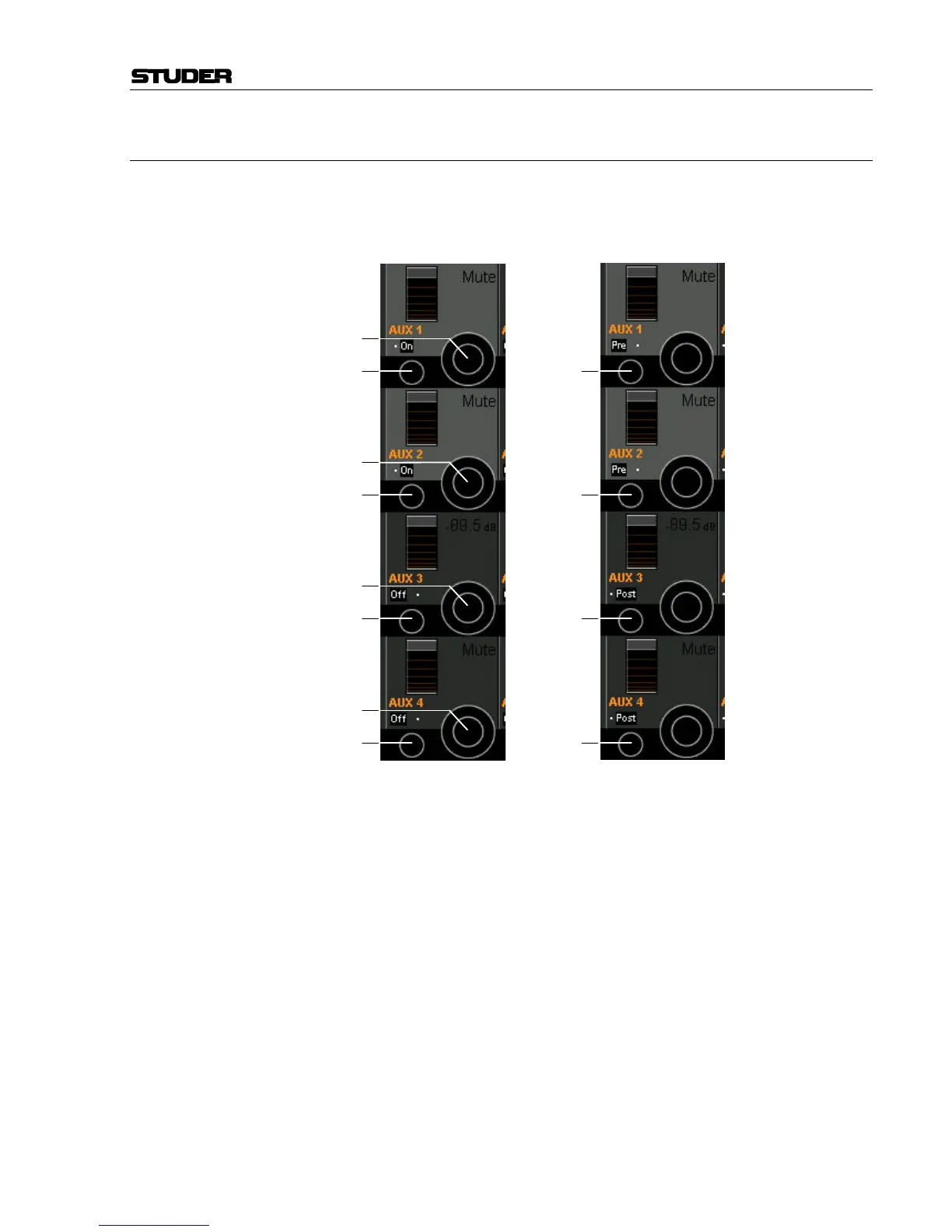
The mono AUX view provides selection of the AUX bus (ON/OFF), send
level adjustment, and pre-/after-fader switching.
AUX On/Off [15] Mono AUX bus selection. Other mono AUX bus views can be selected as
well (5...8, 9...12, etc.).
Send Level [16] The send levels for mono AUX 1 through the maximum number config-
ured can be adjusted using this rotary encoder; adjustment range is from
MUTE (i.e. –∞) through +10 dB.
Pre/Post Selection [17] When the PRE / POST key in the fader bay’s GLOBAL VIEW area is active,
the Vistonics view changes as shown above at the right. The signal sent to
the mono AUX bus can be selected pre-fader (before the fader) or post-
fader (after the fader).
[15]
[16]
[15]
[16]
[15]
[16]
[15]
[16]
[17]
[17]
[17]
[17]



 To Next Page