Vista Digital Mixing System
Date printed: 05.04.2005 SW V3.5 Vista 8 Differences 8-45
and the hub frame is connected to the console via a serial link. However,
when recalling a snapshot containing the “non intelligent” fixed labels (e.g.
from older productions), this will overwrite the fixed labels as well and
make the “intelligent fixed labels” disappear. In this case, select Regen-
erate Intelligent Fixed Labels within the SysAdmin menu and update
this snapshot.
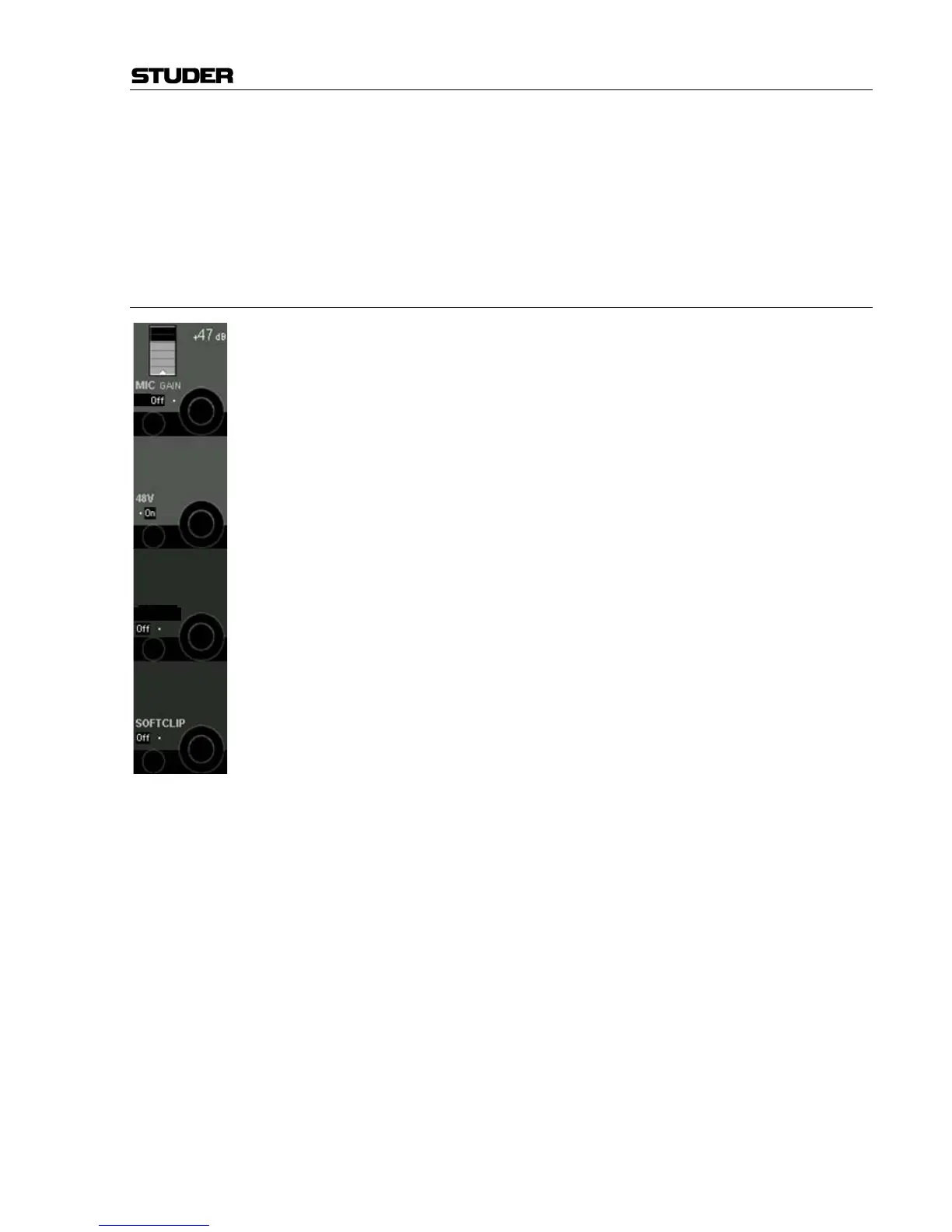
8.6.11.4 Functionality of the D21m Mic/Line Input Card
The D21m mic/line input card features some additional functionality com-
pared to previous I/O systems. All relevant parameters are accessible from
the console surface and visible in the “A/D CTRL” global view. The input
gain (one common connector for mic/line) can be adjusted click-free over
an 86 dB range.
All mic/line cards provide an active split output for each microphone chan-
nel. This output may be used to connect a second console to the same mi-
crophones. This output is mainly independent from the mic gain set. How-
ever, to achieve maximum audio quality (signal-to-noise ratio) on these
split outputs, it cannot be avoided to attenuate this split output by 20 dB
whenever the mic input gain set on the main console is very low
(for input signals from +4 to +25 dBu). This will be graphically indicated
on the Vistonics
®
screen. Inputs of a second console connected to the split
output(s) can therefore always work in the “microphone range” and don’t
necessarily have to switch to “line range”.
A soft clip function is available on all channels and can be activated indi-
vidually. This “analog limiter” may prevent nasty clipping noises in case
the audio level should be too high. We recommend activating this function
during live productions, since audio is not influenced below about –6 dB
FS
.
Note: An analog insert point is made available by inserting an additional analog
insert card. Its send output is always active at line level, and the return path
may be activated by the corresponding switch on the console.



 To Next Page