Vista Digital Mixing System
3-14 Parameters SW V3.3 Date printed: 28.04.04
3.3.8 Compressor/Limiter Parameters
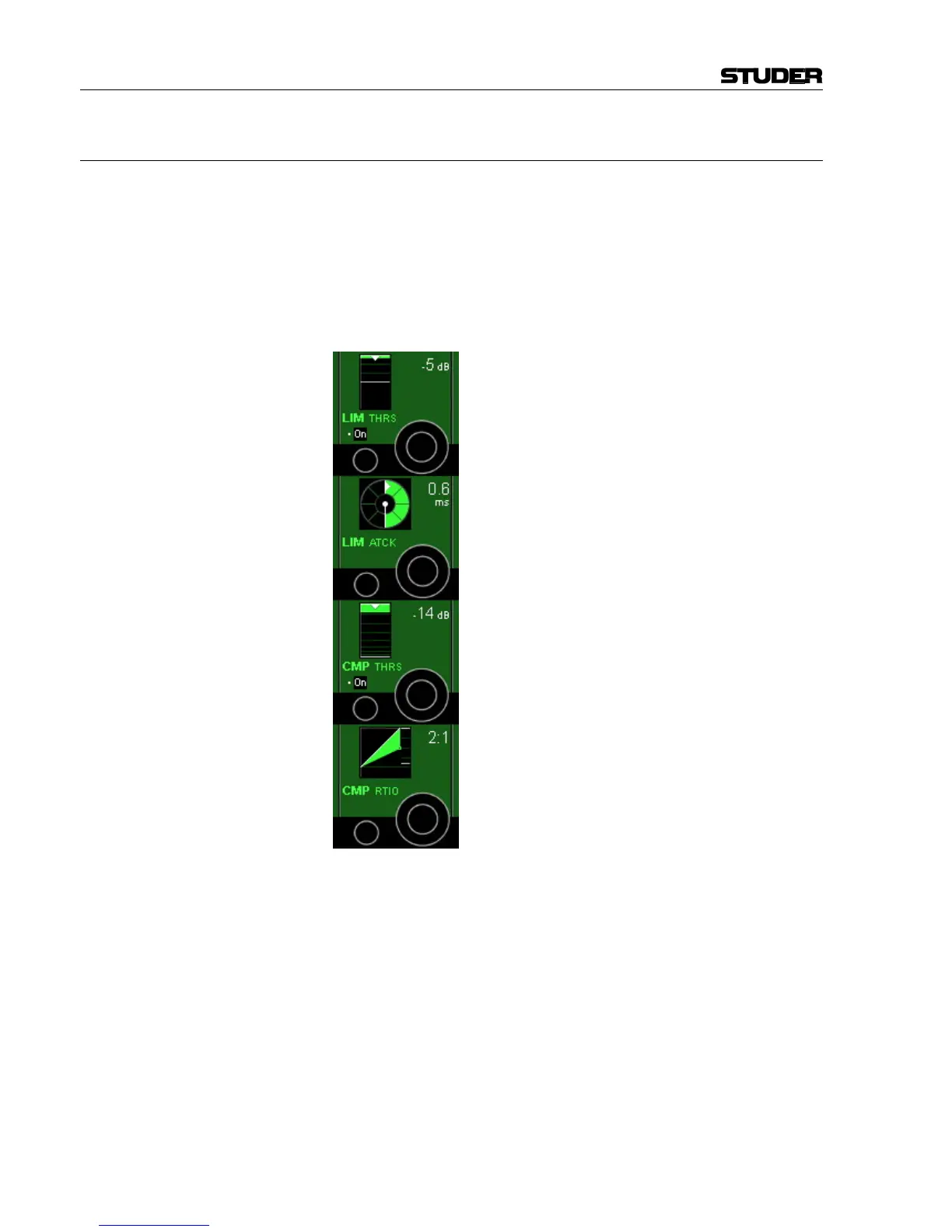
Press GLOBAL VIEW: COMP-LIM.
This view enables the user to control the most important parameters of the
dynamics section’s compressor and limiter parts. The complete parameter
set is available on the channel-related dynamics view, refer to chapter
3.4.2. In that chapter you will also find the parameter details.
Please note: The compressor and limiter parts of the dynamics section can
be activated simultaneously with the COMP LIMIT hardware key below the
channel meters – in addition to the individual on/off keys described below.
LIM On/Off Limiter on/off.
LIM THRS The limiter threshold can be adjusted in 1 dB steps from 0 dB
FS
to
–48 dB
FS
. The limiter threshold corresponds to the output level.
LIM ATCK The limiter attack time can be adjusted in 9 steps within a 200 µs to 1 ms
range.
CMP On/Off Compressor on/off.
CMP THRS The compressor threshold level can be adjusted in 1 dB steps from 0 dB
FS
to –96 dB
FS
.
CMP RTIO The compressor ratio can be adjusted from 1:1 (no compression) to 20:1
(heavy compression).



 To Next Page