Vista Digital Mixing System
Date printed: 05.08.03 SW V3.3 Parameters 3-37
3.4.7 View Bus Assignment
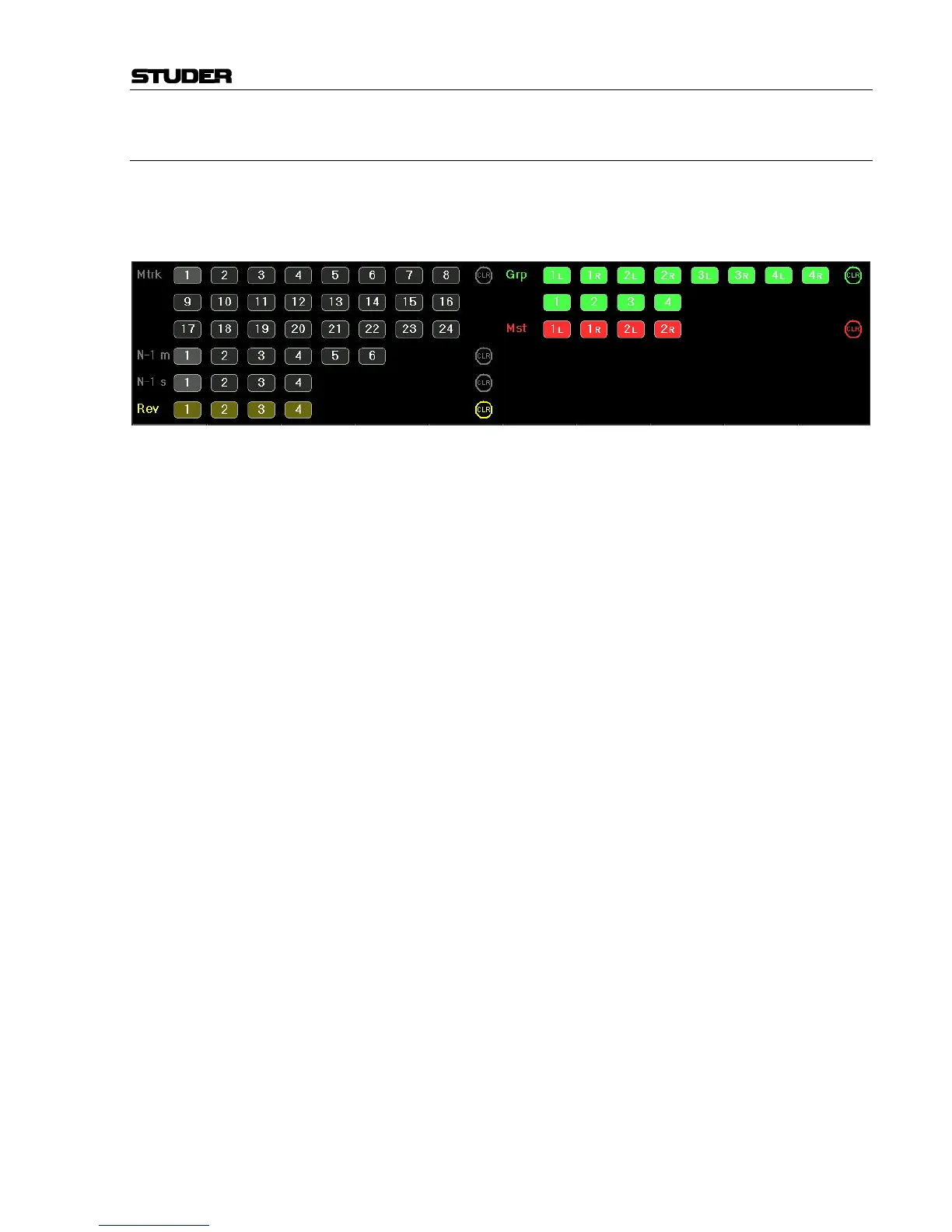
When touching any of the variable areas, the display changes to the bus
assign window of this particular channel, as if the corresponding
VIEW: BUS ASN hardware key underneath the TFT would have been
pressed.
The box only shows the buses which the current channel can be assigned
to.
Pressing VIEW: BUS ASN on a master channel will not show the bitmap for
bus assignment, but will only activate the “inverse bus interrogation” view
described later.
If not all the configured buses can be shown at a time, two arrows appear.
They allow scrolling to more buses than shown. This will only happen if
more than 96 buses (multi-track, Groups, masters, n–1, reverb) are config-
ured. In this case, the last line of buses will disappear, showing the two ar-
rows.
The CLR buttons will clear the assignment to all buses of the correspond-
ing type.
Inverse Bus Interrogation Pressing VIEW: BUS ASN on a group master, an AUX master, a reverb, or a
master channel (having a bus routed to its input) opens the Strip Setup
dialog on the GC screen, showing the currently assigned channels in ma-
genta color.
When pressing VIEW: BUS ASN on an n–1 owner channel, the inverse bus
interrogation is done on the associated n–1 bus.



 To Next Page