Vista Digital Mixing System
Date printed: 17.06.08 SW V4.0 Software V4.0 13
A.3.6 Filter Parameters
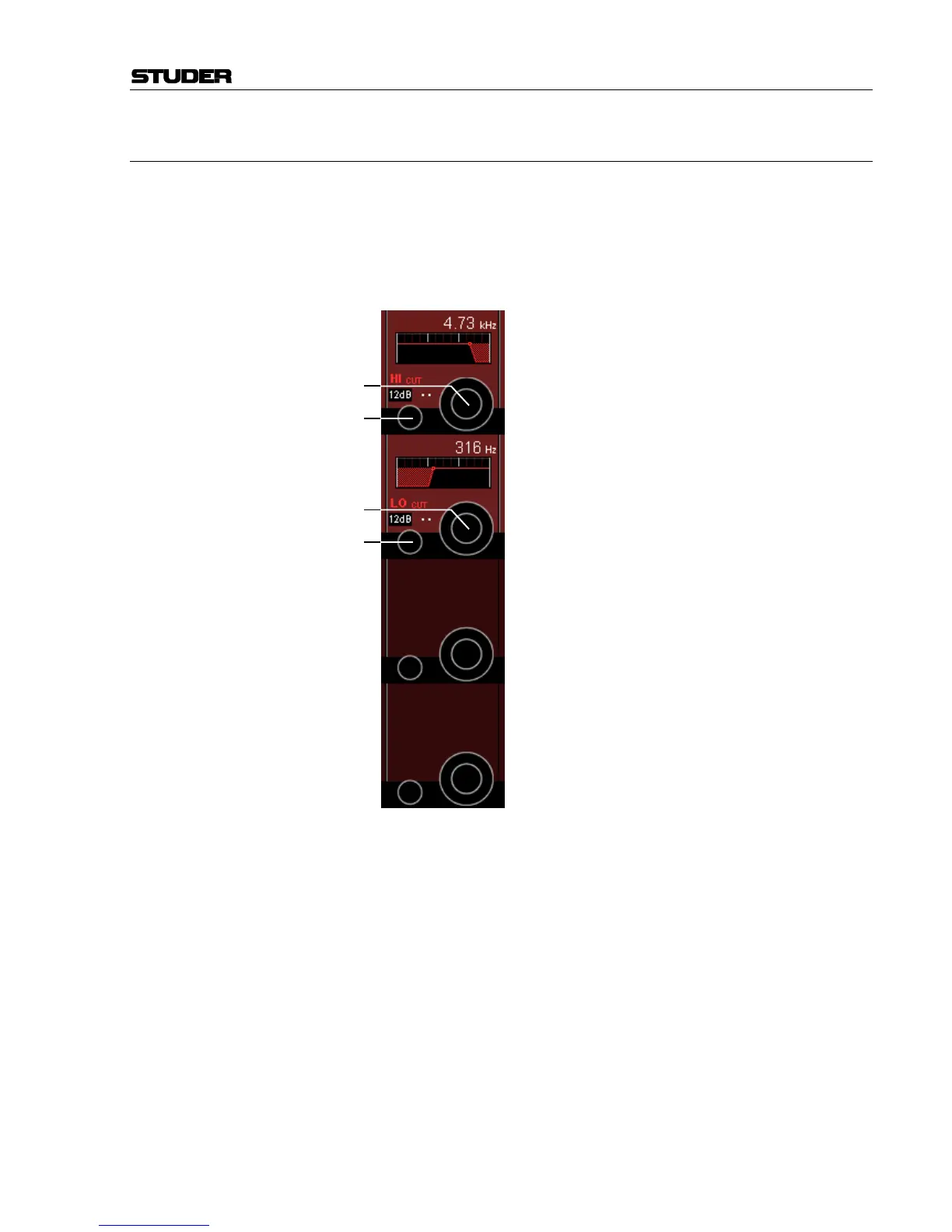
Press GLOBAL VIEW: FILTER.
This view is the same as with mono or stereo channels; it allows control-
ling the high- and low-cut filter parameters. Please note that HI- and LO-
CUT filter parameters applied here will be valid for all surround signal
legs, except the LFE. For further information on this subject, please refer to
chapter A.4.2.
HI CUT/LO CUT [1] Slope setting for the high- and low-cut filters, selectable from 12, 18, and
24 dB/octave (toggles 12, 18, 24, 12, ...).
Frequency [2] Cutoff frequency adjustment for the high- and low-cut filter: Both filters
can be set in 120 steps in the range from 20 Hz through 20 kHz.
[1]
[1]
[2]
[2]



 To Next Page