STUDER 07. Mar. 2005 Release Notes Vista 3.5
17/21
14. Native Pro-Bel support
Starting with version 3.5 of the D950 and the Vista Software those products are able to support Pro-
Bel enabled devices natively, and so a second PC is not necessary for this functionality. However,
we do not recommend that existing installations are altered which are already in use with a second
PC for Pro-Bel interfacing. The explanations following below are therefore intended for installation
personal and not for the console operators.
Supported Functionality
Our implementation enables the ability to map certain Pro-Bel connect requests to a set of
definable Patch connections. This set up procedure is done from the General Patch screen, where
certain patches can be selected (by just selecting the affected targets) and which are being mapped
to a Pro-Bel source/destination combination with a single click on a dialogue.
Enabling Pro-Bel Setup
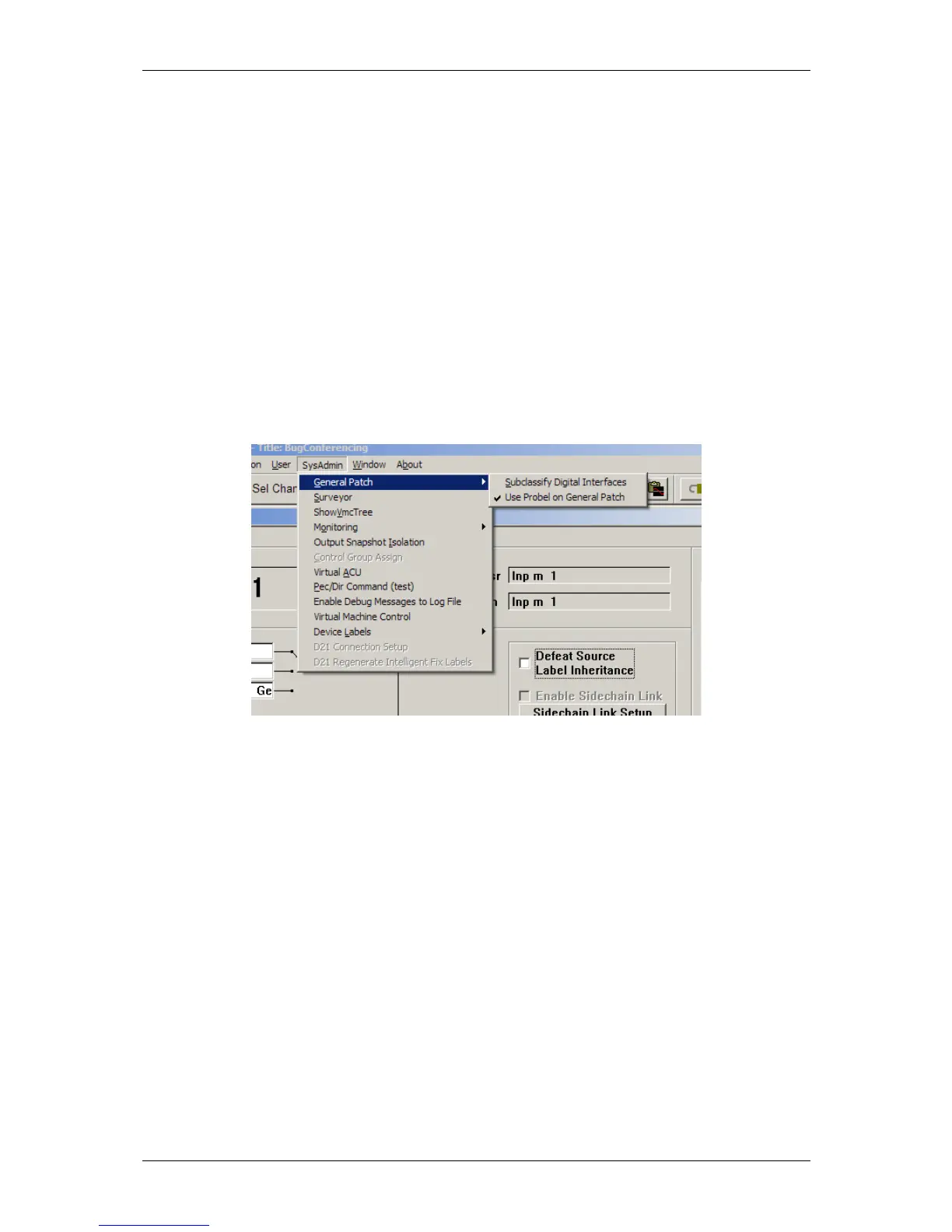
To be able to activate and see the Setup Probel button on the General Patch the system has to be in
Sysadmin Mode.The SysAdmin menu contains a sub menu GeneralPatch and a switch to use Pro-Bel.
Menu for activating native Pro-Bel support
This setting will be written to the D950System.ini as well, resulting in the same behaviour as if it
was edited by hand in the first place.
The button will then be visible whenever the System enters the Sysadmin Mode.



 To Next Page