STUDER 07. Mar. 2005 Release Notes Vista 3.5
18/21
Enabling COM ports for use with the Pro-Bel protocol
Ports that are to be used for Pro-Bel need to be specified in the D950System.ini in the
[d950SerialPorts] section. This gives the possibility to use non standard data rates and parity
settings.
[d950SerialPorts]
1= {p} COM1 baud=115200 parity=N data=8 stop=1
2= {b} COM6 baud=38400 parity=E data=8 stop=1
The b is used to indicate the Pro-Bel utilisation. Only the COM ports defined like this will be
available in the Pro-Bel setup dialogue.
Bringing up the set up dialogue for Pro-Bel
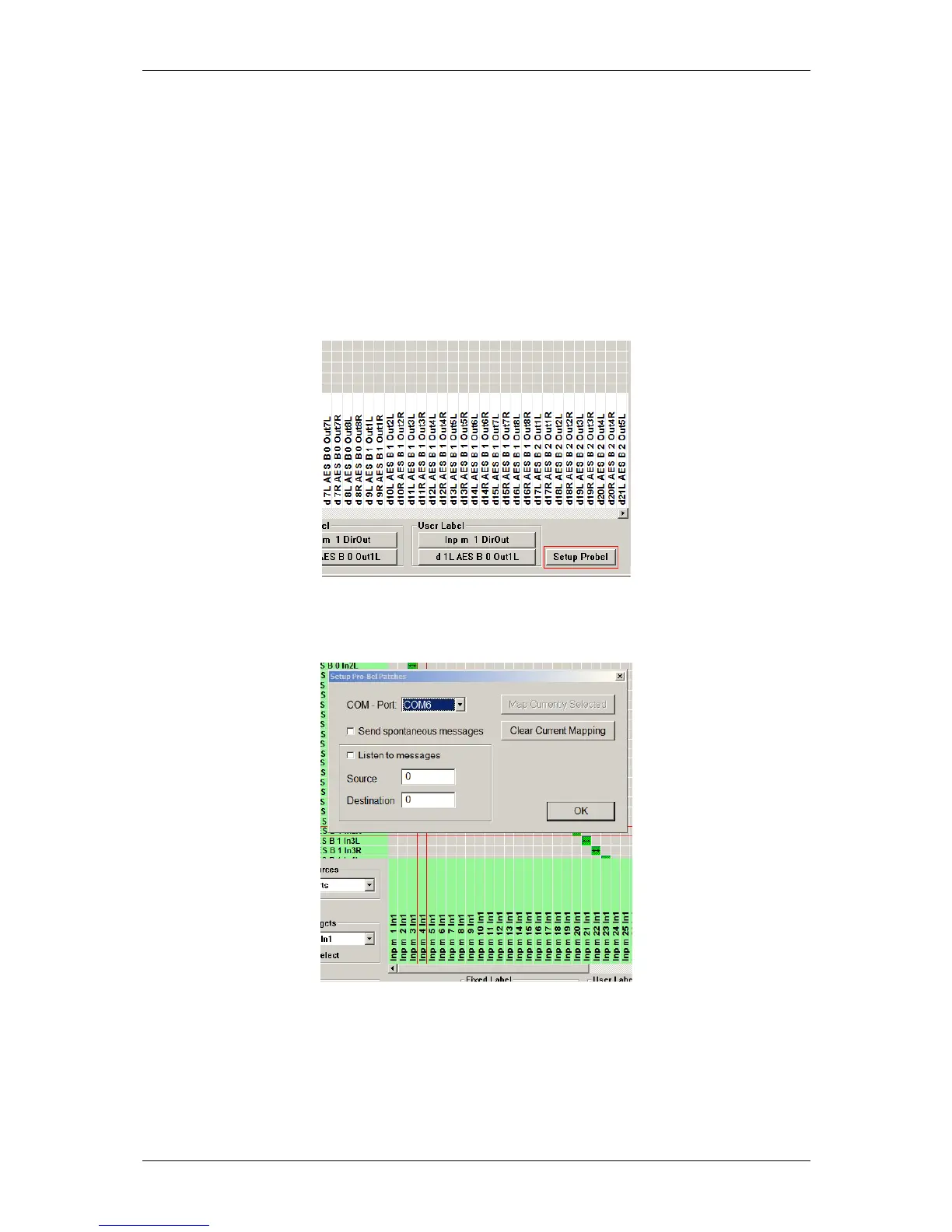
With Pro-Bel setup button enabled the General Patch presents a new button on the bottom right.
Hitting this button the system brings up the set up dialogue and enters Pro-Bel set up mode.
Pro-Bel Setup button
Active Pro-Bel set up dialogue



 To Next Page