Vista Digital Mixing System
8-54 Vista 8 Differences
SW V3.5 Date printed: 05.04.2005
8.6.15 Support of External Monitoring Source Selector Panels
As an alternative to control patch points of the console by using 3
rd
-party
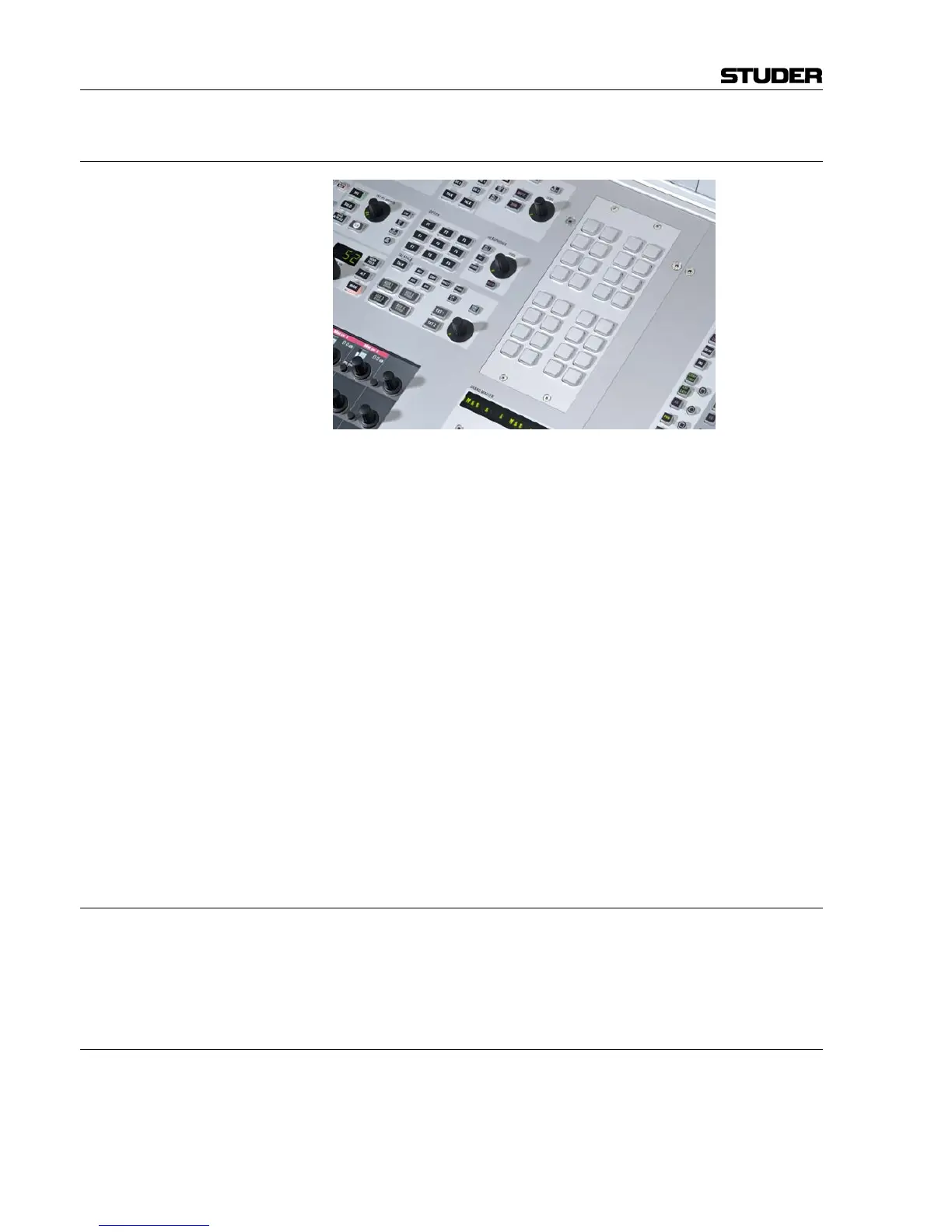
controllers (ProBel protocol), Studer offers a “mini” ProBel controller
module. The module may be mounted within the Vista 8 console or any-
where externally. It hosts 32 freely programmable keys to set any number
of patch points within the console. Each key may be defined to set a certain
patch point (or a set of patch points.) The keys on the hardware panel are
illuminated, if all of the defined patch points are currently set. As soon as
one of them is cleared or changed, the key gets dark. This intelligence al-
lows free grouping of the 32 keys to e.g. 16 groups of two sources each, or
to one single group of 32 sources. Any combination in between is possible.
It is also possible to use 16 keys as one group while using the remaining
keys as two groups of eight, for example.
If a set of keys are setting patch points to the same destination they are
automatically recognized as a group and therefore their illumination will
automatically indicate the correct patch state. Rule: A key is illuminated as
long as all defined patch points are set. If at least one of them is changed
(e.g. by pressing another source selector or by the console’s trackball) the
key becomes dark.
Note: Switching patch points is not only possible to outputs of the console, but
everywhere within the patch (e.g. input patches to input channels or in-
serts). Therefore the Studer panel may also be used to switch any number
of input patches of the console to different inputs.
8.6.15.1 Patch Point Isolation
These patch points cannot be isolated against changes by snapshot recalls,
unless the inputs of the channels are isolated. The general function of iso-
lating patch points against snapshot recalls may be applied to output
patches only.
8.6.15.2 Patch Mapping Setup
The setup on the console side happens in the same way as when setting up
normal ProBel control; see chapter 8.6.14 for details. The panel itself needs
an address set. This address will guarantee that multiple panels may work
at the same time. Multiple panels may be connected to one serial port of the
console. Please refer to the service manual for more details.



 To Next Page