Vista Digital Mixing System
Date printed: 05.04.2005 SW V3.5 Vista 8 Differences 8-55
8.6.16 Fader Ramp Control (“Audio Follows Video”)
This function is only available in static automation mode.
Faders of all console channels can be externally controlled. When using
this feature, the console operator determines the Fader Open/Close values,
as well as the fade in/out speed. Various triggers are available in order to
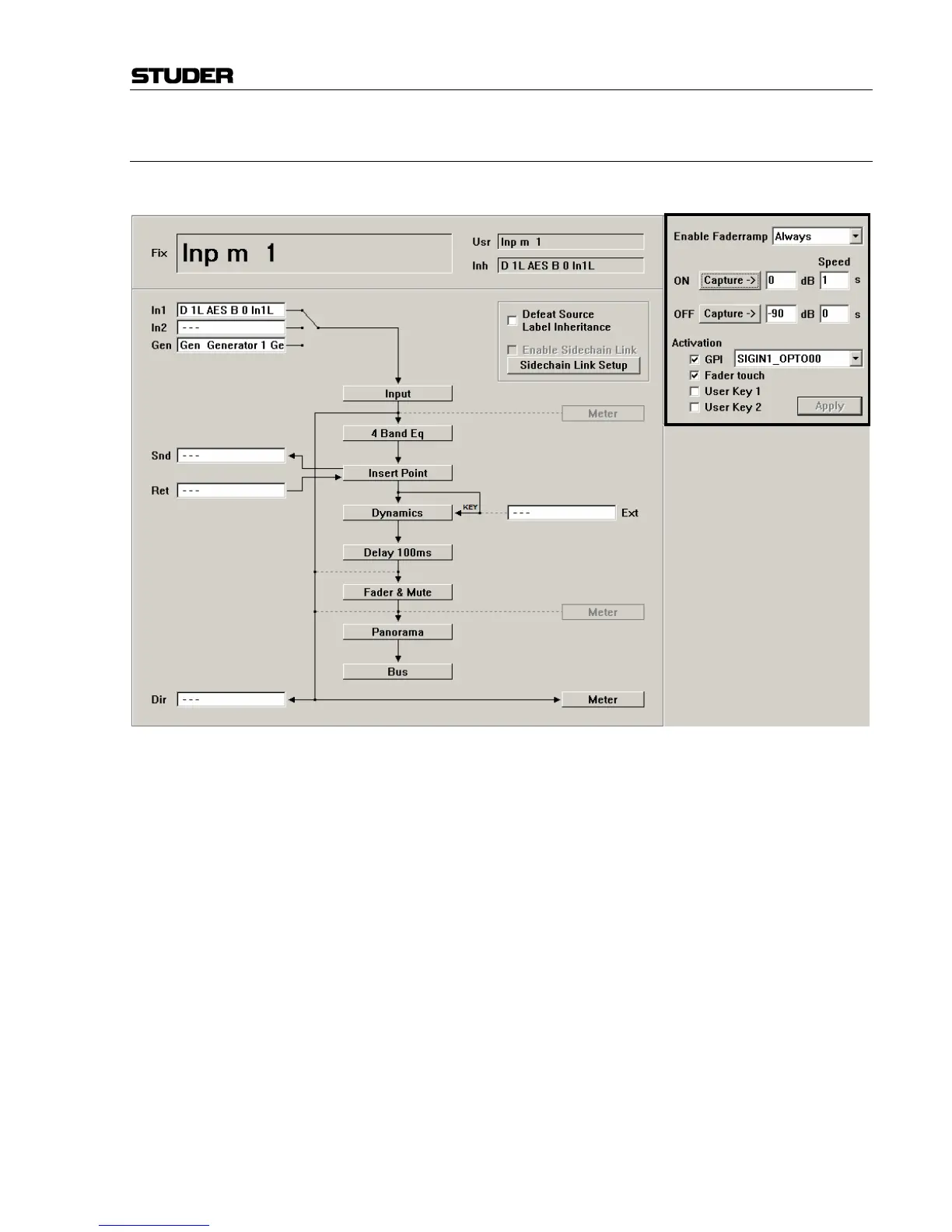
activate the fade. The channel patch window allows adjustment of all nec-
essary settings.
The fader ramp function might be particularly useful when doing TV work.
Opening and closing of certain microphone channels may be controlled by
the video switcher, using GPIs (general-purpose inputs, i.e. closure con-
tacts in the monitoring rack). Another possible use is radio/TV talk-shows:
Different people have their microphones constantly opened and lowered.
This action may be pre-programmed, and the fade in/out may be activated
by just touching the fader or pressing one of the USER keys. The following
options may be set in the channel patch window:
Enable Fader Ramp: Select if you want to use one of the two USER keys to enable the fader
ramp on a specific channel. It is also possible to activate it constantly, leav-
ing the USER keys free for other functions.
ON (Fader Value): Clicking on the Capture button will set the current fader value to be used
when the GPI is active, hence the value used when the fader is opened.
Alternatively the value may be typed using the keyboard or by using the
trackball: Click in the number field and drag the pointer up or down. This
action is similar to the way time values are adjusted in the dynamic auto-
mation of the Vista consoles.



 To Next Page