STUDER 21. Sep. 2004 Release Notes Vista 3.4
2/18
1. New Dynamics in DSP core
The new dynamics section looks 100% identical to the previous one. However, the DSP code has
been completely re-engineered and the sound of it has been greatly improved. Since all parameters
are identical, there is no need to import old production data. The only thing necessary to take
advantage of the new dynamics is a re-calculation of the configurations (without editing them!).
Please see the upgrade instructions for more details.
2. Naming auxiliary busses
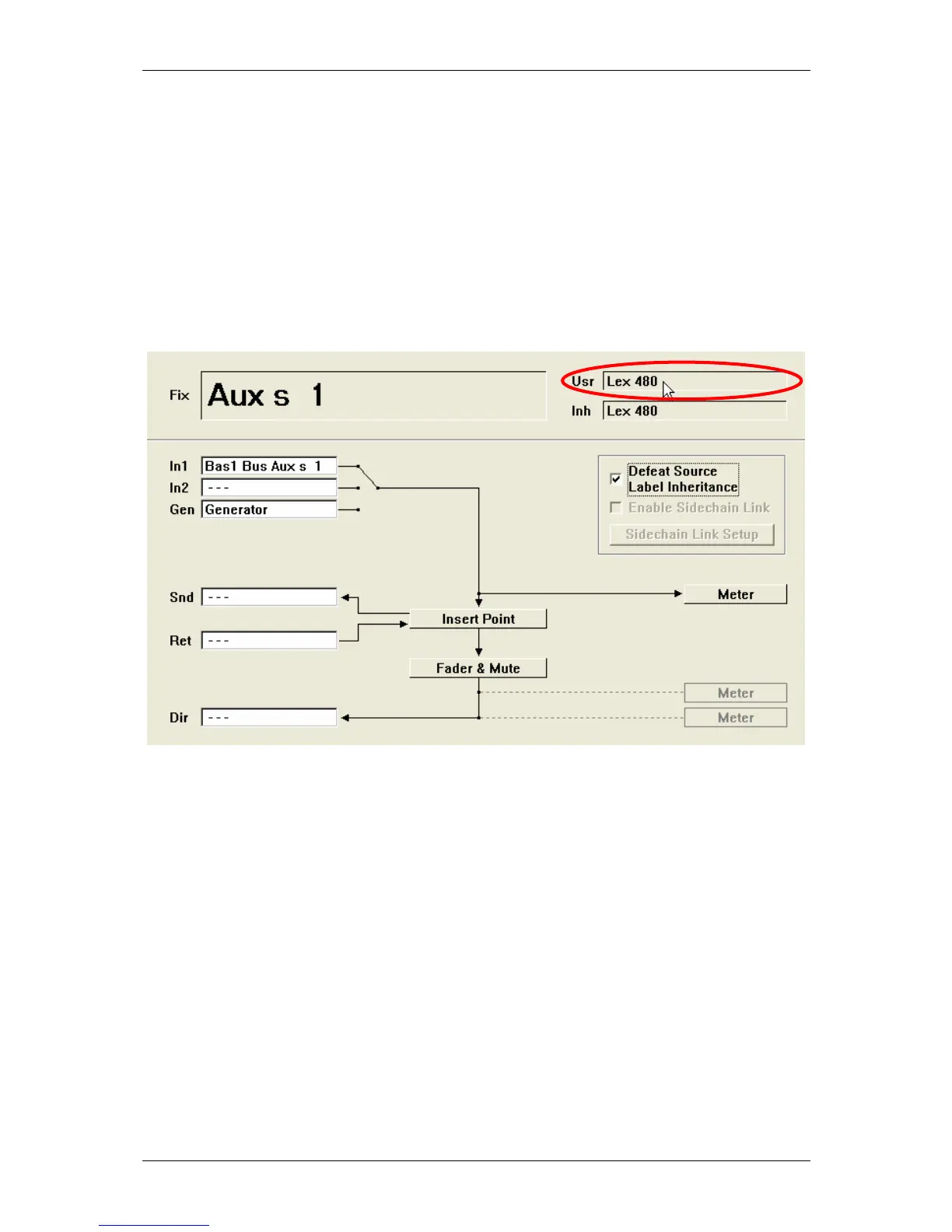
It is now possible to give a name to the auxiliary master channel, which is automatically propagated
back to all displays of the input channel. Renaming of the auxiliary master user label is done within
the channel patch window. Double click on the USR label area and enter a name, e.g. the name of
the device attached to the output of this auxiliary master channel. The given name will
automatically show up on the input channels instead of the auxiliary number.
3. New n-x busses with conferencing functionality
As a replacement of the previously offered bus type "n-1", we are now offering a new bus type with
enhanced functionality. When configuring the new "n-x" bus, the user gets additional functionality
such as contribution level adjustment (n-x level on each input channel in order to balance the signal
going to all n-x busses), as well as the possibility to define and activate a conference between
multiple n-x owner channels. In addition it is possible to send an "alternate source" signal out of n-x
output (e.g. station ID signals) while the channel fader is closed. If you want to make use of this
additional functionality, you should replace the n-1 busses with n-x busses by using the
Configuration Editor software.
Send Level
When looking at the global view "OUT n-1", you will see a level on the bottom rotary. It
defaults to 0dB, which means that this channel signal is sent to all assigned n-x busses with
a postfade level 0dB. In some cases it is desired to be able to set a certain channel back in
order to have its signal at a lower level audible on the n-x busses, e.g. when you have a
jingle machine connected and the persons listening to the n-x outputs don't want that signal
to be so loud. It is therefore easy to adjust this level by turning the bottom rotary down.
This will adjust the level going to all n-x busses!



 To Next Page