Vista Digital Mixing System
Date printed: 05.08.03 SW V3.3 Desk Operation 2-27
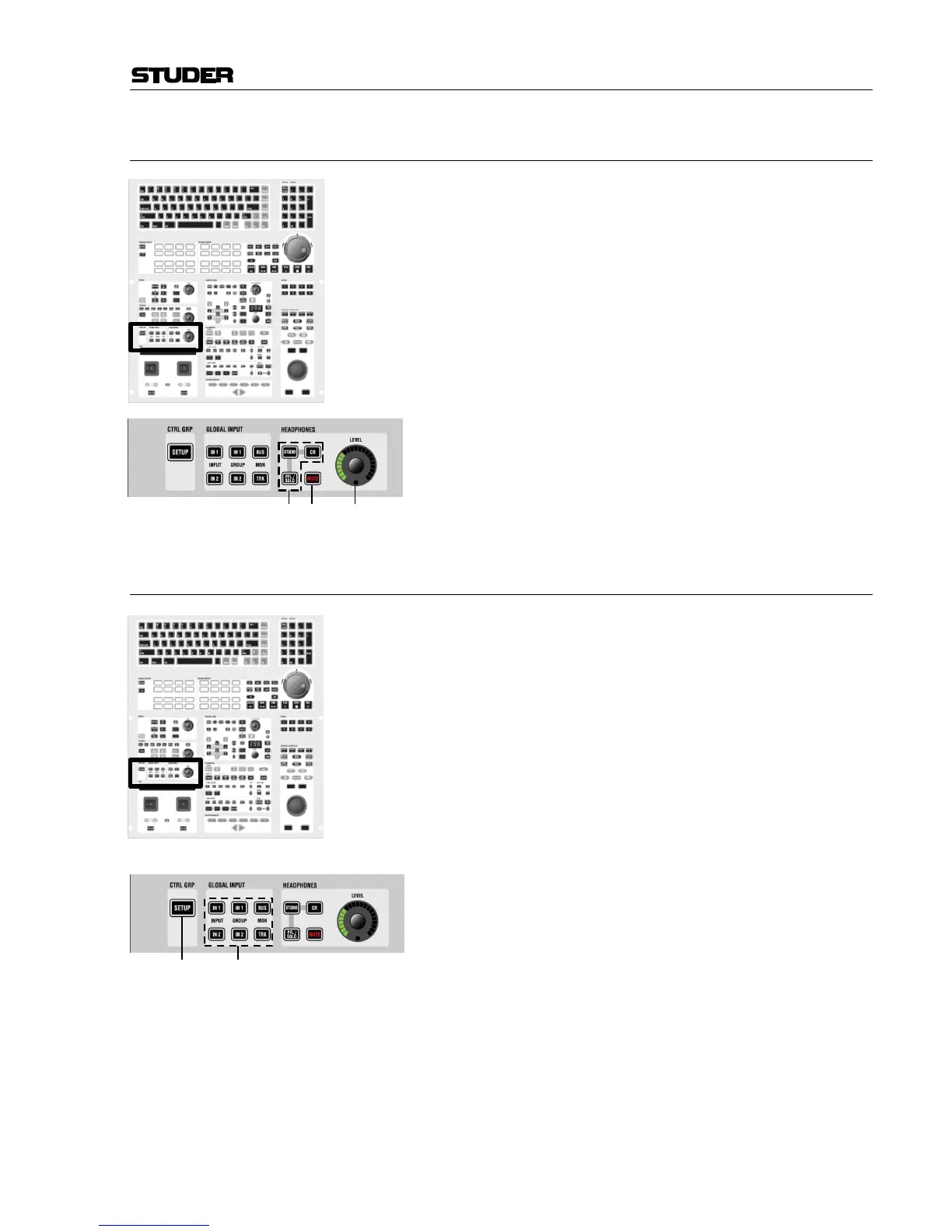
2.4.10 Area 10a – Headphones Control
[160] HEADPHONES: STUDIO
HEADPHONES: CR
HEADPHONES: PFL/SOLO
Source selection for headphones output.
[161] MUTE
For headphones output.
[162] LEVEL
Level control for headphones output.
2.4.11 Area 10b – Control Group and Global Input
[170] CTRL GRP: SETUP
Pressing this key will enter/exit CTRL GRP: (control group) SETUP mode.
After having entered CTRL GRP: SETUP, the user selects the control group
he wants to edit by pressing LINK / SEL on the corresponding control group
master channel. Then the desired channels are added to or removed from
the control group by pressing their LINK / SEL key.
Note: The MULTISEL key is active as standard, thus allowing to select and de-
select individual channels. Clearing the entire definition of a control group
is easily done by pressing the MULTI SEL key, so that it gets dark. After
that, any press on LINK / SEL of any channel will clear all others. It is also
possible to add multiple channels to a control group: Press and hold one
LINK / SEL key and press another one on a different channel. All channels
in between will be added to the control group.
[171] GLOBAL INPUT: INPUT IN 1
GLOBAL INPUT: INPUT IN 2
GLOBAL INPUT: GROUP IN 1
GLOBAL INPUT: GROUP IN 2
GLOBAL INPUT: MON BUS
GLOBAL INPUT: MON TRK
Global keys to switch all input, group, or multi-track
monitor channels between inputs 1 and 2. This can
be used to switch from bus out to tape return. Please
note that the patches have to be set correctly by the
user.
These six keys can be de-activated by checking the
corresponding options in the GC’s Vista Settings
window.



 To Next Page