D950/Vista Digital Mixing System
Date printed: 05.08.03 SW V3.3 GC Operation 4-45
4.4.4.1 Snapshots
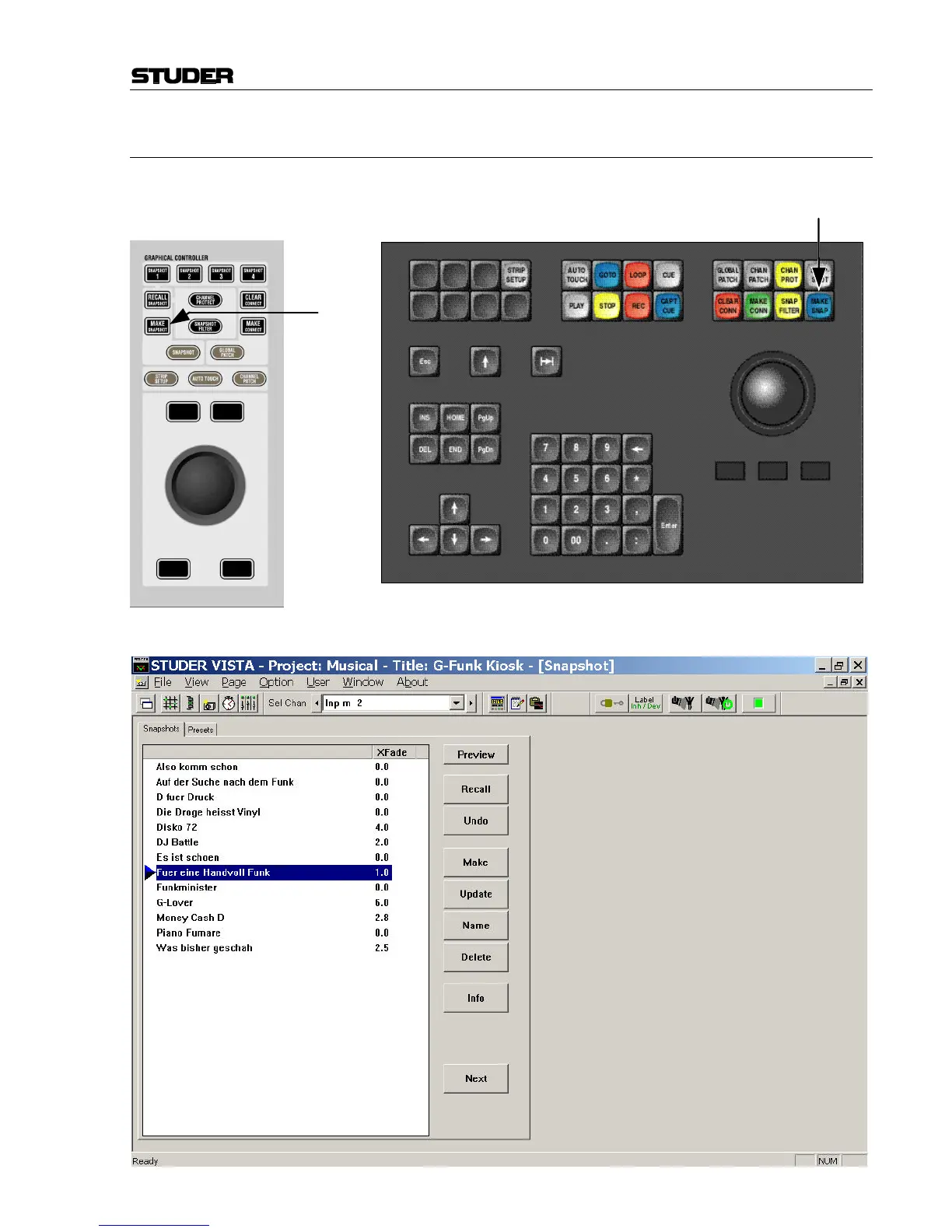
To capture a new Snapshot of the various user controls, press the MAKE
SNAP key (D950) or MAKE SNAPSHOT key (Vista) on the console:
Vista: D950:
The new Snapshot will automatically be numbered something like
SNAPSHOT #1, SNAPSHOT #2, etc.



 To Next Page