Vista Digital Mixing System
8-6 Vista 8 Differences
SW V3.5 Date printed: 05.04.2005
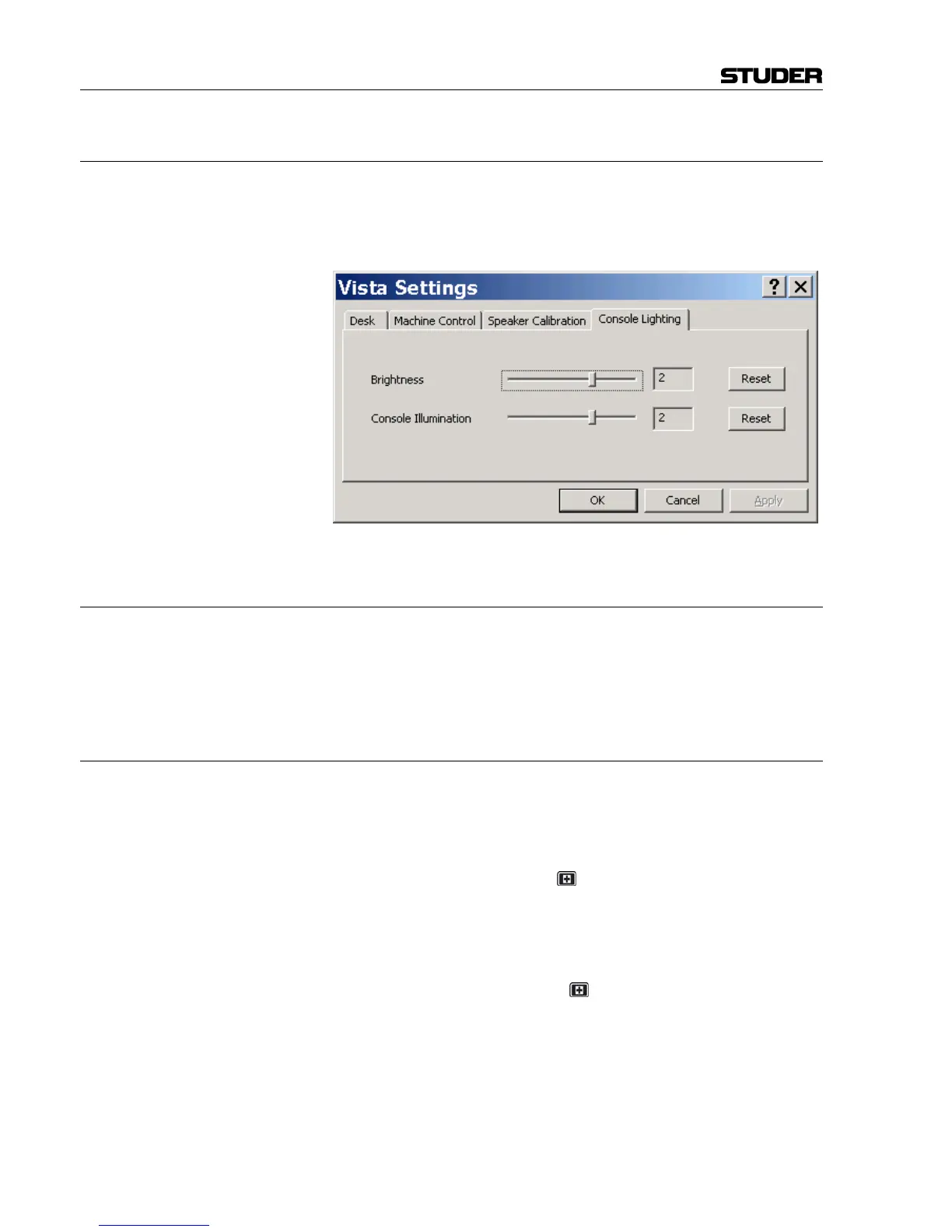
8.2.5 Console Illumination (optional)
Vista 8 may be ordered with optional illumination. It may be varied in in-
tensity using the “Option: Vista Settings” menu. There are two separate
controls for the console lights (including Vistonics
®
backlights) and for the
illumination mounted on top of the meter bridge.
8.2.6 Redundant Control System
If the console is equipped with a redundant control system, the external
graphic controller screen is running at a resolution of 1280 × 1024 pixels
by default. Resolution may be reduced to 1024 × 768 pixels by setting an
internal jumper (see service manual for more details).
8.2.6.1 Switchover to the Redundant Control System (Emergency Switch)
During normal operation, the main control system is backing up all neces-
sary data of the currently loaded project in regular intervals to the redun-
dant control system’s hard drive. The interval is set in the
“D950system.ini” file located within the Windows directory. If for any rea-
son it should be necessary to switch to the redundant control system, the
user may hold the emergency key
for about 3 seconds. This will switch
the whole system over to the second control system. The user will then see
the redundant system on the graphic controller screen and start the console
application by double-clicking on the appropriate icon on the desktop. It
will load the data previously backed up by the healthy main system, and
the operator has full access to the whole system again. While the redundant
system is active, the emergency key
is lit. However, it is not intended to
switch back to the main control system during a live situation. In such a
case, the data can be backed up using a CD-R or a USB memory stick and
put back to the main control system after the production has been finished.



 To Next Page