Vista Digital Mixing System
2-18 Desk Operation SW V3.3 Date printed: 05.08.03
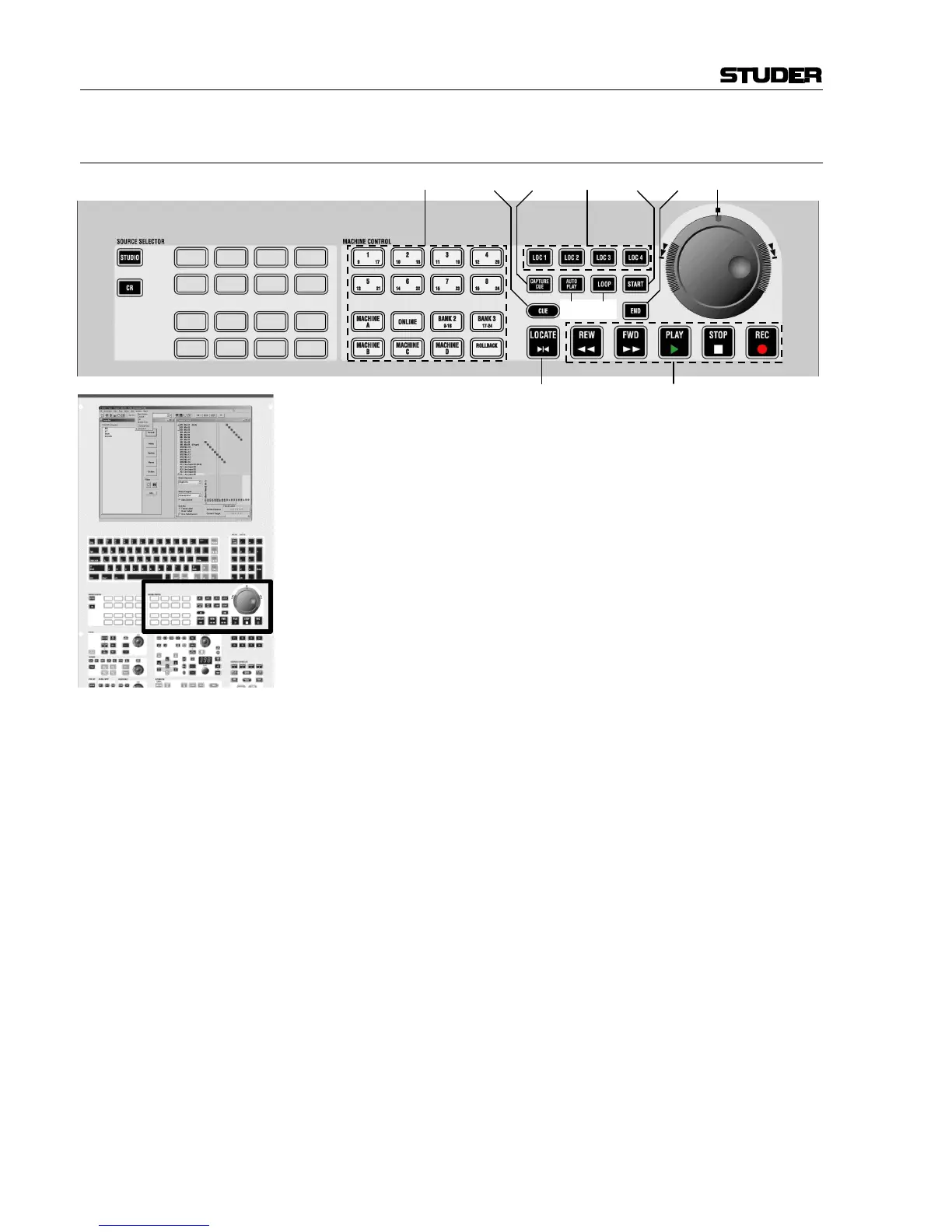
2.4.4 Area 4 – Machine Control
[90] Jog/Shuttle Wheel
Sensitivity adjustable in the “Option – Vista Settings” menu on the
Graphic Controller.
[91] LOC 1...LOC 4
Dedicated locator keys; pressing one of them will make the machine con-
trolled via the 9-pin machine control interface locate to the corresponding
TC address, if defined.
[92] CAPTURE CUE
Will create a new cue point by looking at the incoming master TC (source
set in the “Option – TC-Reader/Gen.” menu). If the key is held and one
of the LOC 1...LOC 4 keys is pressed at the same time, the corresponding
LOC 1...LOC 4 key will be programmed to the current master TC.
[93] AUTO PLAY
When reaching a locate point, a play command is sent out to the machine
controlled via the 9-pin machine control interface. The connected machine
has to support the “Cued” flag via the 9-pin protocol.
[94] LOOP
Starts playing a loop between start and end point. Post-roll and pre-roll
times may be set in the “reader/generator” menu. Pressing STOP < will
end loop mode.
[95] START
Pressing this key will open the machine control window in the Graphic
Controller and highlight the start time of the loop. TC can now be entered
in that field. Please note the different ways for entering a TC – e.g., by
pressing “T” on the GC keyboard, the currently incoming master TC is
entered. For details, please refer to chapter 5.23.
When pressing LOCATE [98], the machine controlled via the 9-pin machine
control interface will locate to this TC address.
This key also opens the GC’s Machine Control window.
[96] END
Pressing this key will open the machine control window in the Graphic
Controller and highlight the end time of the loop. TC can now be entered
in that field (all shortcuts mentioned above can be applied).



 To Next Page