Vista Digital Mixing System
Date printed: 05.08.03 SW V3.3 Parameters 3-47
3.6.5 Operating in Full VSP Style
As previously described, in VSP Style of operation (chapter 3.6.2), several
sound sources are brought into VSP Input channels. One or more Reverb
Channels may be set up. Each VSP channel may feed one (or more, only
for special effects) Reverb channels. The following are the adjustments
usually made on each VSP channel.
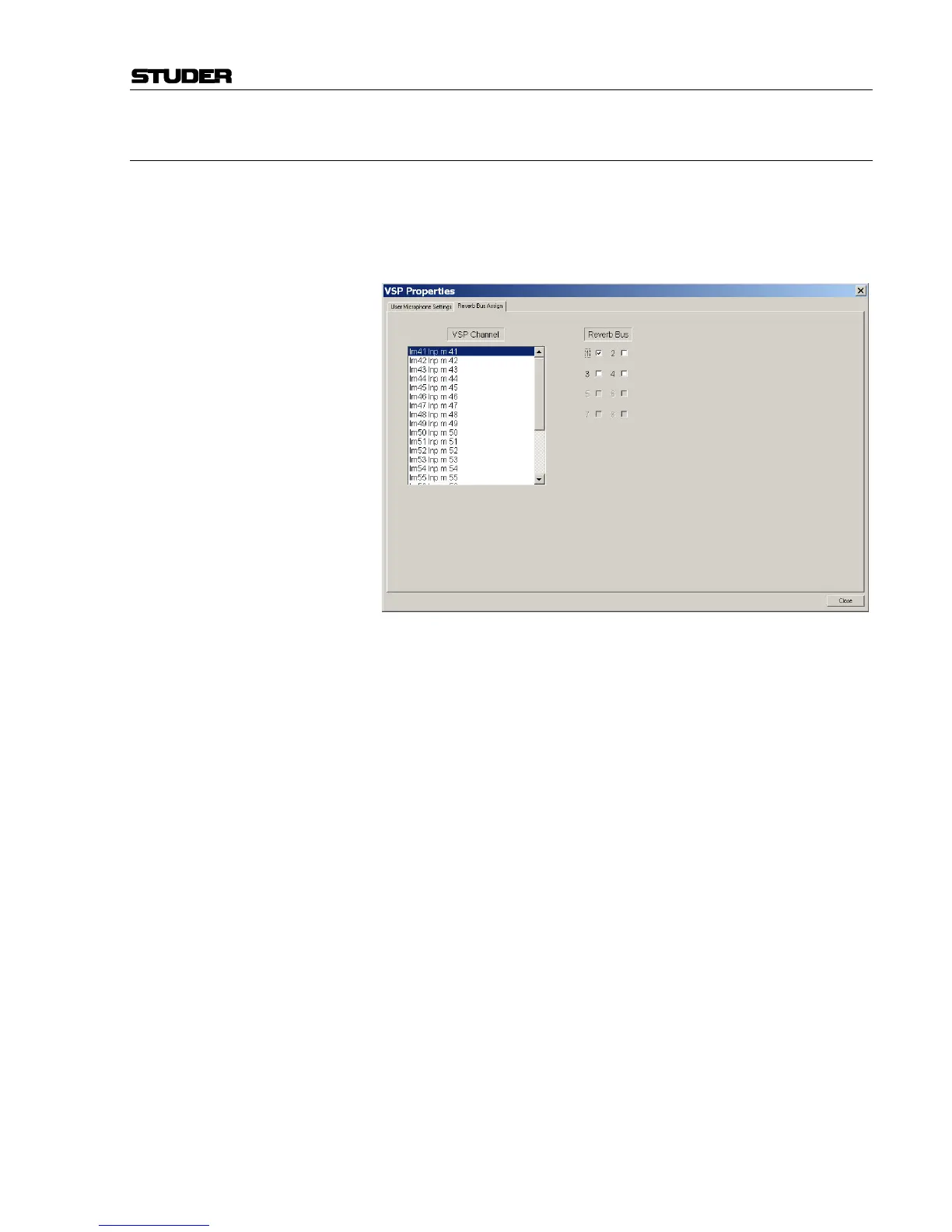
Change Reverb Bus Assignments (if needed)
Unless changed by the operator, each VSP channel is automatically as-
signed to Reverb Bus 1. This assignment can be changed in the Reverb
Bus Assign dialog window (see above) which is located in the Op-
tions/VSP menu. There, each VSP channel within the configuration can be
selected (or more than one can be selected), and the assignments to the
Reverb Buses can be made by using the check boxes provided for each
Reverb Bus in the configuration. These setting are saved in system snap-
shots and presets.
Assign to Output Buses Assign the outputs of the VSP panner to the appropriate buses. This will
send the direct and reflected signals to the audio buses.
Assign Reverb to Output Buses The Reverb channel must also be assigned to the output buses. The Reverb
has four outputs that are normally assigned to the Left and Right buses of
both the front and rear (if present).
Select Panner Format Set the panner to the correct format (stereo, LCRS, 5.1, etc.) using the
FORMAT parameter on Page 2 (D950), or the PAN MODE rotary selector
(Vista).
Engage the Panner Function Press the Pan IN key so that the panner is active for this channel.
Select the Panner Mode Set the Panner Mode (Amplitude, AB, ORTF, etc.) according to the de-
sired acoustic effect.
Set the Room Ambiance ON Turn on the Ambiance Switch and set the Ambiance to a mid level so that
other adjustments may be made.
Adjust Other Parameters As needed, adjust the other controls including Room Size, Absorption,
Distance, Diffusion, Focus.
Adjust the Reverb Channel Make adjustments as necessary on the Reverb channel(s).



 To Next Page