Vista Digital Mixing System
Date printed: 17.06.08 SW V4.0 Software V4.0 31
B.3.2 Vintage Expander/Gate Parameters
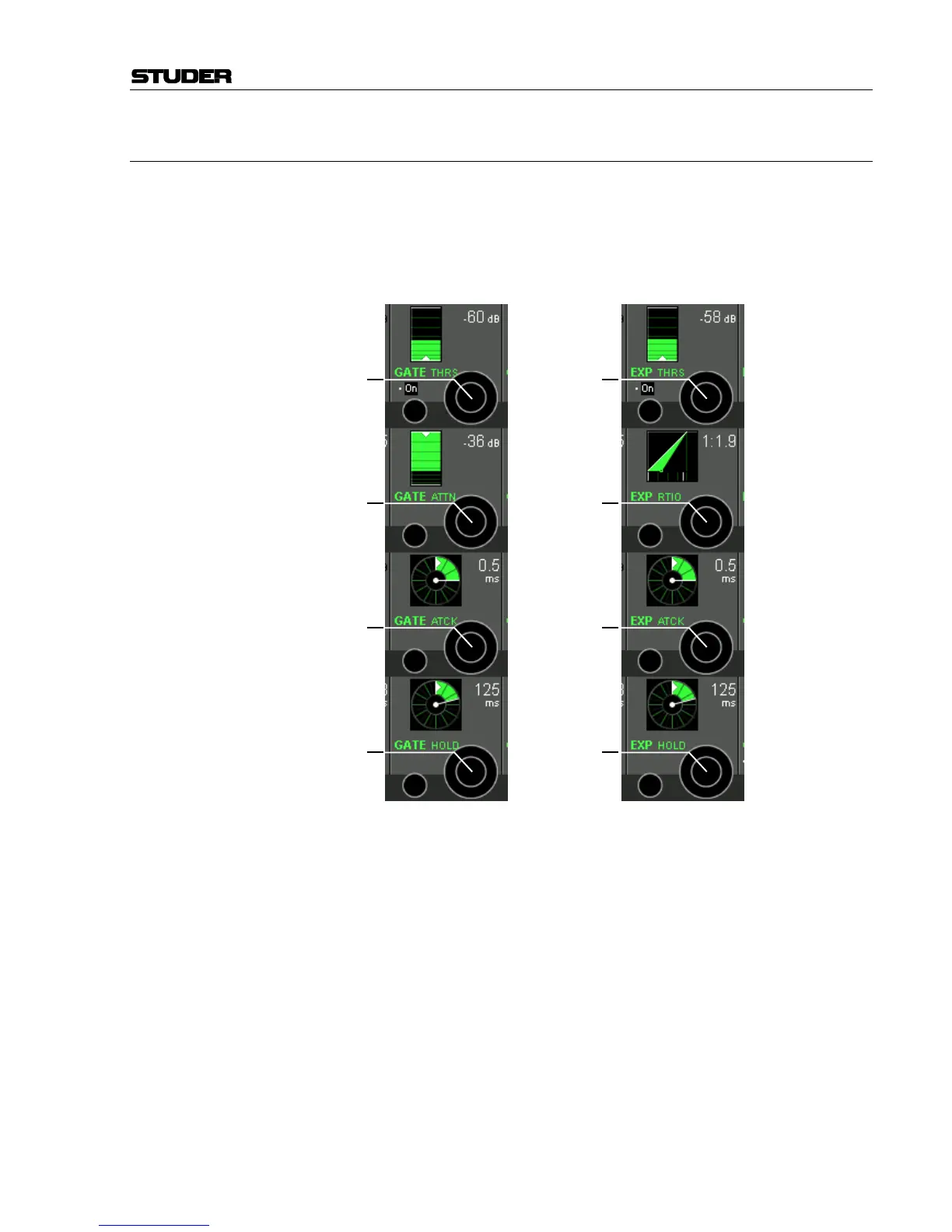
Press GLOBAL VIEW: EXP-GATE.
This global view enables the user to control the most important parameters
of the vintage dynamics section’s expander or gate parts. The complete pa-
rameter set is available on the channel-related vintage dynamics view, re-
fer to chapter B.4.1. There you will also find the parameter details.
Standard view: “Shift” view:
GATE THRS [1] The gate threshold level can be adjusted in 1 dB steps from 0 dB
FS
to
–96 dB
FS
.
GATE ATTN [2] The gate attenuation level can be adjusted in 1 dB steps from 0 dB
FS
to
+60 dB
FS
.
GATE ATCK [3] The gate attack time can be adjusted in 64 steps within a range of 0.2 ms to
5 ms.
GATE HOLD [4] The gate hold time can be adjusted in 64 steps from 0 ms to 2000 ms.
2
nd
Global View: Activated by pressing GLOBAL VIEW: EXP-GATE and the × key (Shift) at
the same time.
EXP THRS [5] The expander threshold level can be adjusted in 1 dB steps from 0 dB
FS
to
–96 dB
FS
.
EXP RATIO [6] The expander ratio level can be adjusted from 1:1 (no expansion) to 1:40
(heavy expansion).
EXP ATCK [7] The expander attack time can be adjusted in 64 steps within a range of
0.2 ms to 5 ms.
EXP HOLD [8] The expander hold time can be adjusted in 64 steps from 0 ms to 2000 ms.
[1]
[2]
[3]
[4]
[5]
[6]
[7]
[8]



 To Next Page