Vista Digital Mixing System
Date printed: 05.08.03 SW V3.3 Introduction 1-13
The concept of overall system configurability has been also adopted within
the Graphic Controller application. Since most functions are arranged in
overlapping windows of changeable sizes, users can set up their work envi-
ronment to suit their specific requirements for each recording or production
session. These settings can be saved and recalled at any time, allowing for
fast and application-oriented operation of the Vista system.
1.2.1 GC Screen Examples
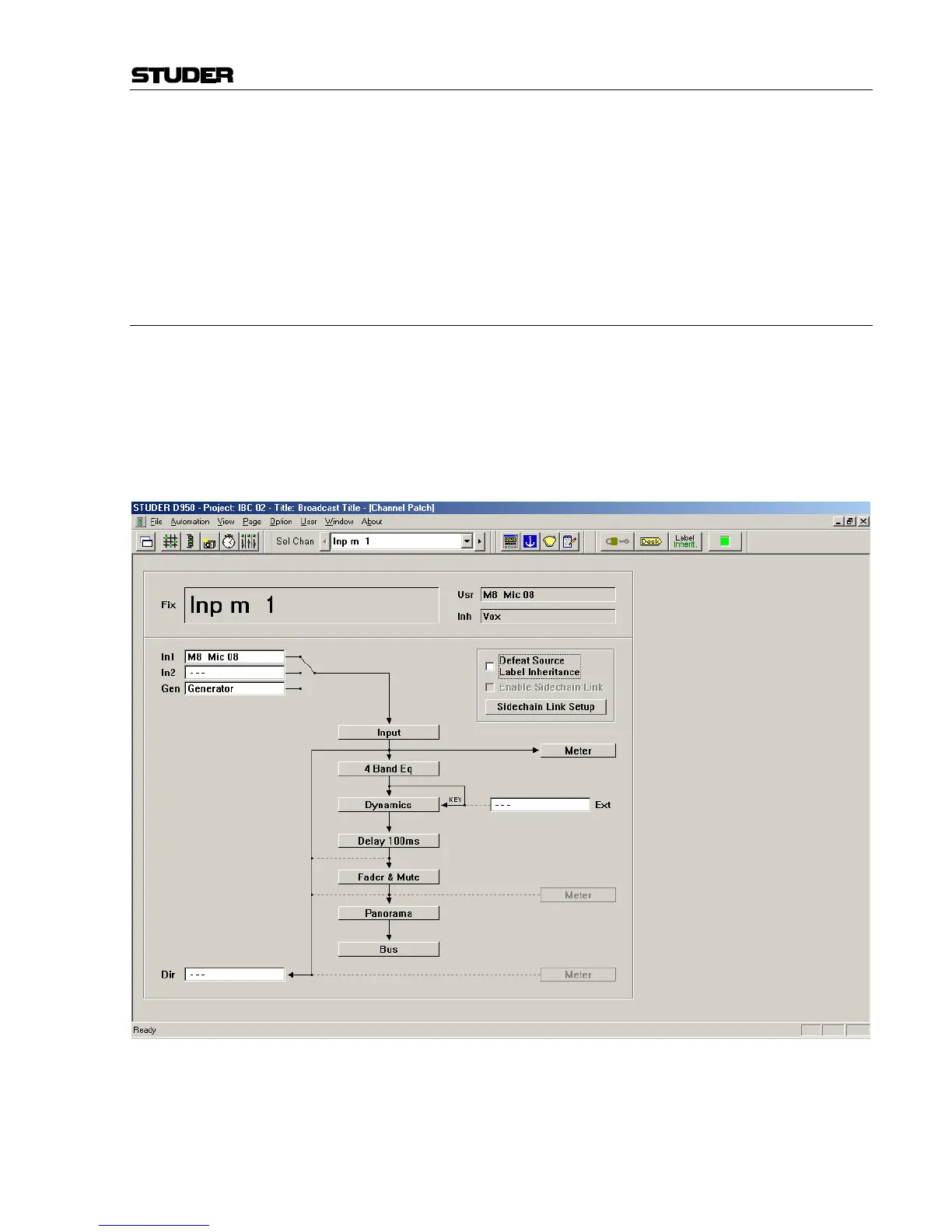
Internal Routing Matrix Control The Channel Patch screen is an audio path-oriented view for controlling
the routing of a particular channel, and is used to set up the sequence of
channel processing blocks (EQ, Insert, Delay, etc.) and metering locations
within the signal path, as well as defining the direct out signal. This screen
also displays the connections made to the channel’s various inputs and out-
puts. By double clicking on one of these display boxes the system will go
directly to the associated connection in the General Patch. The Channel
Patch also includes labeling and dynamics link facilities.



 To Next Page