Vista Digital Mixing System
Date printed: 05.08.03 SW V3.3 Desk Operation 2-7
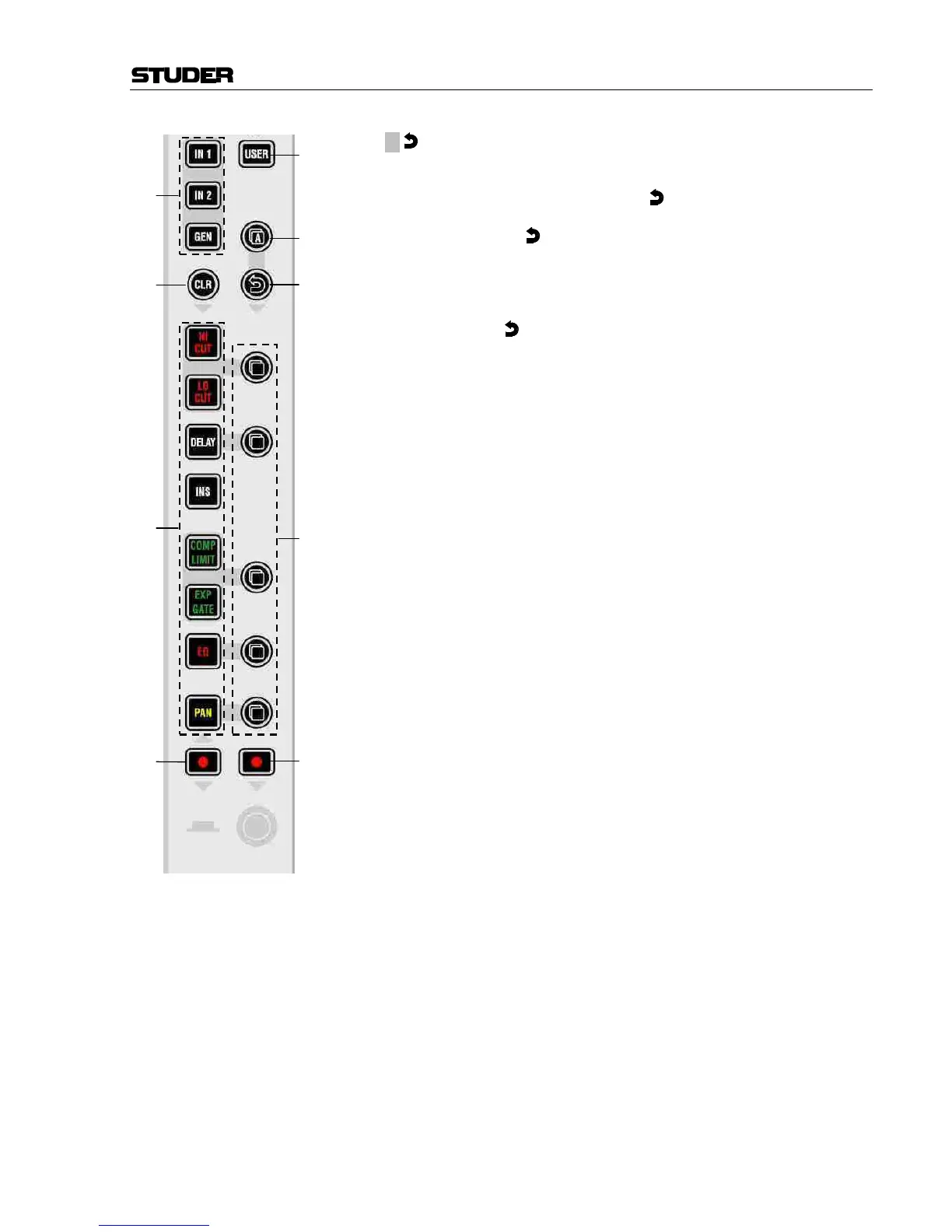
[14] ¹ (Undo/Redo)
After having copied a setting into one channel, this key will reverse the
last paste function. If a clear function has been performed, this key will re-
verse the last clear function. Note that
(Undo/Redo) remembers each
channel's settings. It is therefore possible to undo a function on several
channels by applying
(Undo/Redo) on a gang.
There is also a shortcut for comparing settings within one channel:
• Press copy/paste in one channel twice (this copies the current value into
the clipboard and pastes it back into the channel).
• Now change to an alternate value.
• When pressing
Undo/Redo, the user can toggle between the two set-
tings and compare by listening.
Note: By using the temporary function of this key, it is possible to com-
pare the two settings with a single key press!
[15] CLR
After having pressed this key once, all possible destination keys (audio
on/off keys) are half-lit. Pressing one of them will reset its value to the de-
fault value. It is also possible to select one of the IN1, IN2, or GEN input
selector keys [10]. This will reset the input gain. Selecting the 2 A
(copy/paste all) key [13] as the choice to clear will reset all parameters
within this channel, including bus assignment. It is also possible to use the
MULTI SEL key [50] (chapter 2.2.6) to clear multiple functions. In order to
set the fader of the channel to 0 dB, it is possible to touch the fader after
having pressed CLR. After releasing the fader, it will set to 0 dB.
CLR can also be applied to a whole gang.
[16] l Punch-In/Out of Keys (Dynamic Automation)
Half-lit: Some of the keys of this channel are “armed”, that is, in WRITE
or TRIM mode of the dynamic automation.
Fully lit: Some of the keys are being recorded.
Upon press: Punch-in/out.
Vista 6: USER 1, programmable key for different functions such as signal-
ing, fader start on/off etc.
[17] l Punch-In/Out of Rotary Controls (Dynamic Automation)
Half-lit: Some of the rotary controls of this channel are “armed”, that is, in
WRITE or TRIM mode of dynamic automation.
Fully lit: Some of the keys are being recorded.
Upon press: Punch-in/out.
Vista 6: USER 2, programmable key for different functions such as signal-
ing, fader start on/off etc.
[18] USER
Key for programmable user- or application-specific functions (such as
signaling, fader start, etc.).
Note: In the signaling setup on the Graphic Controller, this key is referred to as
“User 1”.
Vista 6: METER, toggles the meter tap point between input, post fader, or
direct output.



 To Next Page