D950/Vista7 Digital Mixing System
5-176 AutoTouch+ SW V3.3 Date printed: 27.08.03
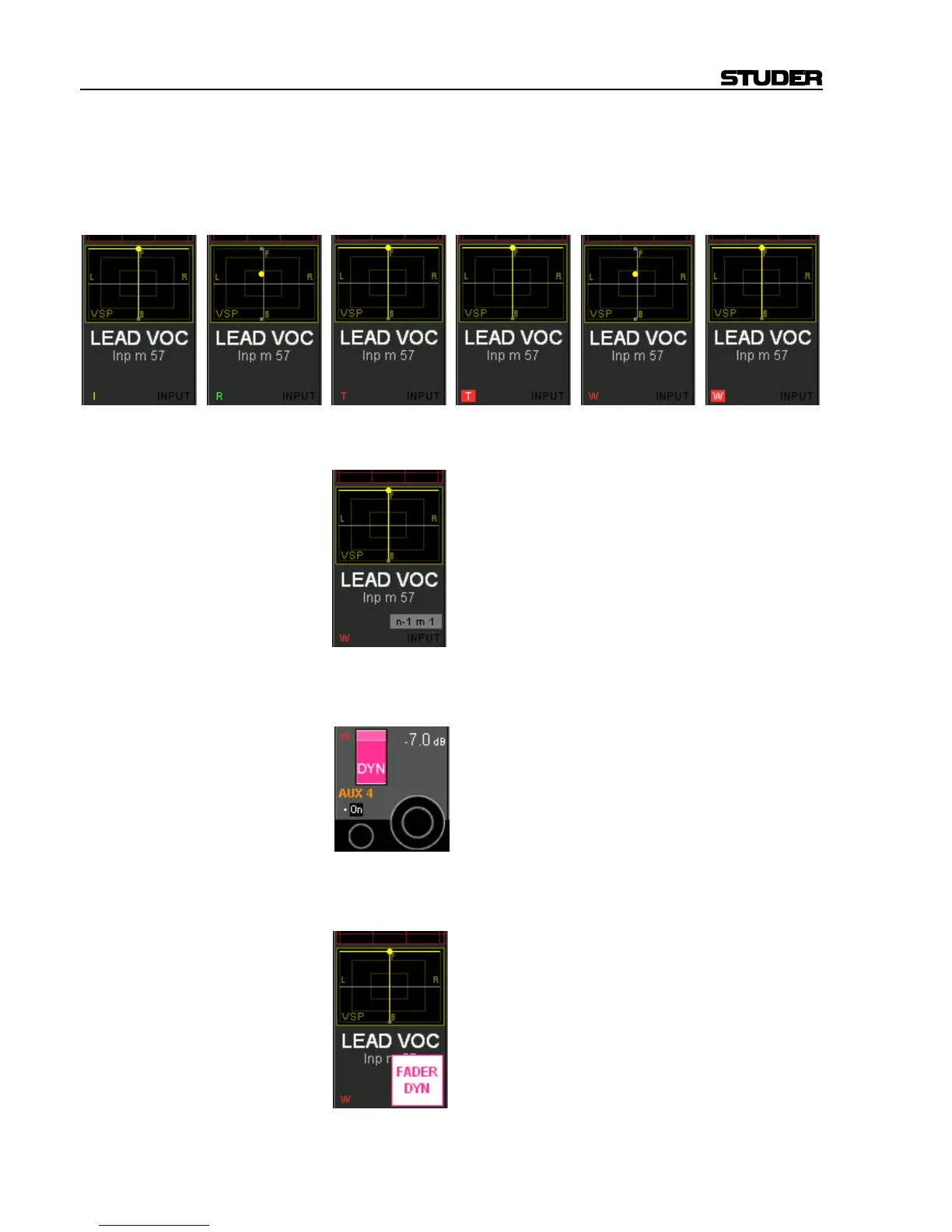
Recording Recording mode of the fader (in the Vistonics generic display area):
Characters without a frame indicate the status of the fader (I = Isolate, R =
Read, T = Trim, W = Write).
A red frame behind the “W” or “T” indicates that the fader is currently
recording.
n–1 x n–1 x indicates that the channel is the owner of an n–1 bus, together with
its bus number - e.g. “m 1” for “mono 1”.
.
Rotary Dynamic/Static Dynamic/static view of the rotary control:
When pressing the VIEW key in the AutoTouch+ panel, this display
changes to DYN, if this control contains dynamically automated elements
Fader Dynamic/Static Dynamic/static view of the fader: When pressing the VIEW key in the
AutoTouch+ panel, this display appears and indicates “FADER DYN”, if
the fader is dynamically automated.



 To Next Page