Vista Digital Mixing System
Date printed:26.10.07 SW V3.3/3.5 Application Notes 9-7
9.3 Application Note 3:
TV Gallery "Pre-Hear" (Vista 5/8)
It is a common requirement in TV studios – especially when doing light
entertainment and current affairs – that the director and producer in the
studio control room want to hear the main presenters even when their mics
are faded down. They normally listen on a small desk loudspeaker or via
the comms system. It is of course a simple matter to route a pre fade direct
output of each presenter mic to an Aux and send this to the director.
However when the presenter mic is faded up the director gets two signals,
one from the main monitoring and the second from the pre-hear speaker. A
simple use of the Vista/D950 conferencing automatically produces a
simple pre-hear mix and removes presenters mics from this pre-hear when
they are faded up.
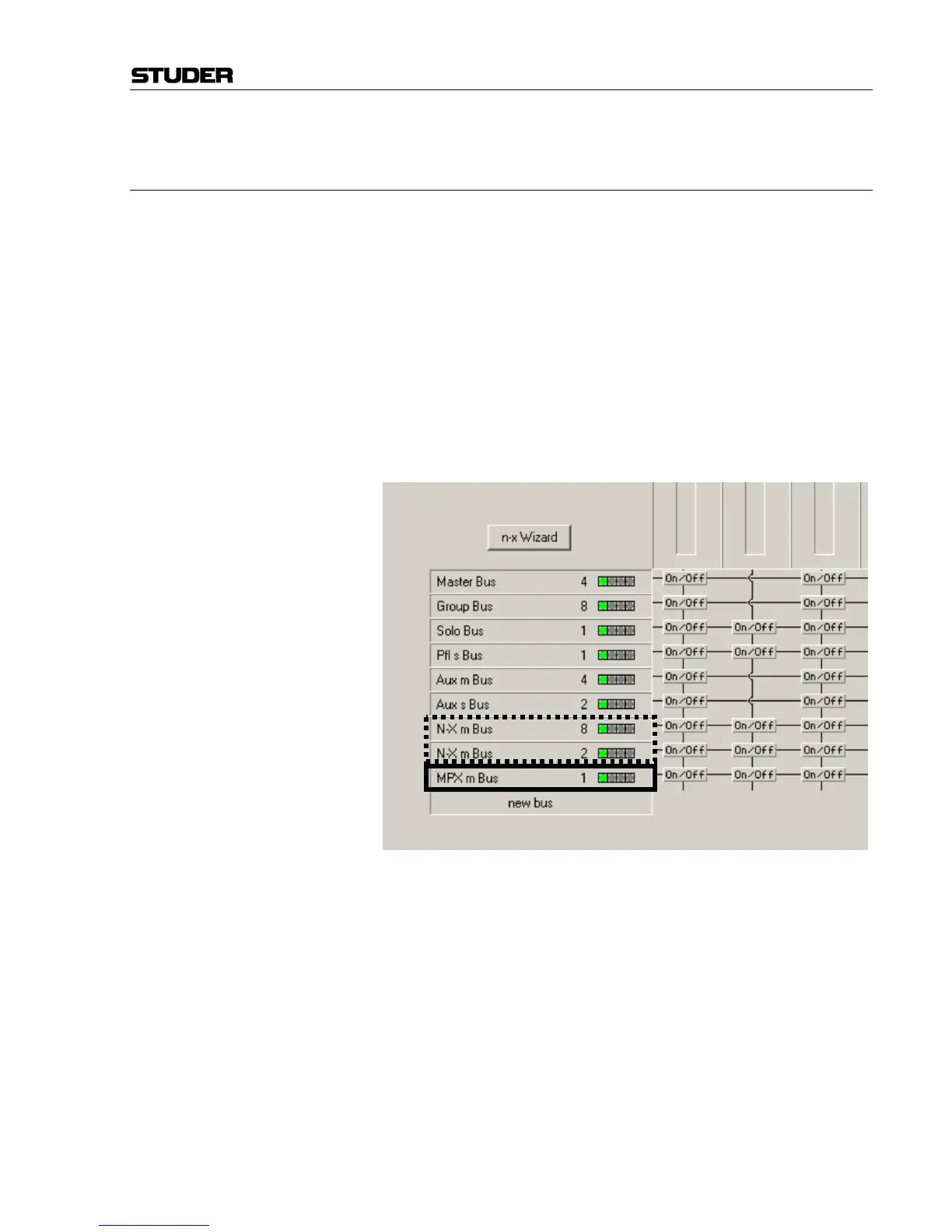
Configuration First the DSP configuration must be set to provide as many N–X buses as
there are presenters, say 10. Also the configuration must include an MPX
bus.
The required N–X m buses (dashed) and one MPX bus (solid) are added. If
you use the N–X Wizard do not add the master Aux bus to mix the
program to the MPX bus.
Build the config and then load it and create or merge to your title.
Title The first thing is to make all the presenters mics N–X bus owners. Open
"Option/N–1 Assign" and you get the screen on the next page. Add all the
presenters as N–X bus owners (note the N–1 Bus pull down must be "Bus
N–X m 1" etc. If you cannot find this bus then you have configured the
wrong N–X bus type in the config tool). You do not need to add the send
lines or check the Channel Assignment boxes.



 To Next Page