Vista Digital Mixing System
Date printed:26.10.07 SW V3.3/3.5 Application Notes 9-9
Setting up the Conference Now we have to add the presenter mic channels to the MPX conference.
On a Vista 5 or 8, press the MPX key on the master bay. On Vista 6 or 7
press the F6 key on the control bay. The LINK/SEL keys of all possible
conference members half light, the user may add all or some of the bus
owners as required by pressing the LINK/SEL keys. If you are using the N–
X system for external clean feeds from TBUs or Outside Sources you may
or may not wish these channels to be members.
On the strip setup page you can see the assigned conference channels in
blue.
If you do not wish the input channel meters to show the conference signals
you may disable the N–X metering in the options menu: "Options/Vista
Settings/Misc"
Working As soon as the fader of one or more of the channels is closed it will mix the
prefader channel signal to the MPX bus. You may globally activate and
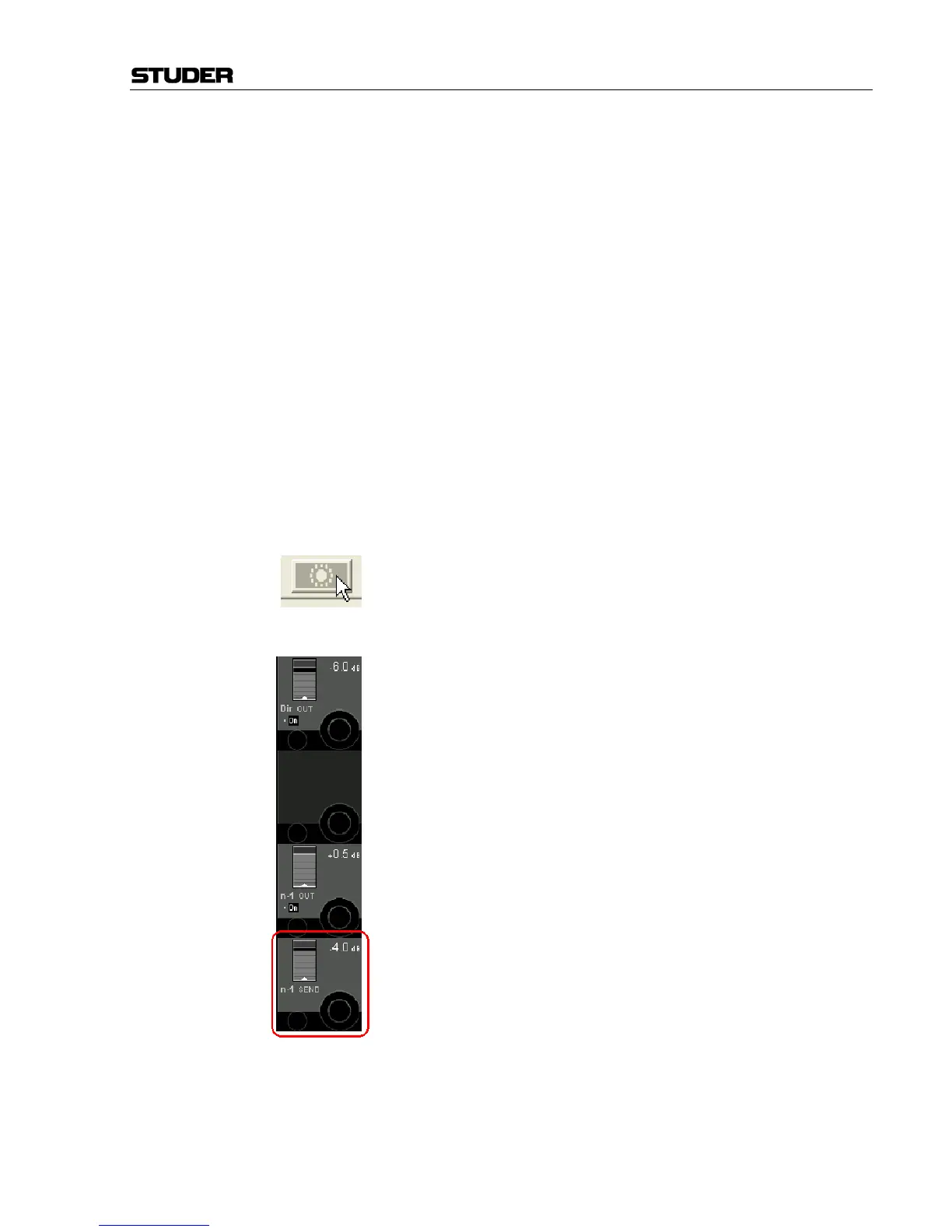
deactivate this feature in the GUI with the button on the screen or the
OPTION F7 key. (Vista 5 hosts a dedicated key for this next to “SETUP
Conference”). The F7 key lights to show the function is enabled.
The GUI button has three settings:-
Grayed-out: Not active or defined.
Coloured: Conference active, even if members closed.
Coloured and crossed out: Conference defined but deactivated.
Levels The channel Vistonics Out N–1 assignment has for each N–X bus owner a
level control n–1 SEND (next to the front) controlling the mix to the
director's pre-hear. You may adjust this as required, note; this must be set
with the fader closed as the level to the MPX bus changes when the fader
opens.
Note, the pre-hear will be active if the channel is muted; in order to cut the
pre-hear during toilet breaks you need to either disable the MPX, "Option
F7" or leave the fader at –70 dB or so.



 To Next Page