STUDER 21. Sep. 2004 Release Notes Vista 3.4
11/18
At startup time of the console software, the IO structure is scanned and compared with the
structure previously found when the system was last started. If the system detects any IO
structure changes (e.g. a Stagebox has been removed to work temporarily with another
console), a warning is displayed for the user. He then may confirm that this situation is ok
and the system should not expect the missing components for this session. The user also has
the possibility to confirm the new IO structure as the standard. In other words this will be
the structure the system expects when starting the next time. If the channels within the
configuration are equipped with the D21m input function, the user can go ahead and patch
audio to input channels – while automatically get control over all parameters of the IO
system.
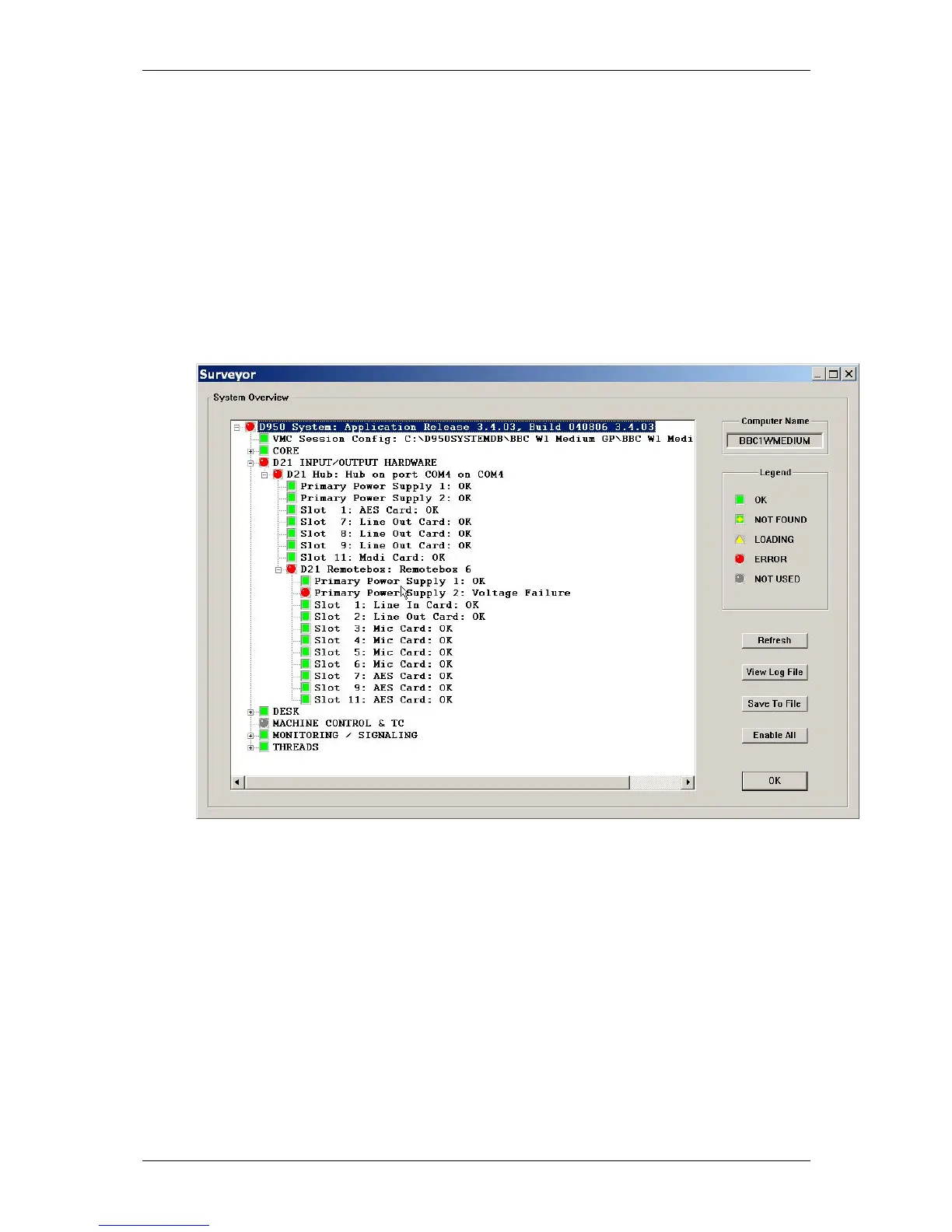
Enhanced information in surveyor
The information about the IO system displayed in the surveyor is much enhanced. Now not
only the microphone preamplifier cards are indicated, but the health state of all IO cards.
Power supplies (main and redundant!) are indicated as well.
Automatic generation of intelligent Fixed Labels
The audio coming through the D21m IO components is always reaching the core over Studers
proprietary high density link. This link is present between local hubs and the DSP core. Each
link may carry up to 96 audio channels. Instead of displaying these channel numbers in the
general patch, the software 3.4 is able to give more intelligent names to the input and
output ports shown in the general patch. You will then see frame numbers as well as card
types and channel numbers within each card. This generation is automatically active
whenever the D21m IO system is present and the hub frame connected over a serial line to
the console. However, when recalling an snapshot which contains the “non intelligent” fixed
labels (e.g. from older productions), this will overwrite the fixed labels as well and make
the “intelligent fixed labels” disappear. In this case, select “Regenerate Intelligent Fixed
Labels” within the SysAdmin menu and update this snapshot.



 To Next Page