TLS-450 Setup and Operation Screens Manual
156
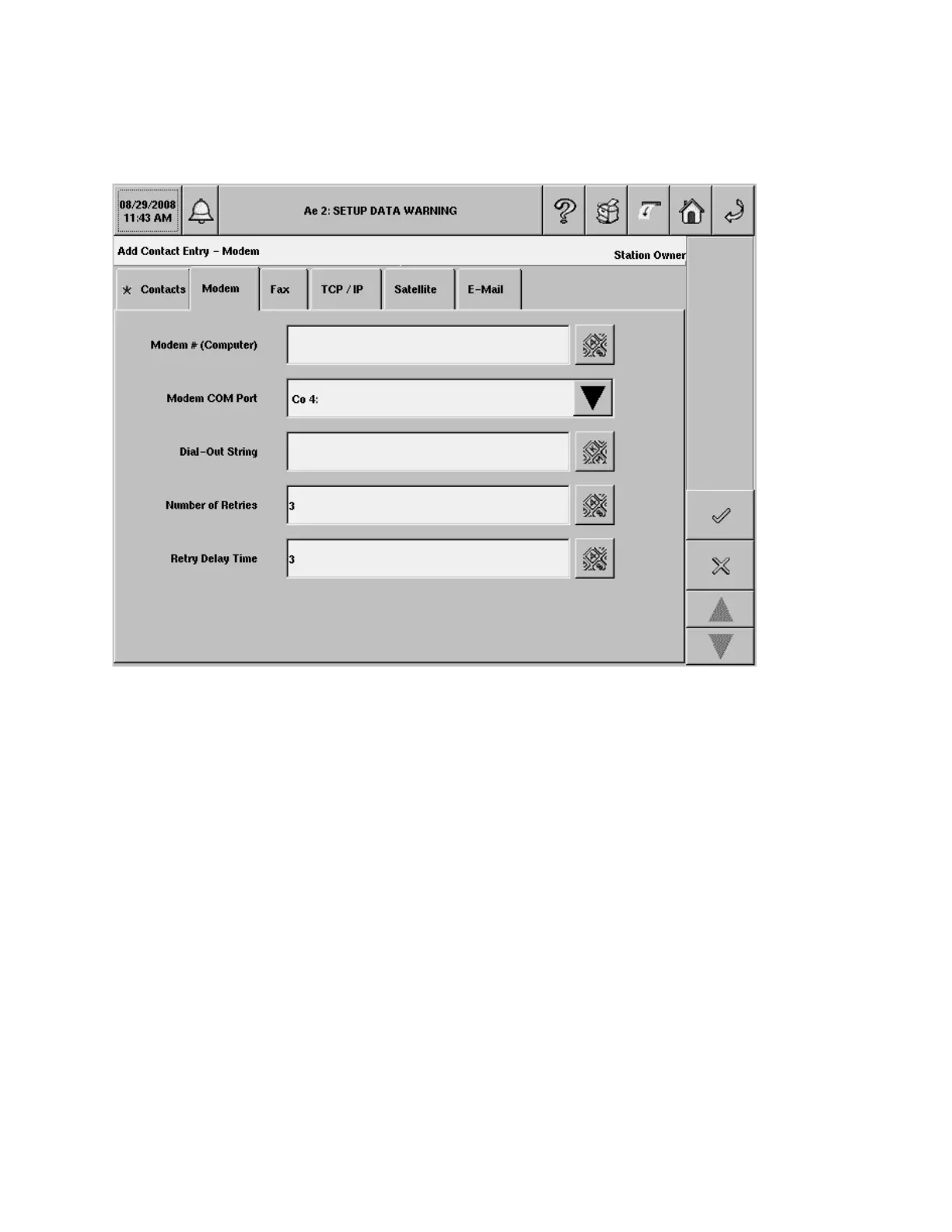
Add/Edit Contact Entry - Modem
The Add Contact Entry - Modem screen lets you add/edit communication parameters for modem
outbound connectivity for the current contact. This connection method is available if a modem is installed
in the console.
Modem # (Computer)
Enter the phone number of the outbound computer's modem.
Allowable selection: Modem numeric string, maximum 40 characters
Default selection: empty
Modem COM Port
This field allows the Modem assignment to the current contact. The setup of a modem will be done in the
Comm Devices Setup area. Select the console modem used to attempt the connection.
Allowable selections: Available Modem Comm Devices
Default selection: First modem on list (if available, otherwise, empty)
Dial-Out String
Enter the alternate dial-out string that overrides the one given in Comm Devices Setup for that specific
modem.
Allowable selections: Alphanumeric string, maximum 50 characters. Default selection: Empty


 To Next Page
 Loading...