TLS-450 Setup and Operation Screens Manual
86
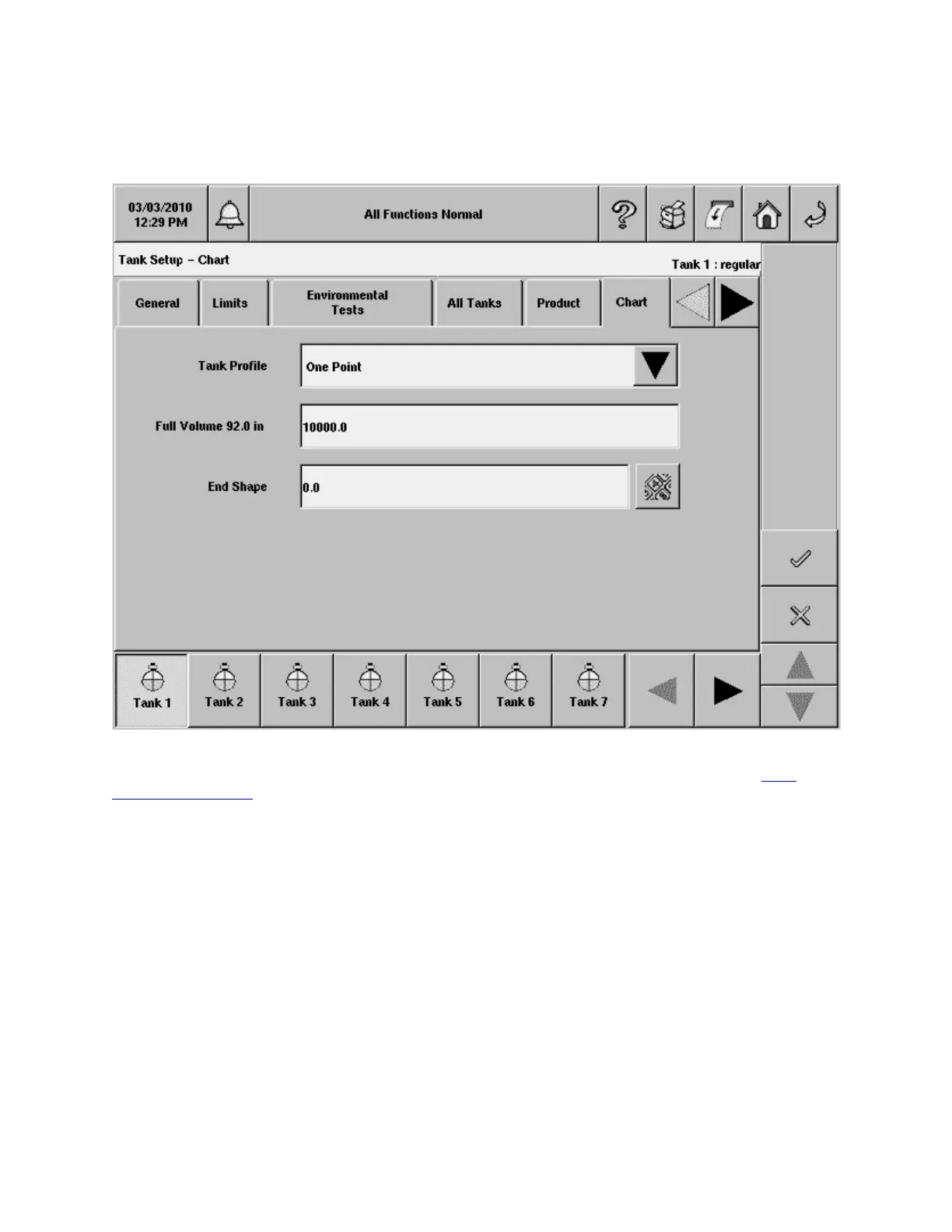
Tank Setup - Chart
This screen allows you to manually setup a tank chart using one of four tank profiles: 1 point, 4 point, 20
point or linear. You must enter the diameter and full volume before selecting a tank chart (See
Tank
Setup - General Tab).
Tank Profile
Note: For the currently selected Tank, if either Full Volume or Tank Diameter are set to 0, this field
will be disabled.
• 1 point - This method requires only the 100% (full) volume to profile the tank. This selection is
used for horizontally installed, flat-ended cylindrical tanks, and should be selected when
AccuChart II is available for this type tank.
• 4 Points - This method requires 4 volumes to profile the tank. The requested volumes are at
percentages of height (e.g., the 75% volume of a 96" diameter tank = the volume at a height
which is 75% of 96" or 72"). This selection can be used for all rounded- and dished-end tanks,
and should be selected when AccuChart II is available for these type tanks.
• 20 points - This method requires 20 volumes to profile the tank. The requested volumes are at
percentages of height (e.g., the 5% volume of a 96" diameter tank = the volume at a height which


 To Next Page
 Loading...