110 CoDeSys 2.3 Runtime Environment WAGO-I/O-SYSTEM 750
758-874/000-131 WAGO-I/O-IPC-C6
Manual
Version 1.0.0
11.6.4 Editing a Program Function Block
To edit the program component PLC_PRG, change to the "POUs" tab and double
click on the program function block PLC_PRG.
Figure 46: Program function block
The following example is intended to illustrate the editing of the program function
block. To do this, an input is assigned to an output:
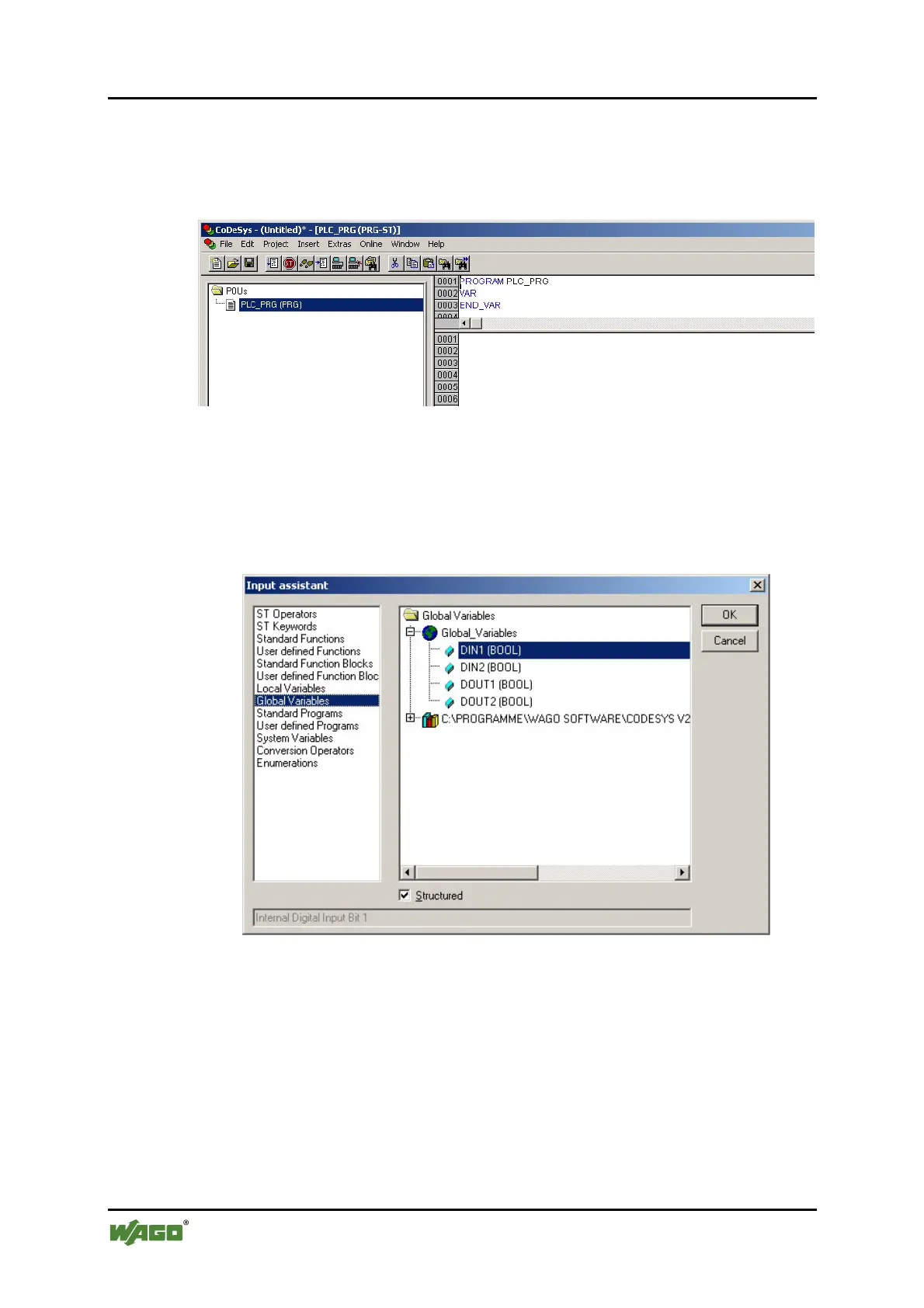
1. Press [F2] to open the input assistant or right click and select the "Input
Assistant…" context menu.
Figure 47: Input assistant for selecting variables
2. Select the previously declared variable "K-Bus_Do_01" under "Global
Variables" and click to on [OK] to add it.
3. Enter the assignment:= behind the variable name.
4. Repeat step 2 for the variable "K-Bus_DI_01".



 To Next Page
 Loading...